
Prompt
Copy and customize
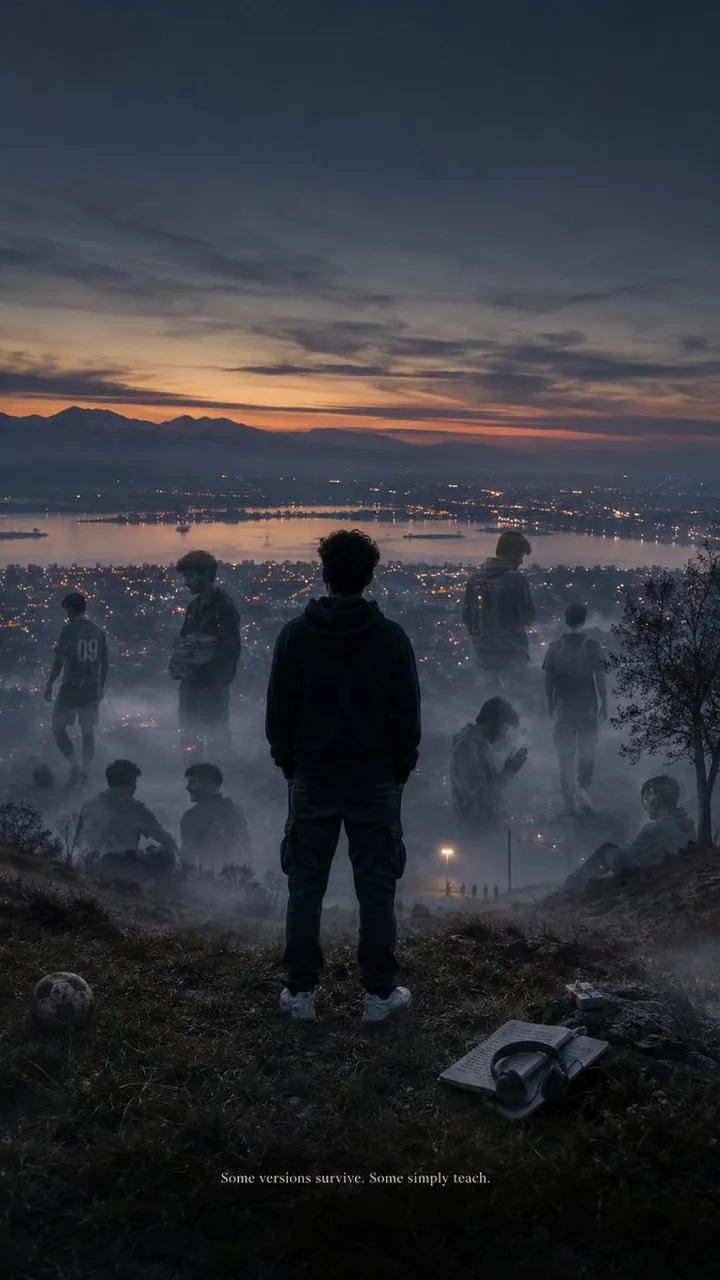
SMARTPHONE WALLPAPER. Title: BECOMING. A single frame from an A24 psychological film, quiet, deeply personal, emotionally restrained, and timeless. A lone 25-year-old medical student stands facing a misty Kashmiri hillside overlooking Srinagar during blue hour, just after sunset. Dal Lake stretches across the horizon like polished glass. The city glows below with thousands of warm tungsten lights. Cold wind moves through tall grass; thin fog drifts across the ground. The subject stands with back towards the camera, hands inside hoodie pockets, relaxed posture, present. Around him, barely visible translucent silhouettes dissolve into the fog, representing past chapters. Scattered naturally around him are objects: muddy football boots, a worn volleyball, an anatomy textbook, a notebook, gym wrist straps, wired earphones, a folded prayer cap, a weathered cigarette pack, and a half-burnt hand-rolled joint on a stone. Lighting: Cold Kashmiri blue-hour, soft overcast ambience, warm tungsten city glow, muted blue-grey sky, subtle golden horizon, natural cinematic film grain. No bloom, no neon, no cyberpunk, no fake HDR. Color Palette: Cold slate blue, wet asphalt grey, forest green, weathered black, muted earth tones, warm amber city lights, natural skin tones. Camera: Vertical 9:16, 50mm lens, eye-level perspective, photorealistic, ultra-detailed, natural handheld realism, slight depth of field, clean composition with generous negative space for phone icons. Text at the very bottom, tiny, elegant serif font, no glow.
Best for
Cinematic portrait photographyAtmospheric landscape scenesSmartphone wallpaper designEmotional storytelling visualsDetailed environmental concept
Tips
Ensure the aspect ratio is set to 9:16 to maintain the intended composition for a vertical smartphone wallpaper format.
Focus on the blue-hour lighting and muted color palette to preserve the quiet, restrained, and timeless mood of the scene.