
Prompt
Copy and customize
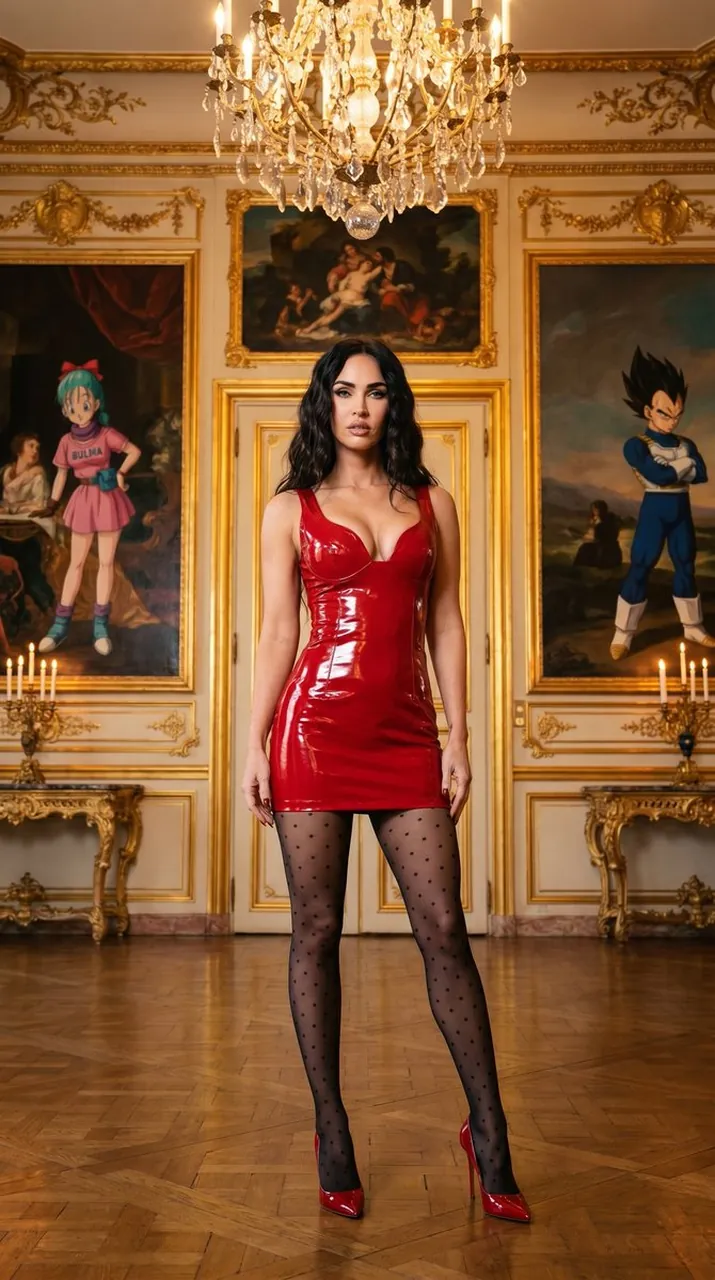
{ "meta": { "quality": "Stunning editorial clarity showcasing high-gloss reflections and intricate architectural details.", "style": "Avant-garde ultra close-up fashion editorial blending bold modern attire with classical rococo opulence.", "aspect_ratio": "Immersive vertical framing optimized for high-end digital lookbooks and style lookups." }, "subject_aura": { "capture_type": "Full-length portrait capturing a statuesque posture and a confident, enigmatic gaze.", "outfit_vibe": "Bold high-gloss short red shiny dress with deep neckline paired with polka-dot hosiery and red glossy high heels stilettos.", "pose_flow": "A centered, powerful stance projecting contemporary femininity against historical grandeur." }, "scene_aesthetics": { "location_feel": "An opulent European palace hall adorned with gilded moldings and classical delacroix and goya oil paintings style representing Bulma and Vegeta dragonball characters.", "lighting_mood": "Atmospheric warmth emanating from a grand crystal chandelier and ambient candlelight.", "color_palette": "A bold contrast of cherry red against muted gold, deep crimson, and soft ambers." }, "technical_illusion": { "camera_style": "Medium-format cinematic film aesthetic with rich micro-contrasts and balanced highlights.", "lens_feel": "A premium focal length offering crisp subject sharpness while preserving background depth." } }
Best for
Tips
Keep the main subject focused so meta quality Stunning editorial clarity showcasing high-gloss remains recognizable after style or lighting changes.
Adjust camera angle and aspect ratio before generation when the composition needs a specific platform format.