
Prompt
Copy and customize
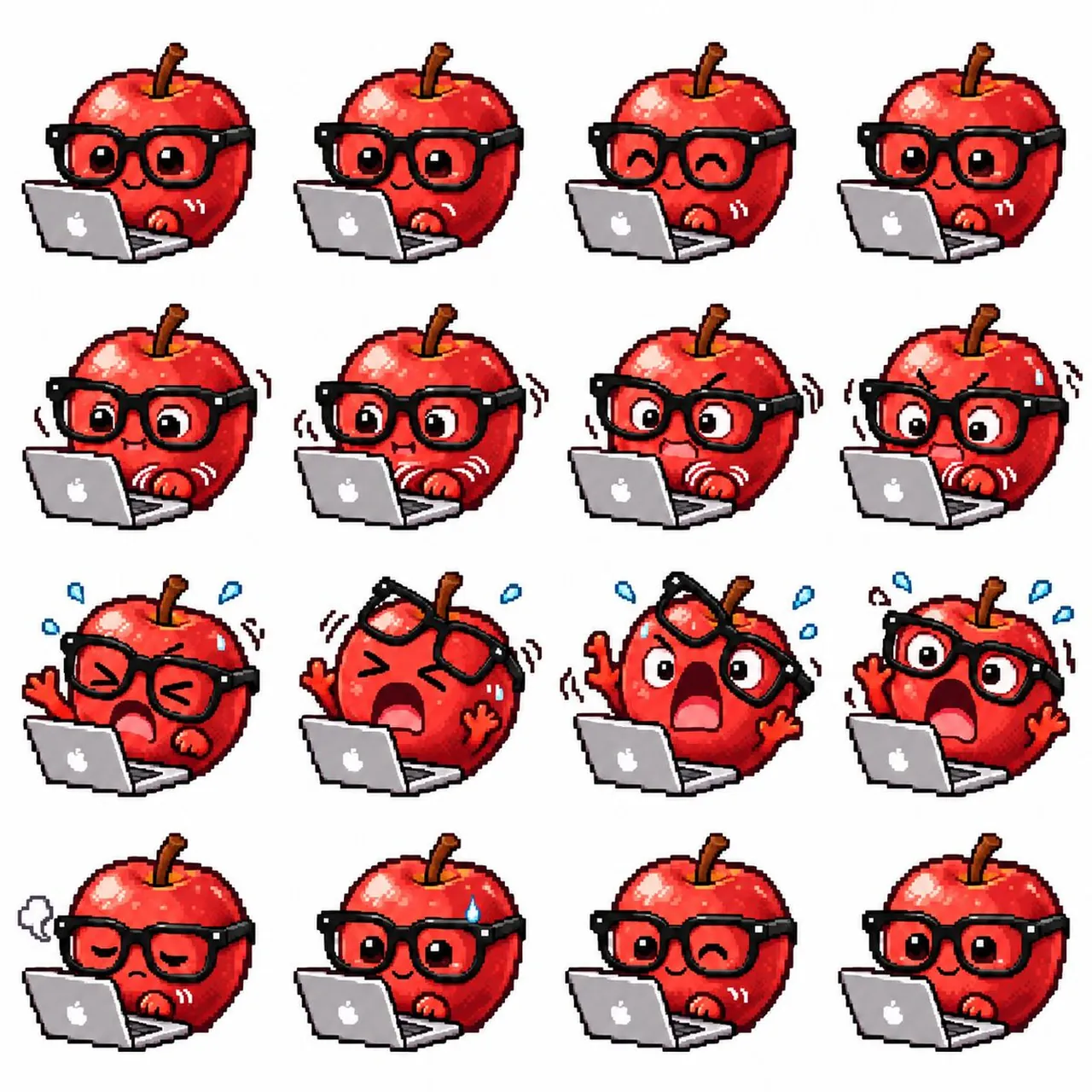
Goal: Create a cute pixel-art 4×4 sprite sheet for an animated GIF, featuring a shiny red apple mascot working at a silver laptop with a white apple-like logo.
Canvas: Square white background, evenly spaced 4 columns by 4 rows, no borders or grid lines. Use crisp retro pixel art with chunky black outlines, limited-color shading, glossy highlights, and transparent-feeling clean spacing around each sprite.
Subject details: The same apple mascot appears in all 16 sprites. It is a round bright red apple with glossy white highlights, a brown stem at the top, black thick-rimmed square glasses, small red hands, and a small expressive face. The laptop sits in front-left of the character in every frame, open toward the viewer, rendered in light gray and white pixel shading.
Layout and exact 16-frame contents, left to right, top to bottom: 1. Calm focused apple typing, open eyes, tiny smile, one hand near keyboard, laptop in foreground. 2. Similar calm typing pose, eyes looking forward through glasses, small pleased smile. 3. Happy typing pose, eyes closed in upward arcs, smiling, relaxed. 4. Calm attentive pose, open eyes, small smile, laptop slightly covering lower face. 5. Curious or surprised focus, wide eyes looking at screen, tiny mouth, subtle motion marks near the hand. 6. Alert typing, wide eyes, both hands moving quickly, black motion lines around body and white motion lines by hands. 7. Concerned concentration, furrowed brows, wide eyes, small open mouth, shaking motion marks. 8. Stressed focus, furrowed brows, wide eyes, blush/strain on cheeks, shaking motion marks. 9. Panic while typing, eyes squeezed shut, open shouting mouth, blue sweat drops around head, one hand raised, laptop still in front. 10. Shocked panic, glasses flying upward off the face, eyes squeezed shut, huge open mouth, both arms raised, blue sweat drops. 11. Extreme alarm, one lens/glasses tilted upward, huge round eyes, enormous open mouth, both arms raised, blue sweat drops and shake marks. 12. Shocked typing panic, glasses still on, huge round eyes, open mouth, both arms raised, blue sweat drops around head. 13. Exhausted or defeated, half-closed eyes, frowning mouth, gray puff of sigh smoke on the left, one hand resting near laptop. 14. Nervous recovery, small smile with open eyes, single blue sweat drop on upper right of apple, hands near laptop. 15. Playful wink, one eye closed, one eye open, gentle smile, relaxed typing pose. 16. Return to normal happy typing, open eyes and small smile, relaxed hands near laptop.
Visual style: High-resolution pixel art sprite sheet, cute mascot emoji/sticker style, saturated reds, dark maroon shadows, bright white specular highlights, black glasses with small white highlights, expressive cartoon motion lines. Keep every sprite consistent in size and centered within its cell.
Constraints: Use exactly 16 sprites in a 4×4 arrangement. Do not add text, labels, captions, watermark, frame numbers, or background scenery. Keep the background plain white and preserve consistent character design across all frames.
Best for
Tips
Keep the main subject focused so Goal Create a cute pixel-art 4 4 remains recognizable after style or lighting changes.
Adjust camera angle and aspect ratio before generation when the composition needs a specific platform format.