
Prompt
Copy and customize
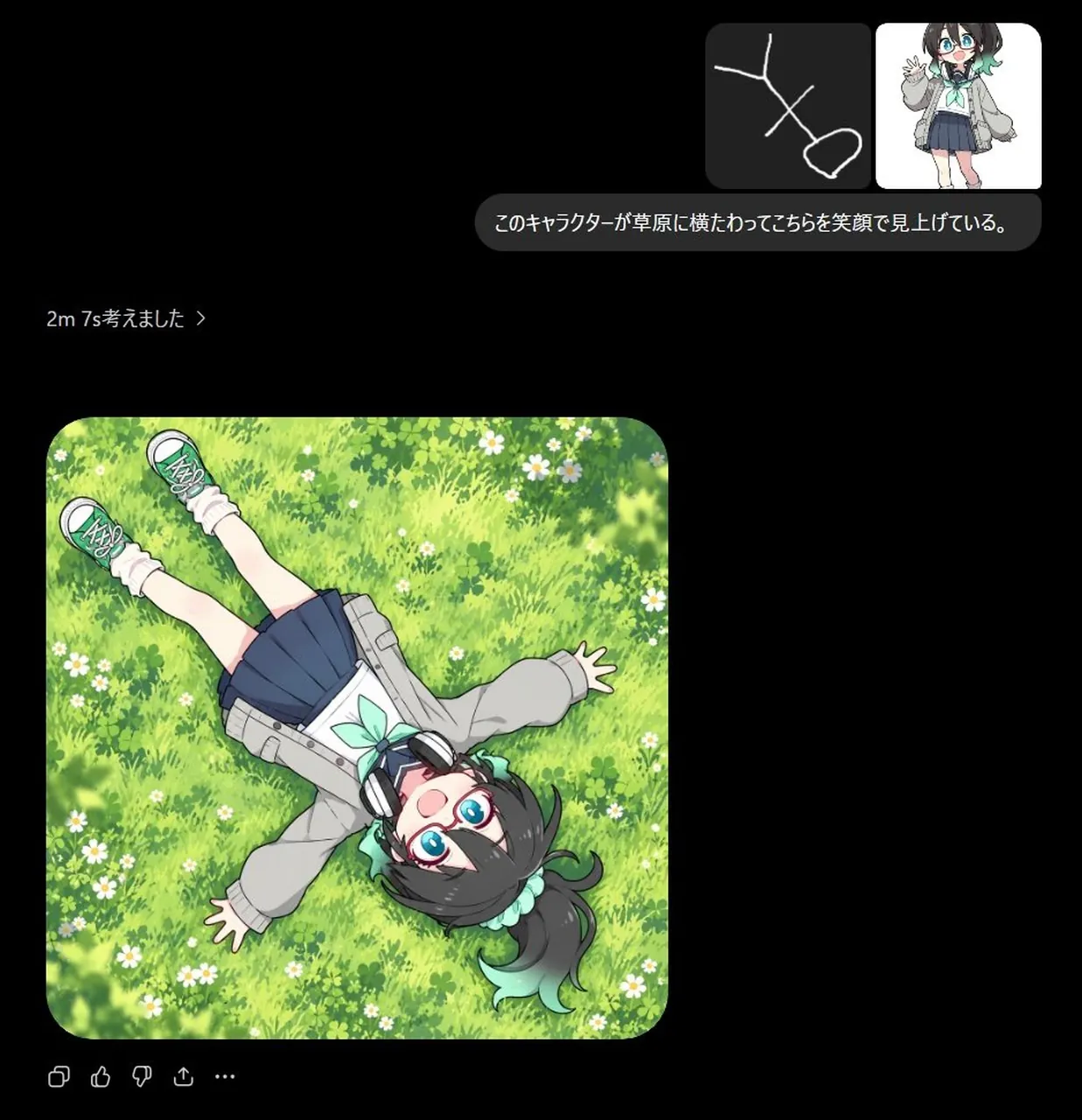
Goal: Create a dark-mode AI chat screenshot demonstrating an image-generation result from a sketch prompt. The main generated artwork should show an anime schoolgirl lying on her back in a bright grassy meadow, viewed from directly overhead, smiling up at the viewer.
Canvas: Square 1:1 image, approximately 960 x 960 px, with a nearly black background like a chat interface. Use rounded corners and soft UI spacing.
Layout: In the upper-right area, place a compact user message block containing exactly 2 image thumbnails side by side: 1) a dark thumbnail with a simple white stick-figure sketch lying diagonally, and 2) a small full-body anime character reference on white. Below the thumbnails, place a rounded dark gray speech bubble containing the Japanese prompt text このキャラクターが草原に横たわってこちらを笑顔で見上げている。. On the left side beneath that, add small gray status text reading 2m 7s考えました >. Below, place the large generated image card aligned left, with rounded corners, occupying about 56% of the canvas width and height. Under the image card, add small muted chat action icons: copy, thumbs up, thumbs down, share, and ellipsis, exactly 5 icons.
Main generated image: A colorful anime illustration of a cute teenage girl lying diagonally across a lush meadow, head near the lower-right area and feet toward the upper-left. She is seen from a top-down bird’s-eye perspective, arms spread casually, palms open, legs straight, smiling brightly with an open mouth and looking directly upward at the viewer. She has short dark charcoal hair with a side ponytail or high side tuft, mint-green ribbon accents, large bright blue eyes, and round teal glasses. She wears oversized black-and-silver headphones around her neck, a light gray oversized jacket, a white blouse with a mint-green bow, a navy pleated skirt, white scrunched socks, and green sneakers. The character should be full-body but naturally integrated into the meadow, not oversized relative to the scene.
Background inside the generated image: Dense sunlit green grass with clover-like leaves, small white daisies scattered throughout, soft painterly texture, and a few blurred leafy shadows around the edges. Bright cheerful spring lighting, saturated greens and yellows.
Visual style: Clean modern AI chat UI screenshot combined with high-quality anime illustration. The chat interface is minimal, dark, and spacious; the generated image is vivid, polished, and softly shaded. Use rounded image corners and no visible watermark.
Constraints: Include exactly 2 thumbnails in the user message, exactly 1 Japanese speech bubble, exactly 1 large generated image card, and exactly 5 small action icons. Preserve the Japanese text exactly as shown in the parameter defaults unless changed. Do not add extra panels, logos, timestamps, or unrelated text.
Best for
Tips
Keep the main subject focused so Goal Create a dark-mode AI chat screenshot remains recognizable after style or lighting changes.
Adjust camera angle and aspect ratio before generation when the composition needs a specific platform format.