
Prompt
Copy and customize
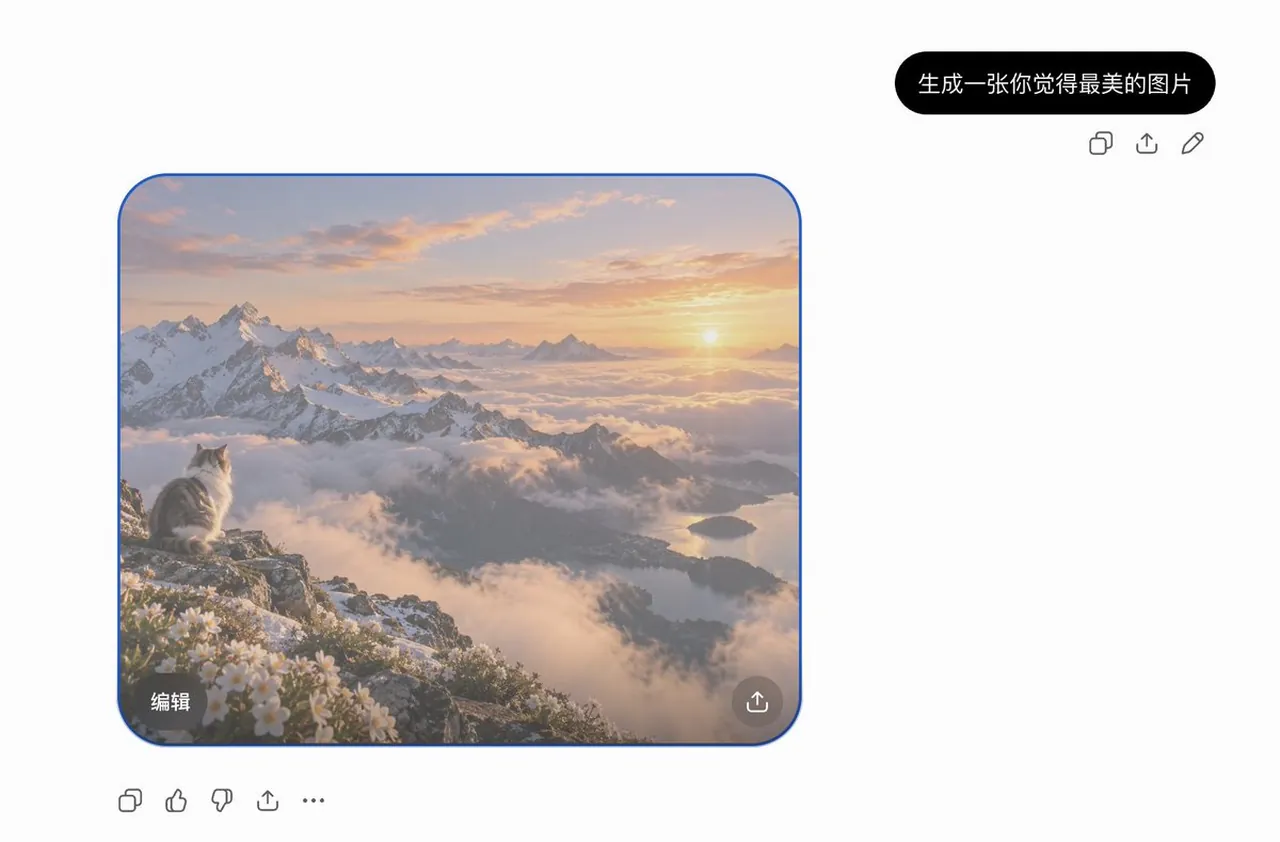
Goal: Create a clean screenshot-style mockup of an AI image generation interface showing a generated scenic photo in a chat thread.
Canvas: Wide horizontal canvas, approximately 1200 × 789 px, with a plain light gray-white background and lots of empty space on the right and bottom.
Layout: Place a single black rounded chat bubble near the upper-right area containing the Chinese text 生成一张你觉得最美的图片 in white. Directly underneath that bubble, align exactly 3 small gray outline action icons from left to right: copy, share/upload, and edit pencil. Below and to the left, place one large rounded-corner generated image card with a thin blue outline, about 640 × 535 px, positioned in the left-center of the canvas. Under the image card at the lower-left of the overall UI, place exactly 5 small gray outline reaction/action icons from left to right: copy, thumbs up, thumbs down, share/upload, and three-dot more menu.
Generated image card content: A breathtaking photorealistic mountain sunrise scene viewed from a high alpine cliff. A fluffy gray-and-white long-haired cat sits on the rocky ledge at the lower-left of the image, facing away toward the horizon. The landscape shows jagged snow-covered mountain peaks on the left, layers of soft clouds and mist filling the valleys, a glowing sunrise near the right horizon, warm peach and golden sky, distant blue-gray mountains, and a reflective lake or fjord far below on the right. In the foreground near the cat, show small white alpine flowers and patches of snow on rocks. The mood should feel serene, majestic, and emotionally beautiful.
Image-card UI details: The card has large rounded corners and a subtle blue border indicating selection. Add exactly 2 overlay controls inside the generated image: a dark translucent rounded rectangle button at the bottom-left labeled 编辑 in white, and a circular dark translucent share/upload button at the bottom-right with a white upload arrow icon.
Visual style: Minimal modern AI-chat interface, realistic generated photo inside the card, soft natural lighting, high dynamic range, crisp but slightly screenshot-compressed UI icons, no browser chrome, no watermark.
Constraints: Keep all visible text exactly as specified, use only the one main generated image card, one chat bubble, 3 icons under the bubble, 2 overlay controls on the card, and 5 bottom toolbar icons. Do not add extra captions, windows, sidebars, people, or additional images.
Best for
Tips
Keep the main subject focused so Goal Create a clean screenshot-style mockup of remains recognizable after style or lighting changes.
Adjust camera angle and aspect ratio before generation when the composition needs a specific platform format.