
Prompt
Copy and customize
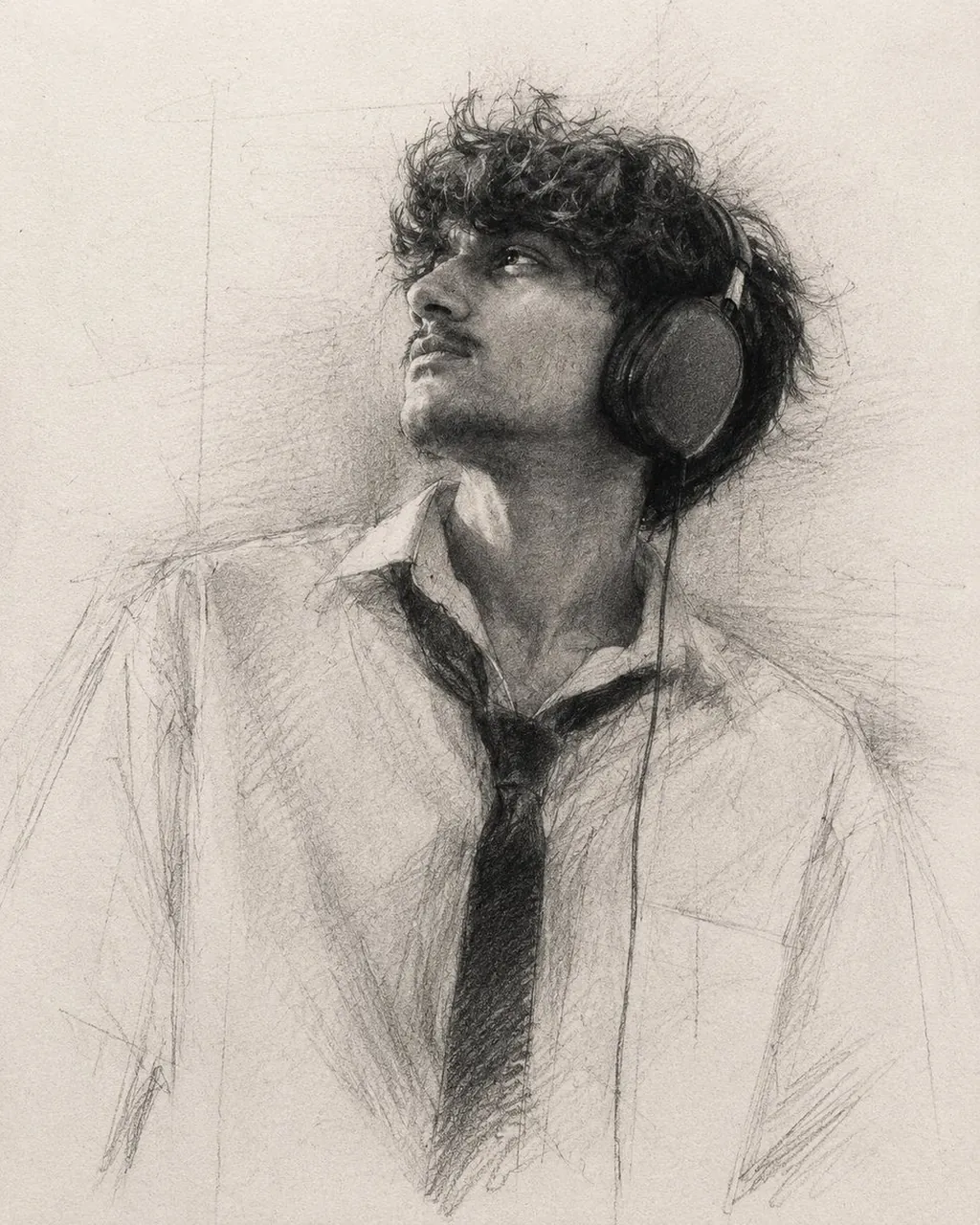
A highly expressive graphite pencil portrait on textured fine art drawing paper, 4:5 aspect ratio.
Create the drawing with approximately 85–90% completion, intentionally leaving unfinished passages, open contours, construction lines, and visible artistic decisions. The portrait should feel like a museum-quality graphite study rather than a fully rendered illustration.
Use extremely rich, deep graphite blacks with dramatic tonal contrast. Build powerful black focal points using heavy 8B–14B graphite, creating bold shadow masses that immediately attract the viewer's eye. The darkest values should feel dense, velvety, and tactile without appearing digitally crushed.
Instead of rendering every detail equally, selectively emphasize only the most expressive features of the face—especially the eyes, eyebrows, nose bridge, beard texture, hairline, and facial structure. Allow these key areas to receive the highest level of detail and contrast.
The remaining areas should gradually dissolve into loose graphite marks, incomplete shading, broken contours, and unfinished forms, with less than 80% rendering. Large areas of the portrait should intentionally remain suggested rather than fully described, allowing negative space and the viewer's imagination to complete the image.
Use confident, energetic pencil strokes with natural variation in pressure. Build form through layered graphite, cross-hatching, feathered shading, irregular line work, and spontaneous sketch gestures.
Visible graphite powder should softly spread across the paper, producing subtle atmospheric transitions without becoming overly blended. Include realistic graphite grain, charcoal-like dust, accidental smudges, erased highlights, paper fibers, dirty whites, and authentic hand-drawn imperfections.
Hair should be rendered with expressive overlapping strokes that alternate between razor-sharp strands and loose graphite masses. Facial hair should appear organic, rough, and richly textured using layered broken graphite marks instead of smooth rendering.
Maintain a dramatic high-contrast lighting setup. Define the portrait primarily through tonal masses rather than outlines. Deep blacks should anchor the composition while soft midtones gradually disappear into unfinished paper texture.
The overall tonal mood should resemble a traditional academic graphite master drawing using cool neutral graphite tones with rich charcoal blacks and warm paper highlights. Avoid flat gray rendering. Preserve strong black accents and crisp value separation throughout the composition.
Traditional graphite drawing, museum-quality pencil art, expressive realism, selective rendering, dramatic chiaroscuro, powerful black focal points, authentic graphite texture, tactile paper surface, unfinished artistic process, handmade appearance, fine art sketchbook aesthetic, high contrast, deep graphite blacks, visible graphite dust.
digital painting, vector art, clean illustration, CGI, photobash, watercolor, oil painting, acrylic, ink drawing, marker rendering, smooth gradients, soft airbrush, glossy surface, plastic skin, hyperrealistic digital finish, perfect symmetry, polished edges, oversharpened details, fully rendered portrait, equal detail everywhere, flat gray tones, low contrast, colorful, anime, cartoon, heavy blur, artificial texture, digital brush patterns, excessive blending, photographic realism.
Best for
Tips
Keep the main subject focused so A highly expressive graphite pencil portrait on remains recognizable after style or lighting changes.
Adjust camera angle and aspect ratio before generation when the composition needs a specific platform format.