
Prompt
Copy and customize
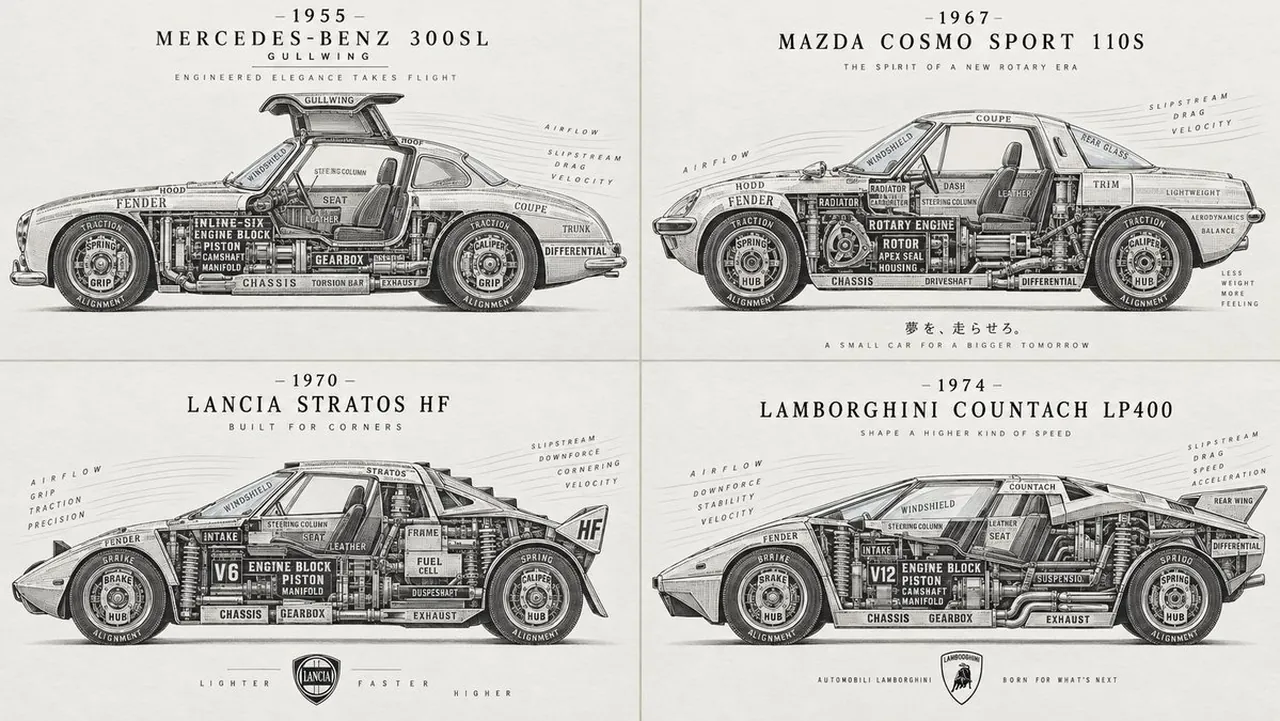
A different kind of car infographic. Works even better with GPT Image 2.5
2x2 grid, 16:9, do this for 4 unusual but real classic cars: Create one image of a world famous classic sports car in side cutaway view. Variable: $ car_scene = A technical automotive cutaway where the entire vehicle is reconstructed from mechanical terminology, material vocabulary, aerodynamic language, and performance descriptors placed in true structural position. Function Draw($ car_scene){ Single centered vehicle, side profile with slight cutaway exposure. No background clutter, precise negative space, poster-like authority. The silhouette must be iconic and readable at first glance. Infer chassis, frame, suspension, drivetrain, engine block, pistons, valves, intake, exhaust, wheel hub, steering column, brake assembly, upholstery, windshield, body panel. Use aerodynamic and driving terms where relevant: torque, grip, drag, speed, acceleration, cornering. MEDIUM: Precision lead type on smooth archival vellum. INK: Graphite black, gunmetal gray, soft steel undertones. IMPRESSION: Deep controlled embossing with strongest bite in chassis and engine, lighter in glass and airflow zones. STYLE: Mid-century automotive blueprint transformed into letterpress. Chassis and engine use crankshaft, piston, axle, block, manifold, gearbox, differential in heavy industrial slab-serif. Body panels and interior use fender, hood, leather, dash, seat, trim, coupe in refined serif. Glass, airflow, and motion zones use windshield, glare, slipstream, drag, velocity in airy technical sans-serif. Wheel and suspension regions use hub, spoke, caliper, spring, traction, alignment in circular micro-type. The result should feel engineered, fast, and luxurious. Output: one image }
Best for
Tips
Keep the main subject focused so A different kind of car infographic Works remains recognizable after style or lighting changes.
Adjust camera angle and aspect ratio before generation when the composition needs a specific platform format.