
Runway Alternative: 11+ Tools Worth Considering For Marketers And Creators
- 1. Quick Comparison Table: The Best Runway Alternatives At A Glance
- 2. What Actually Matters When Choosing A Runway Alternative
- 3. GoEnhance Review: The Best Fit If You Start With Static Assets
- 4. Pika Review: A Strong Creative-First Alternative For Beginners
- 5. 10 More Runway Alternatives Worth Shortlisting
- 6. Why Image To Video Is The Real Switching Point For Many Runway Users
- 7. Best Runway Alternatives By Use Case
- 8. How To Choose: A Simple Decision Guide For Beginners And Small Teams
- 9. FAQ
- 10. Conclusion
If you are searching for a Runway AI alternative , you probably do not need the most impressive demo on X. You need a tool that gets you from idea to usable video without turning every draft into a mini production problem.
That matters even more now because video is not a side format anymore. It is part of the daily workload for marketers, creators, and small teams. Short-form keeps winning attention, but the real constraint is still time: how fast you can turn a static asset, rough idea, or campaign concept into something you can actually publish.
1. Quick Comparison Table: The Best Runway Alternatives At A Glance
| Tool | Best For | Image-To-Video Fit | First Usable Clip | Learning Curve | Workflow Style |
|---|---|---|---|---|---|
| GoEnhance | Product visuals, social creatives, fast drafts | High | Fast | Low-Medium | Multi-model, creator-friendly |
| Pika | Playful creative output, beginner experiments | Medium-High | Fast | Low | Creative-first |
| Kling | Higher-end motion, polished AI visuals | High | Medium | Medium | Model-first |
| Luma Dream Machine | Cinematic ideas, concept shots | Medium-High | Medium | Medium | Visual storytelling |
| Adobe Firefly | Teams already inside Adobe workflows | Medium | Medium | Medium | Design + editing ecosystem |
| Canva | Template-led brand content, simple promos | Medium | Fast | Low | Design-first |
| Hailuo AI | Quick visual experiments, stylized clips | Medium | Fast | Low-Medium | Fast generation |
| Vidu | First/last-frame transitions, anime-friendly work | High | Fast | Medium | Control-led short clips |
| PixVerse | Social-friendly image animation, trend content | High | Fast | Low-Medium | Consumer-friendly |
| Google Veo | Higher-end video generation quality | Medium-High | Medium | Medium-High | Frontier model access |
| Krea | Creators who want multiple models in one place | Medium-High | Medium | Medium | Workflow hub |
| Higgsfield | Style control, creator experimentation | Medium-High | Medium | Medium | Multi-model creative lab |
If your priority is animating existing visuals fast, the strongest first shortlist is GoEnhance, Vidu, Kling, Pika, and PixVerse.
For most beginners, this table matters more than another “top 15” list.
2. What Actually Matters When Choosing A Runway Alternative
The wrong way to choose is by asking, “Which tool is the most advanced?” The better question is, “Which tool gets my kind of work out the door with the least friction?”
For marketers and creators, four filters usually matter most:
- First-result usability. Is the first draft close enough to edit, post, or refine?
- Image-to-video fit. Can it turn product shots, posters, moodboards, or creator visuals into motion without collapsing into mush?
- Workflow friction. Do you need three extra tools for captions, sound, or cleanup?
- Control. Can you steer the result enough without becoming a prompt engineer?
That pressure is real. Wyzowl’s 2026 survey says 91% of businesses use video as a marketing tool and 93% of video marketers see it as an important part of their overall strategy. HubSpot also notes that short-form video continues to deliver the highest ROI among major content formats. And this is not just a marketer problem: Adobe’s study of more than 2,000 creative professionals shows generative AI is already part of real creative workflows.
So yes, model quality matters. But for this audience, time to a usable clip matters more.

3. GoEnhance Review: The Best Fit If You Start With Static Assets
GoEnhance makes the most sense when your starting point is not a screenplay. It is a still asset.
That is why it stands out for marketers and creators. A lot of real jobs begin with a product photo, a key visual, a campaign poster, a character image, or an existing still from a brand shoot. In that situation, image-to-video is not a nice extra. It is the core workflow.
A practical way to judge GoEnhance is to use three starting assets:
- a clean product image
- a poster-style campaign visual
- a creator or character portrait
Then ask three simple questions:
- Does the first result feel usable?
- Does motion stay coherent enough to keep the original idea intact?
- Do you need to leave the workflow immediately to finish the asset?
GoEnhance is strong here because it is not positioned like a single narrow generator. The GoEnhance video models setup makes more sense if you think in workflows rather than one-model loyalty. That is useful when one week you need a product animation, the next week you need a stylized clip, and the week after that you need cleanup or another generation route.
Where it feels strongest:
- turning static visuals into short motion assets for ads, reels, and concept drafts
- giving beginners a faster path to something they can react to
- lowering the need to jump between multiple tools too early
Where it is less convincing:
- detailed timeline editing
- heavy shot-by-shot manual control
- design-heavy layout work where text placement and brand composition matter more than motion generation
That last point matters. If your job is really about arranging copy, logos, and slides into polished brand assets, Canva is still the easier fit. If your priority is deeper editing structure, a more editing-led tool may still suit you better than GoEnhance.
If you want to see the workflow itself, not just read another feature list, this image to video page is the right place to start.
For this audience, GoEnhance is strongest when speed, image-led workflows, and lower friction matter more than deep manual editing.
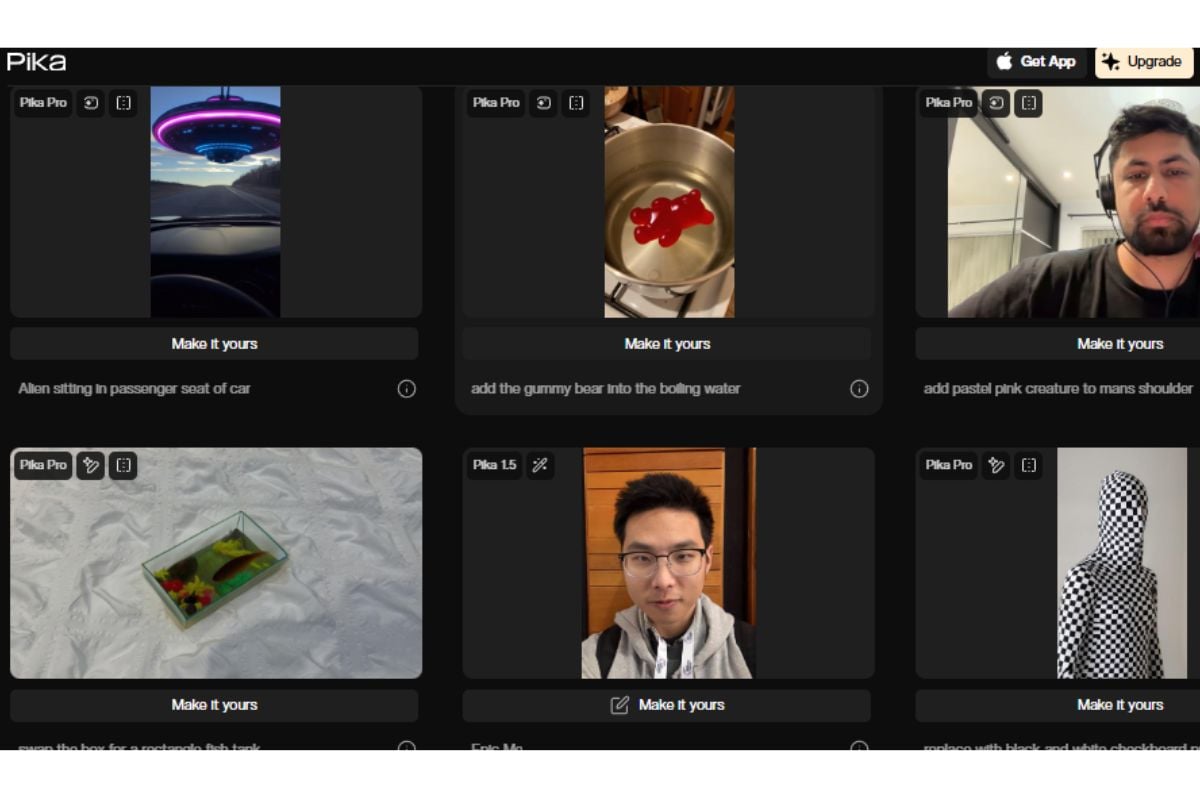
4. Pika Review: A Strong Creative-First Alternative For Beginners
Pika is one of the few alternatives that genuinely lowers intimidation for newer users.
Its appeal is obvious: it feels playful, fast, and less technical than tools that demand a lot of setup before anything good happens. That makes it a strong choice for creators testing hooks, visual jokes, stylized clips, or lightweight content ideas where the goal is not polish on the first pass, but momentum.
Where Pika can be the better pick:
- you want fun, expressive output quickly
- you are new to AI video and want less setup anxiety
- you care more about experimentation than workflow breadth
Where GoEnhance usually has the advantage:
- you are starting from a static campaign asset or product image
- you want a cleaner bridge from image-to-video into a broader workflow
- you need something that feels more useful for repeated marketing production, not just one-off experiments
So this is not really a “winner vs loser” situation. Pika is better when you want creative looseness fast. GoEnhance is better when you want a more practical path from existing assets to publishable drafts.
If your work is more campaign-driven than novelty-driven, GoEnhance is usually the steadier first choice.

5. 10 More Runway Alternatives Worth Shortlisting
You do not need a full review for every option, but you should know where each one tends to fit.
- Kling: Strong option when you care about more polished motion and are willing to spend a little more time iterating.
- Luma Dream Machine: Good for mood, concepting, and cinematic-style ideas, especially when the brief is more visual than performance-driven.
- Adobe Firefly: Useful if your team already lives inside Adobe and wants AI video closer to the rest of the creative stack.
- Canva: Better than most AI-video-native tools when the job is really “design plus light motion,” not pure generation.
- Hailuo AI: Fast and approachable for experimentation, though it may be less appealing if you want a more structured production workflow.
- Vidu: One of the more practical choices for image-to-video users who care about frame control and transition logic.
- PixVerse: Easy to pick up, strong for social-style motion from images, and often a good fit for creators moving quickly.
- Google Veo: A serious option when you want higher-end generation quality and can accept a less beginner-friendly entry point.
- Krea: Worth watching if you like the idea of trying multiple models from one creative workspace.
- Higgsfield: Best for creators who want style experimentation and model variety more than a one-click publishing flow.
The mistake is not choosing the “wrong” tool. It is choosing a tool that does not match the kind of asset you already have.
6. Why Image To Video Is The Real Switching Point For Many Runway Users
A lot of articles on this topic quietly assume that people want a better text-to-video model.
I do not think that is the real switching point for most marketers and creators.
The more common need is this: “I already have the visual. I need motion now.” That could be a product image, a moodboard frame, a campaign poster, or a creator still. In those cases, the best Runway alternative for image to video is not the one with the most cinematic branding. It is the one that respects the source asset, moves it convincingly, and gets you to a usable short clip with less waste.
That is also why the phrase AI video generator like Runway can be misleading. People often think they are shopping for a direct clone. In practice, they are shopping for a better starting workflow.
If your work begins with existing visuals more often than blank prompts, image-to-video should be your first filter.
7. Best Runway Alternatives By Use Case
For Product Image To Video: GoEnhance, Vidu, and Kling.
GoEnhance gets the edge if you want speed and lower friction. Vidu deserves attention if frame control matters more.
For Social Ads And UGC-Style Clips: GoEnhance, Pika, and PixVerse.
Pika is great for fast experiments. GoEnhance feels more practical when the goal is repeatable campaign output.
For Creative Concept Videos: Luma Dream Machine, Kling, and Google Veo.
These make more sense when the visual ambition is higher and the workflow can tolerate more iteration.
For Design-Heavy Brand Assets: Canva and Adobe Firefly.
This is one of the clearest cases where GoEnhance is not the best answer.
For Fast Team Experimentation Across Models: GoEnhance, Krea, and Higgsfield.
This matters if your team does not want to commit too early to one engine.
Use case should decide the tool, not brand familiarity.
8. How To Choose: A Simple Decision Guide For Beginners And Small Teams
Use this rule set:
- Start with GoEnhance if you already have images and want fast drafts with a lower learning curve.
- Start with Pika if you are a beginner who wants creative momentum more than structured workflow depth.
- Start with Canva or Adobe Firefly if layout, templates, and brand design matter more than generated motion.
- Start with Kling or Veo if you are willing to trade simplicity for more ambitious visual output.
- Start with Krea or Higgsfield if you want a model hub, not a single-tool bet.
The best beginner tool is usually not the one with the most features. It is the one that gets you to the first acceptable version fastest.
For most small teams, that is the decision that saves the most time.
9. FAQ
What Is The Best Runway Alternative For Image To Video?
For most marketers and creators, GoEnhance is the strongest first tool to test because it fits the common “I already have the image” workflow very well. Vidu and Kling are also strong options if you want more control or are willing to iterate more.
Which Runway Alternative Is Best For Beginners?
Pika and GoEnhance are the easiest places to start. Pika feels lighter and more playful. GoEnhance usually makes more sense if your goal is content production, not just experimentation.
Is GoEnhance Better Than Runway For Marketers?
For some marketers, yes. Especially if the real need is turning static assets into short video drafts quickly. But if your team needs deeper editing structure or more advanced manual control, another tool may fit better.
Which Tool Is Better For Design-Heavy Workflows?
Canva and Adobe Firefly are usually better picks when layout, templates, and brand composition are central to the job.
Do I Need More Than One AI Video Tool?
Often, yes. One tool might be best for first-pass generation, another for design polish, and another for heavier editing. But if you want one place to start, choose the tool that matches your most common input, not your rarest edge case.
Most readers do not need the perfect tool. They need the right first tool.

10. Conclusion
The best Runway alternative depends less on hype and more on where your workflow begins.
If you mostly start with static assets and need to turn them into usable short-form content quickly, GoEnhance is the strongest place to begin. It is not the best answer for every job, and it is not the best fit when layout control or deeper editing is the real task. But for marketers and creators who want faster image-to-video output without a painful learning curve, it is the first tool I would test.
If you want to make that call with your own assets instead of another comparison article, start here:


