
11 Renderforest Alternatives Worth Trying
- Chapter 1: Quick Comparison Table
- Chapter 2: What people are really trying to replace in Renderforest
- Chapter 3: Why users outgrow Renderforest
- Chapter 4: What Renderforest still does well
- Chapter 5: GoEnhance is the clearest alternative when you want to replace template-first video creation
- Chapter 6: VEED, Clipchamp, and Descript are better if editing is the real problem
- Chapter 7: Animaker and Vyond are better if the real job is animation
- Chapter 8: Canva and Adobe Express are better if you liked the all-in-one idea but want a different center of gravity
- Chapter 9: InVideo is a better fit when what you want to replace is the “quick promo video” side of Renderforest
- Chapter 10: How to choose the right Renderforest alternative
- FAQ
- What is the best Renderforest alternative for AI video creation?
- What is the best Renderforest alternative for editing and subtitles?
- What is the best Renderforest alternative for animated explainers?
- Should I switch if I only use Renderforest for logos or mockups?
- Is Renderforest still good for beginners?
- Final verdict
If you are looking for a Renderforest alternative, do not start with a giant tool list.
Start with a simpler question:
What are you actually trying to replace?
For some users, it is the template-first video workflow.
For others, it is the editing layer.
For some teams, it is the moment when an all-in-one platform starts to feel broad but not deep enough.
That is the frame for this guide.
Instead of treating every alternative as interchangeable, this article breaks the category down by workflow. That makes the comparison more useful. It also makes the recommendation more honest.
Chapter 1: Quick Comparison Table
Here is the short version first.
| Tool | Replaces this part of Renderforest | Best for | Why pick it instead | Not ideal if |
|---|---|---|---|---|
| GoEnhance | Template-first video creation, basic image-to-motion workflows, limited style variation | AI-native video creation | Better when you want prompt-, image-, or clip-led creation instead of starting from templates | You mainly use Renderforest for logos, mockups, or websites |
| VEED | Light editing inside a broad creative suite | Editing, subtitles, cleanup | Better when your bottleneck is polishing footage, not generating new concepts | You want a broader design stack |
| InVideo | Quick promo videos made from templates | Prompt-led marketing videos | Better when you want ad-style or social-first videos from a brief | You need deeper editing or animation-first tools |
| Animaker | Generic explainer templates | Animated explainers | Better when animation is the real job | You want cinematic AI video creation |
| Vyond | Basic business explainers | Training and internal communication | Better for onboarding, learning, HR, and corporate storytelling | You want creator-style or social-first output |
| Adobe Express | Broad but light design-and-video tasks | Design plus light video work | Better if you liked the all-in-one idea but want stronger design roots | You want AI-first video generation |
| Clipchamp | Basic online editing inside a broader platform | Fast browser-based editing | Better when you just need quick cuts, captions, and exports | You still need logos, mockups, and brand assets in one place |
| Canva | Simple branded social content | Social content and lightweight videos | Better for teams that live in design and need video as an add-on | You want more serious AI video workflows |
| Descript | Light script-based editing | Podcasts, talking-head edits, repurposing | Better for transcript-led editing and content reuse | You need templates, mockups, or animation |
The main point is not that one of these tools is “the winner.”
The point is that each one replaces a different part of the Renderforest experience.
Chapter 2: What people are really trying to replace in Renderforest
A lot of alternative posts flatten this topic too much.
Renderforest is not just a video maker. On its official site, it presents itself as a broad creative platform that covers videos, designs, websites, logos, mockups, and AI tools. That is exactly why the replacement question gets messy.
You are rarely replacing the whole product.
More often, you are replacing one part of it:
- the template-led video workflow
- the editing experience
- the explainer or animation layer
- the all-in-one “good enough” creative stack
That distinction matters.
It changes which alternative actually makes sense.

Renderforest still has a real strength. It is broad.
That helps beginners. It also helps small teams that want one platform for several light creative jobs.
But breadth has a cost.
At some point, one of those jobs becomes more important than the rest. That is when people start looking elsewhere.
Chapter 3: Why users outgrow Renderforest
Most users do not leave because Renderforest is bad.
They leave because their workflow changes.
Templates stop feeling flexible enough
This is usually the first shift.
At the start, templates save time. Later, they start to shape the work too much. The output gets repetitive. Customization is possible, but it still happens inside a prebuilt structure.
AI generation becomes more important than template browsing
This is the bigger shift.
Some creators no longer want to choose a template first. They want to start from a prompt, a still image, or an existing clip. Once that happens, the better tool is no longer the one with the biggest template library. It is the one that helps turn rough ideas into video faster.
Editing becomes the real bottleneck
For other users, the problem is simpler.
They already have footage.
They already know what they want to say.
They just need captions, cleanup, trims, and quicker publishing.
That is not the same problem as AI generation. It should not be solved with the same tool.
The all-in-one promise starts to feel shallow
This happens quietly.
At first, having videos, logos, mockups, and websites in one place feels efficient. Later, each part starts to feel “fine” rather than strong.
The subscription page also shows how plan fit becomes part of the conversation once credits, exports, and feature tiers start to matter more. And on major third-party pages like G2 Alternatives, Capterra Reviews, and Software Advice Alternatives, you can see the same pattern: people compare Renderforest for very different reasons, not one single reason.
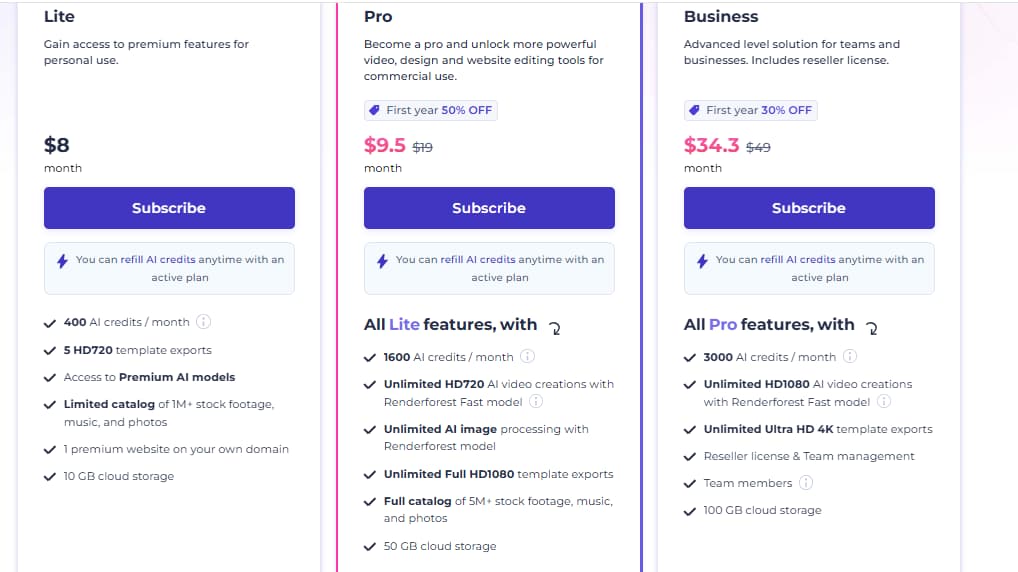
Pricing can be part of the decision.
But fit is usually the bigger issue.
Chapter 4: What Renderforest still does well
Not everyone should switch.
That is worth saying plainly.
Renderforest still makes sense if you want:
- quick branded videos
- intros, promos, and simple social content
- logos, mockups, and video tools under one roof
- a broad platform that is easy to start with
It is still useful when convenience matters more than depth.
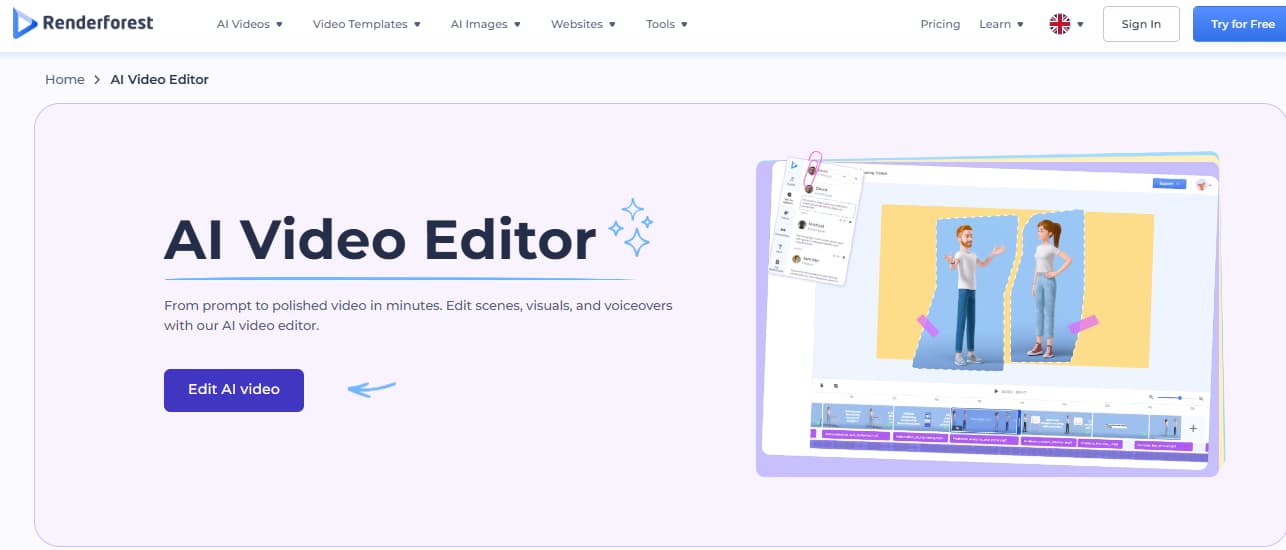
The problem starts when you want more control over the output itself.
Not more template choices.
More actual freedom.
Freedom to start from a still image.
Freedom to restyle a source clip.
Freedom to generate multiple directions from one idea without pushing everything back into a template frame.
That is where the alternatives become more interesting.
Chapter 5: GoEnhance is the clearest alternative when you want to replace template-first video creation
If the part you want to replace is Renderforest’s template-led video logic, GoEnhance is the clearest alternative in this group.
That is the key point.
It does not replace every part of Renderforest. It replaces the part that starts to feel limiting once you want more generation, more variation, and more media-to-media workflows.
Put more simply:
Renderforest is stronger when you want structured creation inside a broad platform.
GoEnhance is stronger when you want the workflow to start from the idea itself.
A template-led workflow starts with format.
An AI-native workflow starts with intent.
You may begin with a prompt.
You may begin with a still image.
You may begin with a source clip that needs a different look, stronger motion, or a new visual direction.
That is where AI video generator workflows start to pull away from template libraries.
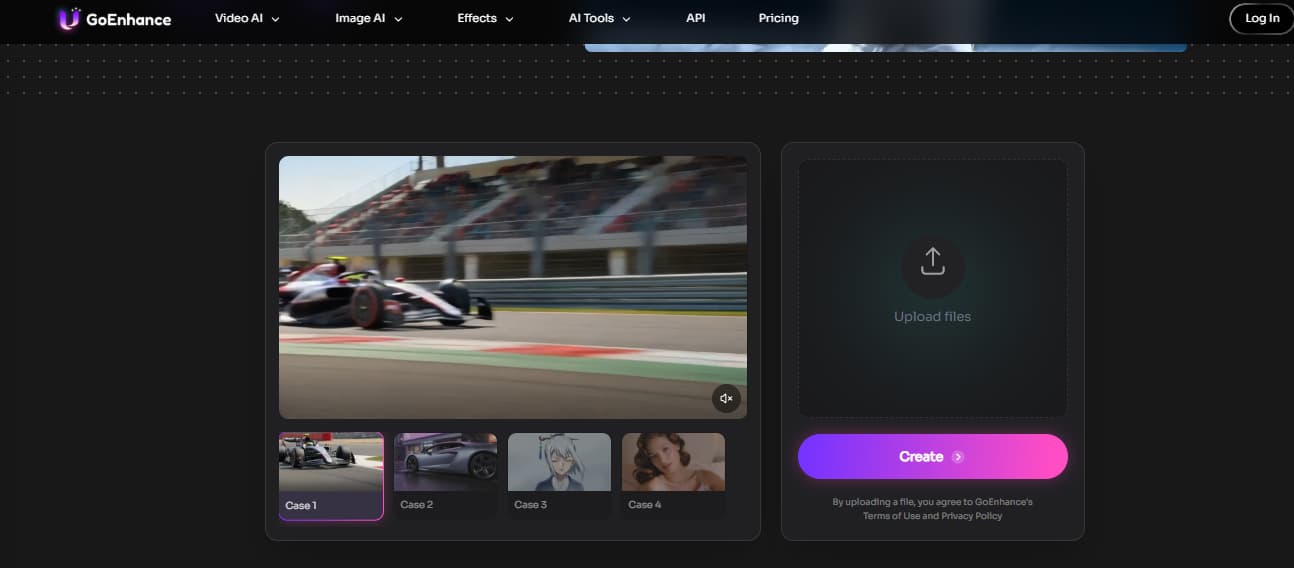
This is also the part many alternative posts miss.
They compare tools as if “video maker” means the same thing everywhere. It does not.
GoEnhance is the better Renderforest alternative when you want to replace:
- template-first video creation
- limited visual variation
- basic image-to-motion use cases
- lighter transformation workflows
It makes more sense for users who think in:
- text to video
- image to video
- source-clip transformation
- faster visual iteration
That is a narrower claim than “best overall.”
It is also the more useful one.

If your workflow now starts with prompts, images, or clips, this is the point where GoEnhance becomes more relevant than Renderforest.
Chapter 6: VEED, Clipchamp, and Descript are better if editing is the real problem
Some users do not need a new generator.
They need a better editor.
That is where VEED, Clipchamp, and Descript make more sense.
VEED
VEED replaces the lighter editing part of Renderforest.
If your real issue is subtitles, cleanup, trimming, repurposing, or quick publishing, VEED is usually the cleaner fit. It is more useful when the content already exists and just needs to be shaped for release.
This is a strong option for:
- marketers
- social teams
- creators cutting short-form clips
- teams working from recorded footage
Clipchamp
Clipchamp replaces the “quick online editor” side of Renderforest.
It is a better choice when you want something simple, browser-based, and easy to use. No one picks Clipchamp because they want a broader creative suite. They pick it because they want to get in, edit fast, and get out.
That is a valid reason to switch.
Descript
Descript replaces another part of Renderforest that is easy to overlook: script-led content editing.
This is more relevant for:
- podcasters
- talking-head creators
- teams repurposing long-form recordings
- editors who want transcript-based control
If spoken content is the center of the workflow, Descript is often the more practical fit.
Chapter 7: Animaker and Vyond are better if the real job is animation
If the part you want to replace is “simple explainer video creation,” the better alternatives are usually animation-first tools.
That is where Animaker and Vyond come in.
Animaker
Animaker replaces the more generic explainer-template side of Renderforest.
It is better when animation is not just an occasional format, but the actual job. It fits explainers, educational content, story-led presentations, and lighter character-based videos much better than a broad platform does.
Vyond
Vyond replaces the business explainer layer more directly.
It is the stronger fit for:
- internal communication
- onboarding
- training
- HR content
- structured corporate storytelling
If animation is the real requirement, a generic alternatives list is usually too broad to help. You are better off looking at tools built around that use case from the start.
Chapter 8: Canva and Adobe Express are better if you liked the all-in-one idea but want a different center of gravity
Not every user wants a specialist tool.
Some people still like the basic Renderforest promise. They want one place to create content. They just want a stronger fit for design, team content, or social publishing.
That is where Adobe Express and Canva become more relevant.
Adobe Express
Adobe Express replaces the broad “brand content in one place” part of Renderforest.
It is not the best AI video option in this list.
It is not the best animation option either.
But it does make sense for users who want:
- quick branded content
- light video work
- social graphics
- design plus video inside one workflow
Canva
Canva replaces another familiar Renderforest use case: simple, fast, branded social content.
If your team already thinks in designs, presentations, social posts, and templates, Canva is often the easier move. It is a stronger choice when the content stack is design-centered and video is only one part of the job.
That is different from moving toward AI-native creation.
It is still a valid switch.
Chapter 9: InVideo is a better fit when what you want to replace is the “quick promo video” side of Renderforest
InVideo fits a very specific kind of switch.
It replaces the part of Renderforest people use for fast ads, promo clips, and social-ready marketing videos.
This is not the same as replacing the whole platform.
It is replacing one common use case inside it.
That makes InVideo a better fit when:
- you want marketing-first video creation
- you work from short briefs
- you care about quick campaign assets
- you want something more focused than a broad creative suite
If your work is ad-heavy or promo-heavy, this lane makes more sense than a general “best alternative” argument.
Chapter 10: How to choose the right Renderforest alternative
This part is simpler than most blog posts make it sound.
Choose Renderforest if:
- you still want breadth over specialization
- your needs are light and varied
- templates still save you more time than they cost
- you want videos, logos, and mockups in one place
Choose GoEnhance if:
- you want to replace template-first video creation
- you want AI-native workflows
- you want text, images, or clips to become the starting point
- you want more output variation and transformation
Choose VEED, Clipchamp, or Descript if:
- editing is the bottleneck
- you already have footage or recorded content
- captions, cleanup, and repurposing matter more than generation
Choose Animaker or Vyond if:
- animation is the actual job
- you make explainers, training videos, or character-led communication
Choose Adobe Express or Canva if:
- you liked the all-in-one idea
- design is as important as video
- your workflow is content-heavy but not deeply video-native
Choose InVideo if:
- you mainly want promo and marketing videos
- you care more about campaign speed than broader creative tooling
The best Renderforest alternative is not the one with the longest feature list.
It is the one that replaces the part of Renderforest you have actually outgrown.
FAQ
What is the best Renderforest alternative for AI video creation?
If the part you want to replace is template-first video creation, GoEnhance is the strongest fit in this article. It makes more sense for workflows that start from prompts, still images, or source clips rather than from prebuilt scenes.
What is the best Renderforest alternative for editing and subtitles?
VEED is the cleaner choice for editing-heavy workflows. Clipchamp is a good lighter option. Descript makes sense if transcript-led editing is part of the job.
What is the best Renderforest alternative for animated explainers?
Animaker is the better fit for creator-friendly explainers. Vyond is the stronger fit for business training, onboarding, and internal communication.
Should I switch if I only use Renderforest for logos or mockups?
Not necessarily. If those parts still work for you, there may be no need to switch. The case for switching is stronger when video creation becomes more advanced or more specific.
Is Renderforest still good for beginners?
Yes. That remains one of its strongest use cases. It is still practical for users who want one broad platform for several light creative tasks.
Final verdict
Renderforest is still useful.
That is not the issue.
The issue is that “useful” stops being enough once the workflow gets more specific.
If you still want a broad platform for lightweight creative work, Renderforest can be fine. If you want editing-first speed, animation-first tools, design-first content production, or AI-native video creation, better-fit alternatives are easy to find.
And if the part you want to replace is template-first video creation itself, then GoEnhance is the more relevant direction.
That is the real split in this category.
A lot of alternatives content tries to name one winner.
I would not frame it that way.
The better question is what changed in your workflow.
Once you answer that, the right replacement usually becomes obvious.


