
Deevid AI Review: I Tried Deevid AI to See If It’s Really Worth It in 2026
- 1. What Is Deevid AI: The Aggregator Play in AI Video
- 2. Core Features: Three Ways to Generate Video
- 3. What Actually Happens When You Test It
- 4. Pricing: What You Get at Each Level
- 5. What 113 Trustpilot Reviews Actually Say
- 6. The Real Problems: Where Deevid Falls Short
- 7. How It Stacks Up Against the Direct Alternatives
- 8. Deevid AI Alternative: Why Some Creators May Prefer GoEnhance AI
- FAQ
1. What Is Deevid AI: The Aggregator Play in AI Video
So here's what caught my attention about Deevid AI the moment I landed on the site: it's not a single model. It's an aggregator. The platform pulls together Sora 2, Veo 3.1, Kling, and roughly ten other AI video models under one subscription. You pick the model you want, write your prompt, and get output without managing multiple accounts or paying separate fees.

That positioning is interesting. The AI video space in 2026 has fragmented pretty badly — Runway has its ecosystem, Pika has its own, Kling operates independently, and if you want to test across all of them you're juggling logins and subscriptions constantly. Deevid's aggregator approach solves that workflow problem directly. Whether it solves it well is a different question.
The target user the platform targets is clear: marketers, content creators, brands who want to experiment with different AI video models without the operational overhead. The pitch is simple — no technical background needed, prompt in, video out, full commercial rights on everything you generate.
One thing worth noting upfront: the aggregator positioning is Deevid's main differentiator. That's the thing that makes it worth talking about. If you just wanted one good AI video model, you'd subscribe to Runway or Kling directly. Deevid exists because people want to compare.
2. Core Features: Three Ways to Generate Video
Here's what you can actually do on Deevid, broken down by workflow.
2.1 Text-to-Video
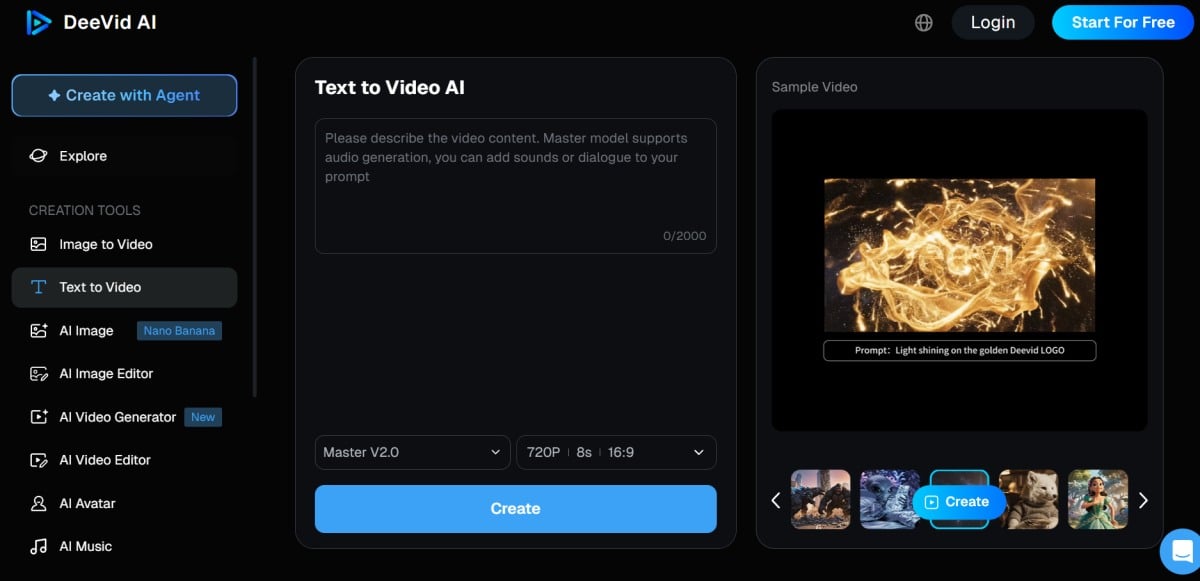
You write a prompt — describe a scene, a style, a movement — and the platform generates a video clip. Each model has its own style interpretation of the same prompt, which is actually useful: you can send the same concept to Sora 2 and Kling and see how each handles it. That's the aggregator advantage working as advertised.
Controls include style presets, camera movement direction, duration options, and aspect ratio selection. Nothing unfamiliar if you've used any AI video tool. The interface is straightforward — I've seen far worse from standalone tools. If you're already familiar with AI video generator workflows, Deevid's text-to-video mode won't require a learning curve.
2.2 Image-to-Video
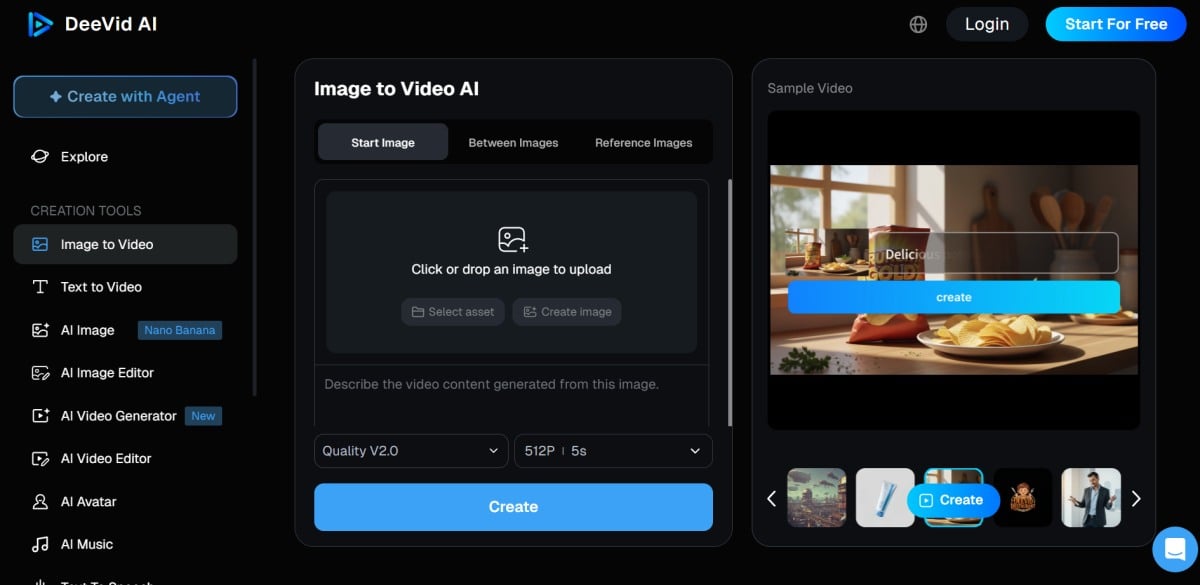
Upload a static image and have the model animate it. The platform supports key frame control, which means you can guide which parts of the image move and how. Start-to-end frame control is one of the features reviewers consistently praise — it's a genuine workflow feature that separates generation from refinement.
The practical limitation here is the same as most image-to-video tools: results vary significantly depending on image complexity and the model's training data. Simple images with clear subjects tend to animate more reliably than busy compositions.
2.3 Video-to-Video
Feed an existing video into the platform and apply an AI style or transformation. This is the least common workflow among the three, but it matters for teams with existing footage who want to experiment with AI aesthetics without regenerating from scratch. The video-to-video mode is particularly relevant for teams that have a library of existing content and want to test AI transformation before committing to a full regenerate.
3. What Actually Happens When You Test It
I want to be specific here, because "AI video quality" is meaningless without talking about what actually breaks.
3.1 The Quality Dimensions That Matter
Resolution: Deevid supports up to 1080p exports on paid plans. That's competitive with the market standard — not leading, but not trailing either.
Motion consistency: This is where things get platform-specific. Each underlying model has its own motion coherence ceiling. Some handle camera movement well; others introduce drift after the first few seconds. Deevid doesn't fix underlying model limitations — it just gives you access to them in one place.
Text rendering: Multiple review sources flag this consistently: text inside generated videos tends to degrade. If your use case requires legible text overlays, Deevid — like most current AI video tools — will frustrate you. This is an industry-wide limitation, not a Deevid-specific failure, but it's worth knowing before you commit.
Anatomy and character consistency: Kosokukai's review mentions "quality issues with text and anatomy" as a notable risk.
In my reading of the review landscape, character anatomy errors — faces distorting, hands multiplying — come up regularly across all the models Deevid aggregates, not just one. For consistent character video AI workflows, this is the kind of baseline limitation that affects every model Deevid bundles.
3.2 What the Community Actually Reports
Vibart's review gets specific about failure modes: drift, where generated motion slowly wanders from the intended path; artifacts, particularly in complex scenes with multiple moving elements; and prompting inconsistency, where the same prompt produces meaningfully different outputs across runs.
The honest summary from community feedback: Deevid works well when the underlying model handles your specific use case. When it doesn't, the aggregator doesn't fix that — you just have faster access to the failure. That's not a knock on Deevid specifically; it's the current state of AI video generation.
4. Pricing: What You Get at Each Level
4.1 Free Tier
Deevid offers a free tier with limited credits. You can test the platform and get a sense of the interface, but outputs come with watermarks and commercial use is not permitted. The free tier is evaluation only — it's not a workable production option.
4.2 Paid Plans
From what I can piece together across G2's pricing page and the official site, plans start around $9.9/month for the lowest tier, scaling up based on credit allocation and feature access. Higher tiers unlock watermark-free exports, higher resolution options, and commercial rights.
The critical comparison point: Runway starts around $35/month for comparable production features, Pika around $25/month, Kling around $14.9/month. Deevid's entry price is lower, but the comparison depends heavily on whether the aggregator model actually delivers value for your workflow.
One pricing detail that matters: Deevid does not appear to offer a public free trial beyond the free tier, and multiple review sources flag the refund policy as restrictive. This is worth flagging before purchase.
5. What 113 Trustpilot Reviews Actually Say
Trustpilot gives Deevid AI a mixed profile based on 113 customer reviews. Here's the pattern I see across those reviews and the secondary sources that cite them.
What positive reviewers mention: The most common positive themes: model variety (being able to test Sora, Kling, and Veo without separate accounts), interface simplicity, and generation speed. If your workflow involves comparing outputs across multiple models, the aggregator value proposition shows up clearly in the positive feedback.
What negative reviewers mention: The most consistent negative theme is the refund experience. Multiple reviewers report being denied refunds after attempted use — this is the review data point that appears most frequently across independent sources. Aicloudbase cites the refund policy as a meaningful risk factor.
Customer support responsiveness comes up in negative reviews, with some users reporting slow response times on refund requests.
The pattern I'd draw from this: Deevid seems to work well for users whose use cases align with what the platform does best. It appears to generate strong frustration for users who expected to get a full refund after finding the output didn't match their expectations.
6. The Real Problems: Where Deevid Falls Short
I think review articles have an obligation to be direct about limitations. Here's what I'd want to know before spending money.
6.1 The Refund Policy Is a Genuine Risk
Kosokukai's review headline is blunt: "strict no-refund policy make it risky." That's not a minor inconvenience — that's a purchasing decision that can't be undone. If you subscribe, test heavily on the free tier first, and understand exactly what you're getting before committing money.
This isn't unusual in the AI tool space, but it's worth being direct: Deevid's refund restrictions are more constraining than Runway's 7-day policy or Pika's refund terms. This matters if you're the type who likes to try before committing seriously.
6.2 Video Quality Isn't Consistent Across Models
The aggregator model gives you access to ten-plus models, but it doesn't level them up. Each model has its own failure modes. If you're expecting that combining multiple models produces better output than using any one directly, that's not how it works. What you get is convenience of access, not quality amplification.
For teams that need consistent output quality — where every generated video needs to meet a minimum bar — the inconsistency introduced by switching between models is a real workflow problem. Deevid is better suited for experimentation than for production at scale.
6.3 Text Rendering Remains an Industry-Wide Weakness
I keep coming back to this point because reviewers keep flagging it: text rendering in AI video is genuinely unreliable across all current tools, and Deevid is no exception. If your content strategy depends on generating readable text overlays consistently, AI video generation at this stage will frustrate you. This isn't a Deevid-specific failure — it's where the technology is.
7. How It Stacks Up Against the Direct Alternatives
Deevid's aggregator positioning makes it a different kind of tool than going direct to Runway, Pika, or Kling. Here's the honest comparison:
| Dimension | Deevid AI | Runway Gen-4 | Pika 2.5 | Kling 3.0 |
|---|---|---|---|---|
| Model access | 10+ models, one subscription | Single model ecosystem | Single model | Single model |
| Text rendering | Below average | Above average | Average | Above average |
| Refund policy | Strict / no refund | 7-day refund | 7-day refund | 7-day refund |
| Commercial rights | Full rights on paid plans | Full rights | Full rights | Full rights |
| Starting price | ~$9.9/month | ~$35/month | ~$25/month | ~$14.9/month |
| Best for | Comparing multiple models | Stable single-model workflow | Creative exploration | Cost-effective production |
My honest read: Deevid wins on the aggregator convenience and price entry point. It loses on consistency and refund flexibility. The tools aren't interchangeable — they're solving different problems.
If you want to test across Sora, Veo, and Kling without managing three subscriptions, Deevid does that and the price makes sense. If you know which model you prefer and need reliable, repeatable output, go direct to Runway or Kling and pay for the stability.
The narrower, more honest version of Deevid's value proposition: it's the practical choice when you haven't decided which model you want yet — and the risky choice once you have.
8. Deevid AI Alternative: Why Some Creators May Prefer GoEnhance AI
8.1 Choose GoEnhance AI If You Want a More Productized Workflow
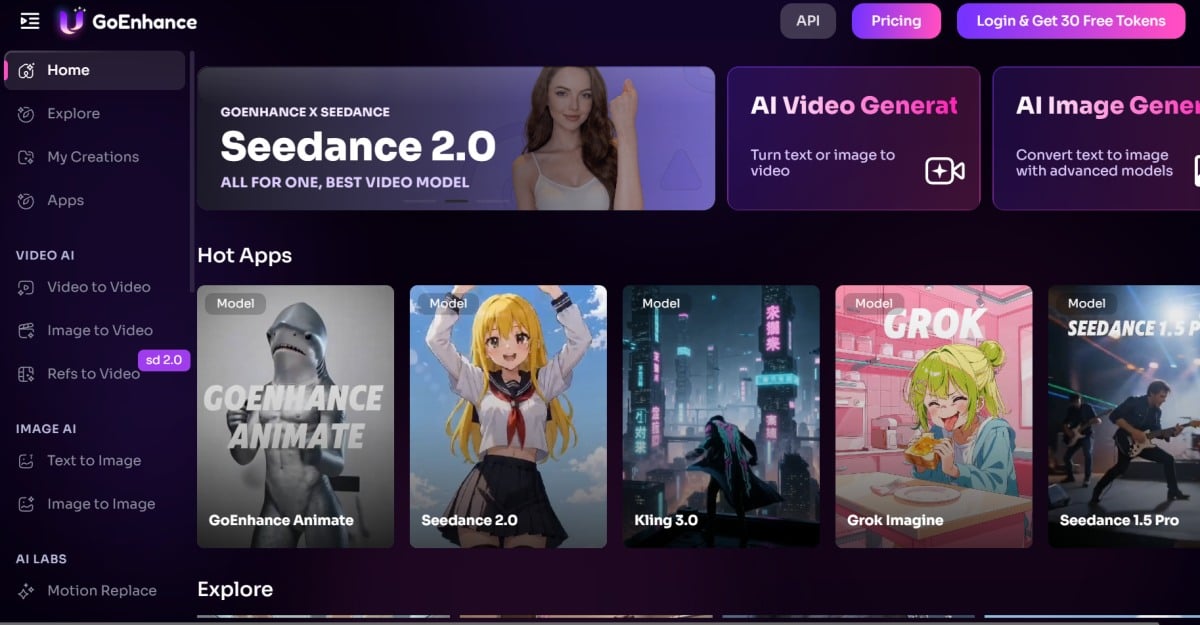
Deevid AI makes sense when your main goal is comparison. That's the whole pitch: one subscription, multiple models, less account juggling. But not every creator wants to spend time comparing model behavior every time they need a video.
For a lot of users, the real question is simpler: how fast can I go from an idea to a usable result?
That's where GoEnhance AI feels like a more practical Deevid AI alternative. Instead of leaning heavily on the aggregator angle, it gives users a more productized creation workflow.
You can start directly inside an AI video generator flow, move into image-to-video when you already have a visual starting point, or transform existing footage through video-to-animation workflows depending on the asset you already have.
That difference matters more than it sounds. Deevid asks you to think about which model to try. GoEnhance pushes you to think about which result you want to make. For many creators, that is the easier and more commercially useful starting point.
8.2 GoEnhance AI Makes More Sense When Speed and Simplicity Matter
The biggest weakness of the aggregator model is that it can create decision fatigue. You may have access to more models, but that doesn't always mean you get to a final asset faster. In practice, many users end up spending extra time rerunning prompts across multiple engines just to figure out which one behaves best.
GoEnhance AI is a better fit when you care more about workflow clarity than model hopping. If your goal is to turn an image into motion, test a stylized visual concept, or build short-form creative assets without overthinking the model layer every time, a focused platform can be the smarter choice.
This is especially true for creators, marketers, and small teams that need repeatable output. At that point, the question is not "How many models do I have access to?" It's "Can I get usable content out of this tool without wasting time?"
That is why GoEnhance AI works well as an alternative to Deevid AI. It reduces the comparison overhead and keeps the experience closer to execution.
8.3 Deevid Is Better for Comparison, but GoEnhance AI Can Be Better for Execution
To be fair, Deevid still has a clear use case. If you specifically want one dashboard for testing multiple video models side by side, the aggregator approach is appealing. That remains Deevid's strongest reason to exist.
But if you already know you want a practical creation workflow rather than a model-shopping workflow, GoEnhance AI may be the better pick. It is the stronger alternative for users who value simplicity, focused tools, and a faster path from prompt or image to publishable content.
My honest take: Deevid is useful when you're still comparing. GoEnhance AI is often the better choice once you're ready to create.
FAQ
Q: Is Deevid AI free to use?
The free tier exists but is limited to evaluation credits with watermarked output. It's not a production-ready free option.
Q: Can I use videos generated on Deevid commercially?
Yes, paid plans include full commercial rights. The free tier does not permit commercial use.
Q: Is Deevid AI's no-refund policy real?
Multiple review sources — including Trustpilot user reports — confirm that refund requests are frequently denied. This is one of the most consistently cited limitations. Proceed with caution and test thoroughly before committing.
Q: Deevid AI vs Runway — which should I pick?
Runway if you need stable, repeatable output from a single model ecosystem. Deevid if you want to compare outputs across multiple models in one place and understand the refund risk going in.
Q: Does Deevid AI work for beginners?
The interface is straightforward and doesn't require technical skills. However, given the refund restrictions and variable output quality, some prior experience with AI video tools helps set realistic expectations.


