
13 CapCut Alternatives in 2026: Better Picks for PC, Mobile, Templates, and AI Video
- 1. Quick comparison: the best editors similar to CapCut at a glance
- 2. Why people are looking for CapCut alternatives now
- 3. GoEnhance: best if your workflow starts before the timeline
- 4. Canva, Adobe Express, and Kapwing: best for content teams that care more about shipping than editing
- 5. Clipchamp, VEED, and Descript: best for practical editing jobs
- 6. Apps like CapCut on mobile: Videoleap, InShot, KineMaster, and VN
- 7. Filmora and DaVinci Resolve: if you're ready to outgrow the category
- 8. What CapCut really did well — and why finding alternatives to CapCut is annoying
- 9. Best pick by use case
- 10. FAQ
- 11. Conclusion
If you're searching for a CapCut alternative, it's probably not for one clean, simple reason.
Maybe the PC experience feels clunky. Maybe templates are starting to feel like a cage. Maybe you just want something that won't disappear on you mid-project.
That last one stopped being hypothetical in early 2025. ByteDance hit serious turbulence in the U.S., and a lot of creators got reminded — the hard way — that "stable workflow" is not the same as "permanent workflow." TikTok returned to U.S. app stores on February 13, 2025, and CapCut was back online before it was fully normalized in app stores. That shook people out of autopilot.
So this guide isn't built around the lazy question: "What app is basically CapCut again?"
Wrong question.
The better one: what part of your CapCut workflow are you actually trying to replace?
1. Quick comparison: the best editors similar to CapCut at a glance
The easiest mistake is lining up every tool as if they're solving the same problem. They're not.
| Tool | Best for | Works on | Free plan | Why people pick it | Main catch |
|---|---|---|---|---|---|
| GoEnhance | AI video generation, image-to-video, restyling | Web | Yes | Great when you start from ideas, images, or rough source footage | Not a one-to-one lightweight timeline editor |
| Canva | Template-heavy marketing content | Web, desktop, mobile | Yes | Easy brand-safe content, fast reuse, low friction | Better at packaging than deep video work |
| Clipchamp | Simple PC editing | Web, Windows | Yes | Familiar, easy, useful for captions and quick exports | Hits a ceiling fast |
| VEED | Browser editing, subtitles, team workflows | Web | Yes | Strong for captions, transcripts, collaboration | Less interesting creatively |
| Descript | Transcript-led editing, spoken content | Desktop, web | Yes | Fast for podcasts, webinars, explainers, talking-head edits | Not ideal for visual-first content |
| Videoleap | Mobile-first creators who still want style | Mobile, web | Limited | Trendy effects, easy creator workflow | Less suited to structured production |
| DaVinci Resolve | Serious editing, color, finishing | Desktop | Yes | Real control, real power, real upgrade path | Takes time to learn |
| InShot | Fast mobile edits | Mobile | Yes | Simple, quick, good for everyday social posts | Not built for bigger workflows |
| VN | Free editing and no-watermark value | Mobile, desktop | Yes | Strong feature set for the price, easy to like | Less polished than bigger ecosystems |
| Adobe Express | Brand-heavy social content and quick video packaging | Web, mobile | Yes | Good for fast branded assets and easy resizing | Less flexible once edits get more demanding |
| Filmora | Easy desktop editing with lots of built-in AI help | Desktop, mobile | Yes | Good bridge between beginner and advanced | Can feel crowded once the project grows |
| KineMaster | Phone editing with more control than basic apps | Mobile | Yes | Long-time favorite for mobile creators who want layers and effects | Still a mobile-first environment |
| Kapwing | Browser-first social editing with team utility | Web | Yes | Fast online editing, subtitles, resizing, collaboration | Free exports come with limits |
[See how the image-to-video workflow works in GoEnhance]
Most people land on the wrong tool because they compare features instead of comparing where in the process they actually get stuck. Fix that first.
Bottom line: The right pick depends on whether you need a classic editor, a template machine, or something built around AI video generation — and those are genuinely different tools.
2. Why people are looking for CapCut alternatives now
People are not all leaving CapCut for the same reason. That's why so many alternatives roundups feel thin.
One group wants a more stable, predictable setup. One group just wants real desktop editing. One group wants faster subtitle and transcript work. And a growing group wants to make short-form video without digging through raw footage every single time.
That last group isn't small, and the platform data backs it up. Creator accounts make up about half of the accounts U.S. TikTok users follow. Instagram pushed into short-form with 3-minute Reels and the Edits app. YouTube followed, adding new Shorts creation tools including photo-to-video. Every platform is nudging creators toward faster, more generative workflows — not just faster cuts.
CapCut was never just a trimming tool. It sat at the center of a bigger shift: make things fast, make them social, make them easy to repurpose.
And now a lot of creators are splitting that job apart.
Not gracefully. Not always on purpose. But it's happening.
Bottom line: The real intent behind searching for alternatives to CapCut is bigger than editing — it's about stability, speed, and what kind of short-form workflow actually fits where platforms are heading.
3. GoEnhance: best if your workflow starts before the timeline
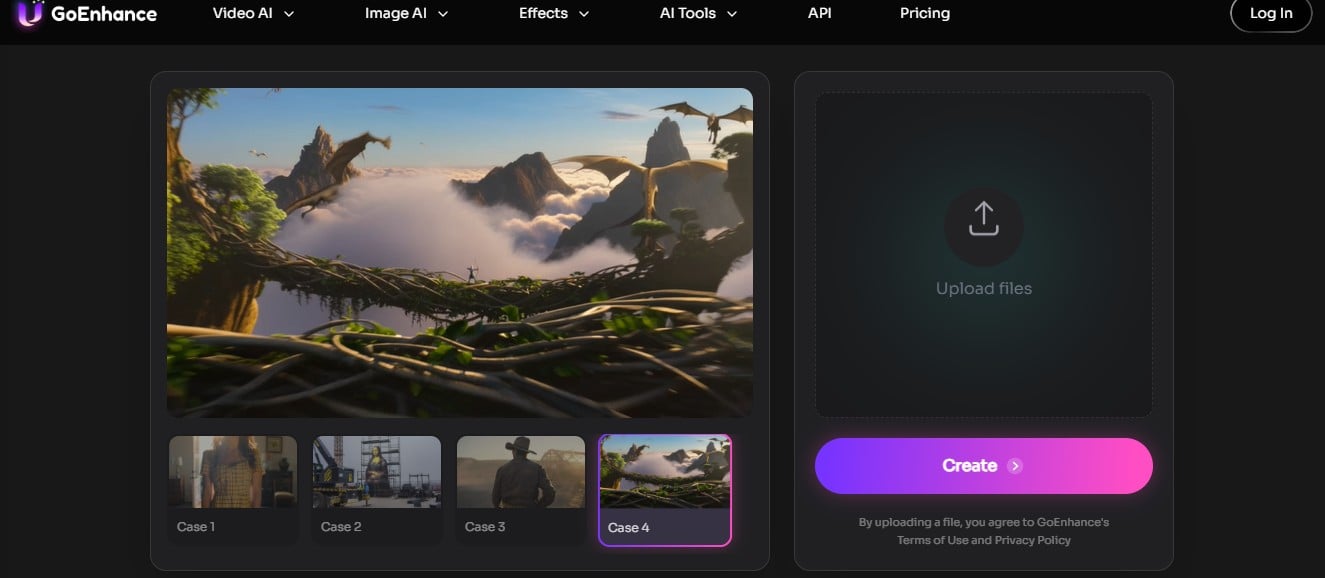
GoEnhance makes the most sense when the bottleneck isn't editing faster — it's getting usable short-form video ideas on screen faster.
Sounds like a subtle difference. It isn't.
I gave six tools the same task: one product still image, turn it into something postable on social, no tutorials, under ten minutes. Most tools got me to a timeline. GoEnhance got me to a finished clip. The image-to-video workflow took the still, added motion that actually matched the product's tone, and had something ready to review in under eight minutes — first try. The other tools required me to already have footage or manually build a sequence. Different starting point entirely.
The AI video generator is useful when the work begins with a concept, a style reference, or a rough draft that needs a completely different life. The video-to-video tool makes more sense when the goal is to restyle or transform footage rather than just trim it.
That's why I wouldn't pitch it as "the closest CapCut clone."
It isn't.
What GoEnhance can't do: there's no drag-and-drop timeline editor. If your day is mostly sequence cleanup, subtitle timing, and talking-head edits, this is the wrong fit. Bad idea to switch for that use case.
But the moment a project stops being about cuts and starts being about testing — different visual hooks, different ad angles, different styles from the same source material — that's when a regular editor gets in the way.
Bottom line: GoEnhance is the right pick when the problem is no longer editing clips, but generating and testing better clips before you ever touch a timeline.
4. Canva, Adobe Express, and Kapwing: best for content teams that care more about shipping than editing
This is the "just help me get content out" lane. I'll be honest — these three are easier to recommend to a marketing team than to a solo creator.
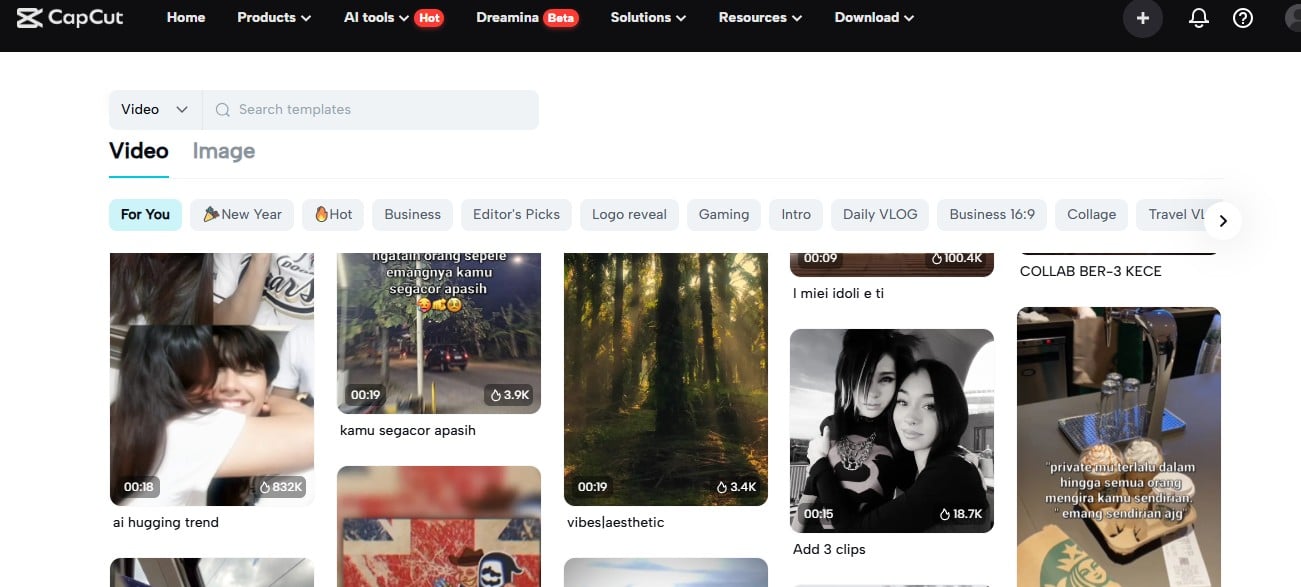
Canva makes branded content feel organized in a way that actually scales. Your brand kit is there, your templates are there, a new hire can figure it out in twenty minutes without asking anyone. I've watched teams cut their social publishing time in half just by moving from scattered tools into Canva's shared workspace. Adobe Express lives nearby — useful when content needs to look on-brand fast, especially if the workflow mixes design and video in the same project. Kapwing is more creator-utility focused: browser-first, built around captions, social resizing, and team-friendly sharing without the friction of desktop installs.
What they don't give you — and this is the part that surprises people — is that CapCut-native sense of short-form pacing. CapCut didn't just make editing easy. It made the output feel right for social, almost by default. Canva doesn't replicate that. Neither does Express.
Honest version:
- Canva is strongest if you live inside templates, campaigns, and repeatable brand content
- Adobe Express holds up when you need lightweight video plus broader design work without switching tools
- Kapwing is the cleaner pick for browser-based social editing with team collaboration built in
Bottom line: These three are smart picks for packaging content fast — but if what you loved about CapCut was the creator-style editing feel, none of them quite replace it.
5. Clipchamp, VEED, and Descript: best for practical editing jobs
GoEnhance handles generation. These three handle the cleanup work that still needs doing after footage exists.
Clipchamp is the most honest answer to the CapCut alternative for PC question when straightforward is the brief. Browser-friendly, simple to pick up, genuinely good for quick edits, screen recordings, captions, and internal videos. Doesn't try to be flashy. That actually helps when you're in a hurry and don't want to make decisions.
VEED is what I'd reach for when captions, transcripts, translations, and browser-based collaboration are the messiest part of the job. I ran the same 12-minute interview clip through VEED and Descript back to back. VEED got me cleaner auto-captions faster, with better multi-language handling. Descript won on the editing side — cutting by deleting transcript text instead of scrubbing a timeline is genuinely faster for spoken content, especially interviews and tutorials where most of the edit is "remove the parts where they ramble."
The catch with all three is the same, just in different forms. Great when the edit starts with footage and structure. Less useful when the real problem is visual experimentation.
Some creators need an editor. Some need a generator. A lot of them keep shopping in the wrong aisle.
Bottom line: Pick Clipchamp, VEED, or Descript when your workflow starts with existing footage, captions, or spoken content — not when you need visual generation.
6. Apps like CapCut on mobile: Videoleap, InShot, KineMaster, and VN
This is where most people start when they're looking for apps like CapCut. Makes sense — CapCut was a mobile-first product at its core, and muscle memory is real.
Videoleap is the most style-conscious of the group. Built for social output, quick effects, and creators who want things to look a little punchier than basic phone edits usually allow. I've seen people with under 1,000 followers pulling 30k+ views on clips made entirely in Videoleap — the default effect palette just happens to match what's trending.
InShot is simpler. That's the point. Open it, cut the clip, add text, add music, export. If your content is everyday social posting and you don't want to overthink it, it holds up.
KineMaster has been around long enough that plenty of mobile editors trust it almost by reflex. More layers, more control, more going on than the most lightweight apps — which, honestly, surprised me when I first went back to it after a year away. It's more capable than I remembered.
VN is the value pick. Free, no watermark, stronger editing feel than people expect, and almost no friction getting started. I've seen people keep VN in their workflow even after upgrading other tools. That says something about how it punches above its apparent weight class.
None of these solve the "I want AI-led video creation" problem particularly well. They solve mobile editing. Different thing.
Bottom line: If you want a CapCut-like mobile editing experience, start here before chasing heavier desktop tools — the answer is probably in this group.
7. Filmora and DaVinci Resolve: if you're ready to outgrow the category
Filmora and DaVinci Resolve sit on very different parts of the same road.
Filmora is the easier step up. More desktop control than the casual tools, built-in AI features that actually save time on things like noise removal and auto-reframing, and a gentler landing than Resolve. I'd hand Filmora to someone coming off CapCut who wants more without feeling punished for wanting more. The project structure makes sense fast. The AI tools aren't gimmicks — the audio cleanup alone is worth it for anyone shooting in imperfect environments.
DaVinci Resolve is not trying to be like CapCut. That's why it belongs here.
If the work is becoming more serious — client edits, long-form YouTube, real color grading, audio finishing, versioned exports — Resolve is the strongest tool on this list. It's also the easiest one to recommend carelessly. Plenty of people say "just use Resolve" as if the extra power arrives without extra friction. It doesn't. I made that mistake recommending it to a friend who just wanted to clean up weekly vlogs. She spent a week watching tutorials and barely made a single export. Wrong tool for that workflow.
Filmora is the better middle step. Resolve is the right long-term move — when you're actually ready for it.
Bottom line: Filmora if you want more power without a brutal learning curve. DaVinci Resolve if you're genuinely ready to treat video editing as a professional skill.
8. What CapCut really did well — and why finding alternatives to CapCut is annoying
CapCut's real edge wasn't some hidden feature.
It was the bundle.
Fast cuts. Easy captions. Templates that already felt native to social platforms. Enough AI to keep things moving. Enough speed that you could make something decent in ten minutes.
That's also why hunting for alternatives to CapCut is so frustrating. Every roundup can tell you which tool wins on desktop control, which tool wins on templates, which tool wins on transcripts, which tool wins on AI generation. What no one can give you is a single tool that wins on all four at once — because that bundle was CapCut's actual product.
Once you accept that, choosing gets easier.
Pick the tool that replaces the one piece of the bundle you actually used most. Not the whole thing. That tool probably exists. It's probably on this list. You just have to be honest about which part of CapCut you're actually mourning.
Bottom line: CapCut is hard to replace with one app because what people miss is a bundle — speed, templates, captions, social-native workflow. Identify which piece matters most, then pick accordingly.
9. Best pick by use case
- Best CapCut alternative for PC: Clipchamp if you want easy. DaVinci Resolve if you want serious.
- Best free CapCut alternative: VN — consistently delivers more than people expect, no watermark, no real friction.
- Best for creators starting from images or concepts: GoEnhance. Standard editors stop making sense at this point in the workflow.
- Best for social teams and brand content: Canva. Adobe Express if design and video overlap heavily.
- Best for subtitles, transcripts, browser-based workflows: VEED for caption-heavy work. Descript for spoken-word editing.
- Best for mobile-first creators: Videoleap for style, InShot for speed, KineMaster for control, VN for value.
- Best middle-ground desktop upgrade: Filmora.
- Best for browser-based collaboration: Kapwing.
One honest pushback worth adding: if your day is mostly static graphics, branded decks, and layout-heavy marketing work, Canva or Adobe Express fits better than GoEnhance for that job. GoEnhance generates — it doesn't let you compose by hand. If you need precise control over text placement and typography, that's a real gap.
Bottom line: Stop asking which tool is "best." Ask which tool fixes the specific part of your workflow that keeps slowing you down — that's the one worth trying first.
10. FAQ
What is the best CapCut alternative?
No single honest answer. For classic editing, Clipchamp or DaVinci Resolve. For templates and brand content, Canva. For AI-led short-form generation starting from images or concepts, GoEnhance. The right answer depends entirely on where you actually get stuck.
What are the best editors similar to CapCut?
The editors similar to CapCut that come up most often — and for good reason — are Clipchamp for PC simplicity, VN and InShot for mobile editing, VEED for browser-based caption work, and Filmora for a more capable desktop experience. GoEnhance belongs on the list if your workflow is moving toward generation rather than just editing.
What is the best free CapCut alternative?
VN is the strongest free CapCut alternative for most people. No watermark, solid feature set, works on both mobile and desktop. Clipchamp and Canva are worth considering for lighter needs, but they solve different problems.
What is the best CapCut alternative for PC?
For a CapCut alternative for PC, Clipchamp is the easiest starting point — browser-based, no learning curve, good enough for most day-to-day tasks. DaVinci Resolve is the right answer if you want something you can grow into seriously. Filmora sits in the middle if neither extreme fits.
Are there apps like CapCut with more AI video generation?
Yes — that's exactly where GoEnhance separates from the rest of this list. Most apps like CapCut assume you already have footage. GoEnhance is built for workflows that start before footage exists: images, concepts, prompts, transformed source material.
Which app is most similar to CapCut on mobile?
Videoleap, InShot, KineMaster, and VN are the most relevant starting points for anyone who wants a mobile-first experience close to what CapCut offered.
Bottom line: Most questions about CapCut alternatives are really questions about workflow fit — the tool name matters less than understanding what part of your process needs replacing.
11. Conclusion
The best CapCut alternative isn't the tool with the biggest feature list.
It's the one that replaces the part of CapCut you actually used.
Mobile editing? Several solid answers exist. Desktop control? Better answers than CapCut ever was. Templates and brand packaging? Cleaner options, too.
But if the part that now matters most is turning images, concepts, and rough source material into short-form video worth testing — GoEnhance is the one worth looking at first.
Not for everyone. Still true.


