
Prompt
Copy and customize
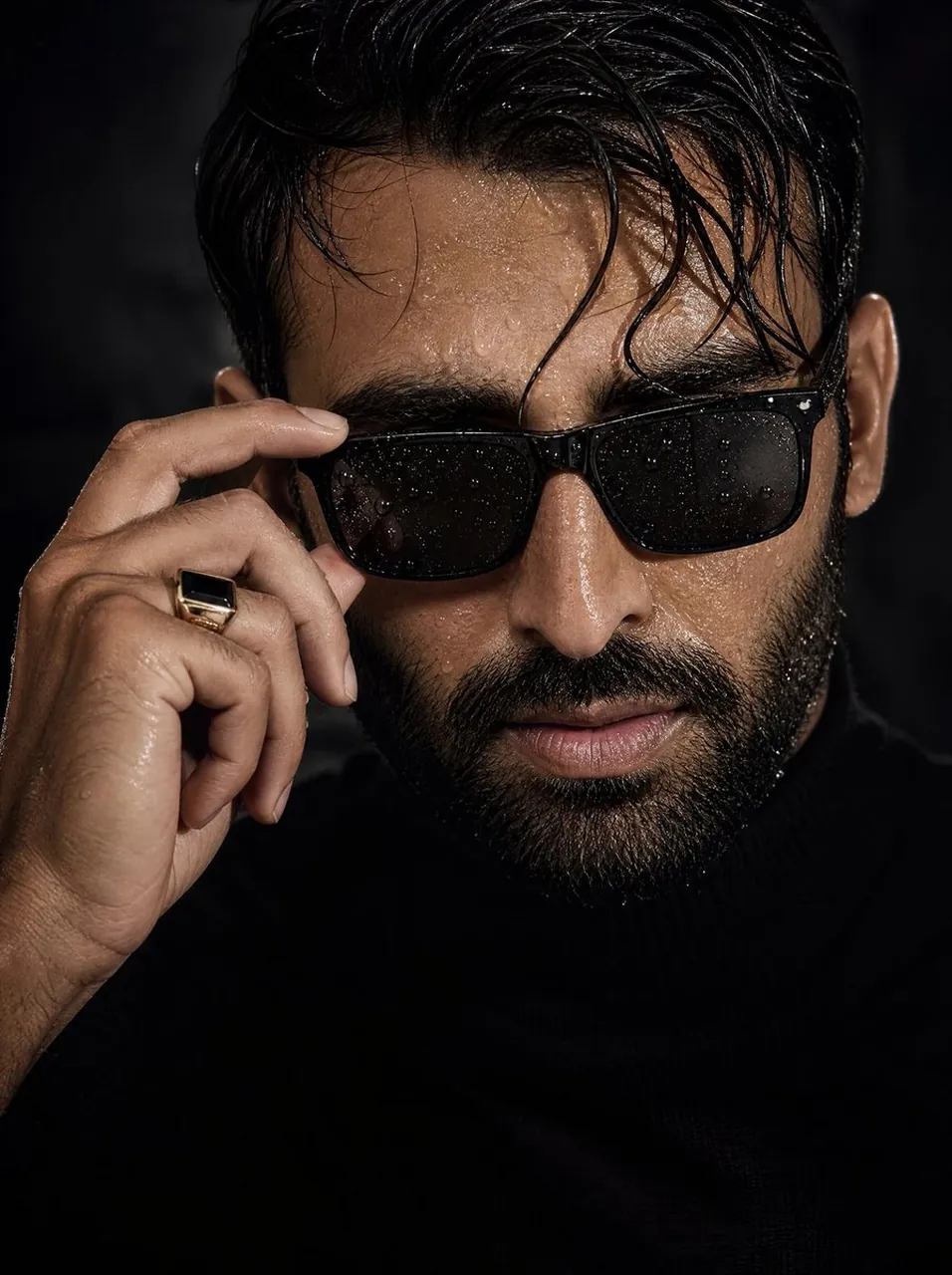
Use the first image as the strict reference for the subject's face and identity. Accurately preserve the male facial structure, proportions, jawline, skin tone, hairstyle, facial hair (if present), and overall appearance with no stylization, beautification, or deformation. Create an ultra-realistic cinematic close-up portrait of a confident young man. His skin is wet with realistic water droplets, and his slightly messy wet hair naturally falls across his forehead. He is wearing premium black rectangular sunglasses, with one hand gently adjusting the frame. Water droplets are visible on both the lenses and the sunglasses frame. Dress him in a fitted black turtleneck sweater that blends seamlessly into a dark minimalist background. Use dramatic low-key lighting with deep shadows and strong directional highlights to emphasize masculine facial contours, defined cheekbones, jawline, wet skin, visible pores, beard texture (if applicable), and fine natural skin details. Pay special attention to the hand details: realistically render the knuckles, masculine fingers, subtle veins, tendons, natural skin folds, and fingernails. Add a premium black-and-gold stone ring for a luxurious editorial appearance. Capture the image using an 85mm lens at f/1.4 aperture, creating a shallow depth of field with razor-sharp focus on the face and microscopic skin detail while maintaining a beautifully blurred background. The final result should resemble a high-end luxury fashion magazine editorial combined with cinematic photorealism, featuring dramatic contrast, rich textures, premium styling, an intense masculine presence, and completely natural skin without smoothing, AI beauty filters, or excessive retouching. 8K ultra-high resolution, IMAX-quality, HDR, hyper-realistic, masterpiece.
Best for
Tips
Keep the main subject focused so Use the first image as the strict remains recognizable after style or lighting changes.
Adjust camera angle and aspect ratio before generation when the composition needs a specific platform format.