
Prompt
Copy and customize
Using uploaded face 100% realistic.
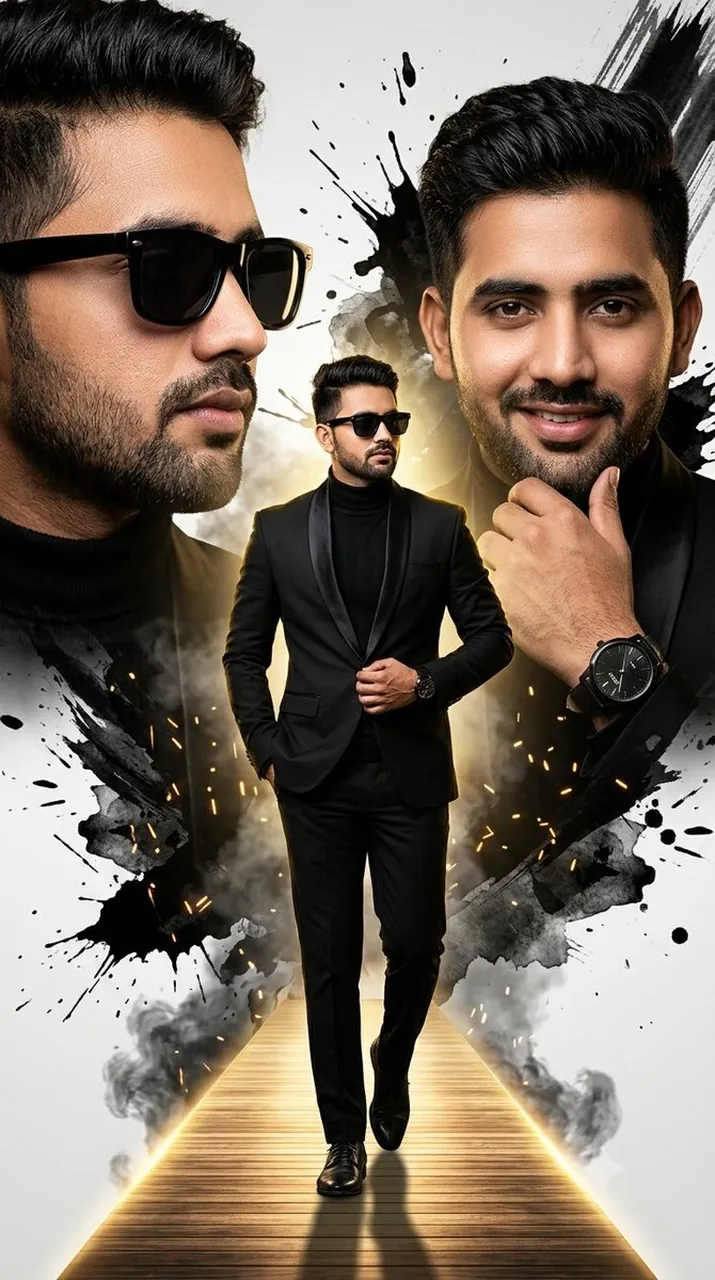
Create a high-end cinematic fashion poster collage featuring the same young South Asian man from the reference photo, keeping his face highly accurate, natural, and consistent across all portraits. Vertical 9:16 composition, luxury black-and-gold editorial style.
Create three versions of the same man:
1. Left side: a large dramatic close-up side-profile portrait wearing stylish black rectangular sunglasses, looking toward the right. Neatly styled thick black hair, trimmed beard and mustache, confident expression.
2. Right side: a large close-up front-facing portrait without sunglasses, looking directly at the camera with a subtle confident smile. One hand resting near the chin, showing a premium black wristwatch.
3. Center foreground: full-body walking pose on a glowing wooden pathway, walking confidently toward the camera. He is wearing a luxury black tuxedo blazer with satin lapels, black turtleneck shirt, black fitted trousers, black formal shoes, black sunglasses, and a stylish wristwatch. One hand in trouser pocket and the other hand adjusting the blazer.
Background: white and light gray studio backdrop with dramatic black ink splashes, paint brush strokes, smoky textures, white paint splatters, golden glowing light behind the center figure, cinematic rim light, luxury magazine cover style. Add subtle golden sparks and a glowing pathway perspective at the bottom.
Ultra-realistic face, realistic skin texture, sharp hairstyle, professional DSLR photography, high contrast, black, white and gold color palette, dramatic lighting, fashion editorial poster, 8K, HDR, highly detailed, no text, no logo, no watermark.
Best for
Tips
Keep the main subject focused so Using uploaded face 100 realistic Create a remains recognizable after style or lighting changes.
Adjust camera angle and aspect ratio before generation when the composition needs a specific platform format.