
Prompt
Copy and customize
Using uploaded face 100 percent same & realistic.
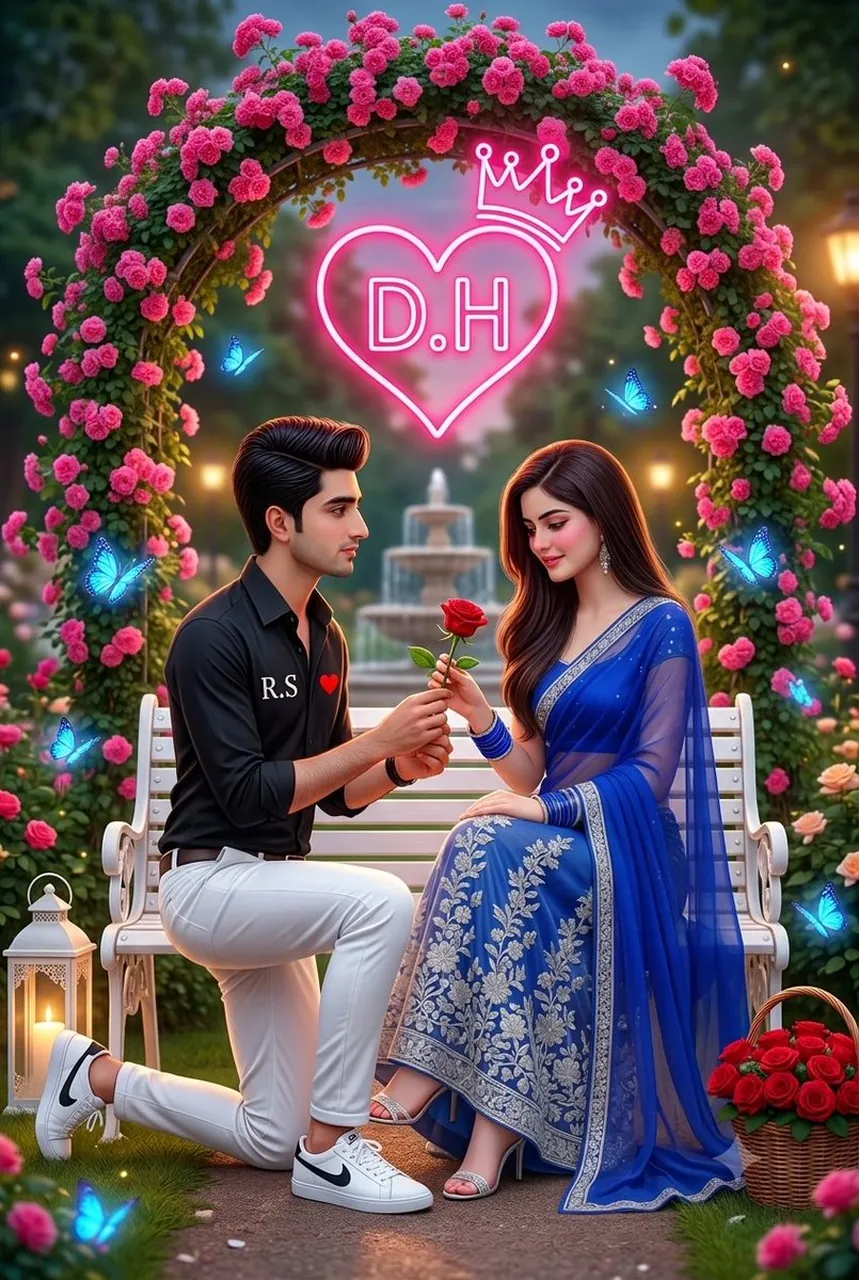
A hyper-realistic, highly detailed, romantic of a handsome young man kneeling on one knee offering a single red rose to a beautiful young woman sitting on a white ornate park bench. The man has dark, stylish hair and is wearing a black button-down shirt with the white initials "R.S" and a small red heart printed on the chest, along with white trousers and white sneakers with a black logo. The woman is blushing with a sweet smile, gently holding the rose stem. She is wearing a vibrant royal blue sheer saree with intricate silver floral embroidery, draped over a cream-colored flowing skirt, paired with silver strappy high heels and blue glass bangles.
They are situated in a magical, lush garden. Behind them is a beautiful archway covered in bright pink flowers. Floating directly above them is a bright, glowing pink neon sign shaped like a heart with a crown on top, containing the letters "D.H". Glowing magical blue butterflies are fluttering around the scene. Next to the bench is a white decorative lantern and a basket filled with red roses. In the softly blurred background, there is a classic water fountain and warm park lighting. The overall style is highly saturated, cinematic, magical, and romantically stylized, 8k resolution. Keep original face and hairstyle 100% reference
Best for
Tips
Keep the main subject focused so Using uploaded face 100 percent same realistic remains recognizable after style or lighting changes.
Adjust camera angle and aspect ratio before generation when the composition needs a specific platform format.