
Prompt
Copy and customize
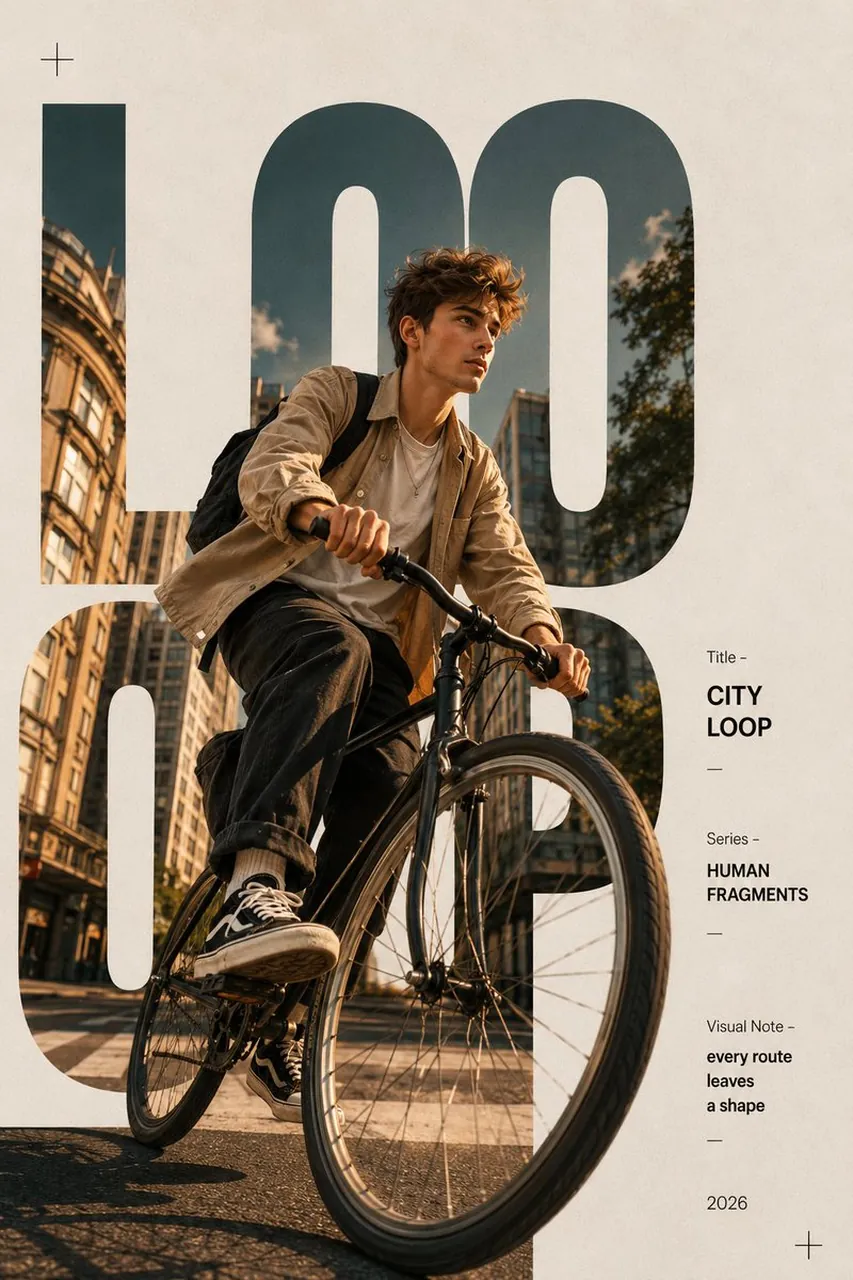
Create an ultra-realistic luxury editorial poster with a clean off-white textured paper background and a minimalist magazine layout. A dynamic low-angle cinematic photograph of a stylish young man riding a modern bicycle through an urban downtown street during golden hour. The subject wears a beige overshirt layered over a white T-shirt, relaxed black trousers, black-and-white sneakers, and a black backpack. Preserve realistic facial details, natural skin texture, and authentic motion.
Integrate the photograph inside enormous bold uppercase typography reading "LOOP", where the letters act as clipping masks while parts of the cyclist naturally overlap outside the letters to create depth. Use oversized sans-serif typography in muted dark teal. Position the cyclist so the front wheel extends beyond the typography for a striking 3D editorial effect.
On the right side, add a clean vertical information panel with minimalist typography:
Title –
CITY LOOP
Series –
HUMAN FRAGMENTS
Visual Note –
every route leaves a shape
2026
Include thin divider lines, subtle "+" symbols in opposite corners, generous white space, premium Swiss-style grid composition, muted earthy color grading, soft natural sunlight, realistic shadows, high-end fashion magazine aesthetic, luxury branding, modern graphic design, ultra-sharp details, cinematic photography, award-winning editorial poster, 8K resolution, portrait 4:5 aspect ratio.
Best for
Luxury editorial postersUrban fashion photographyMinimalist magazine layoutsCreative typography designsSwiss grid posters
Tips
Keep the subject recognizable when altering clothing or bike details to preserve the realistic urban editorial aesthetic.
Adjust the headline text and clipping mask letter cutout to feature different custom titles or graphic branding elements.