
Prompt
Copy and customize
Create an ultra-realistic fine art portrait using my uploaded face as the exact identity. Preserve my facial structure, skin tone, eye shape, nose, lips, jawline, hairstyle, and all unique facial features with complete accuracy. Do not beautify, alter, or change my identity.
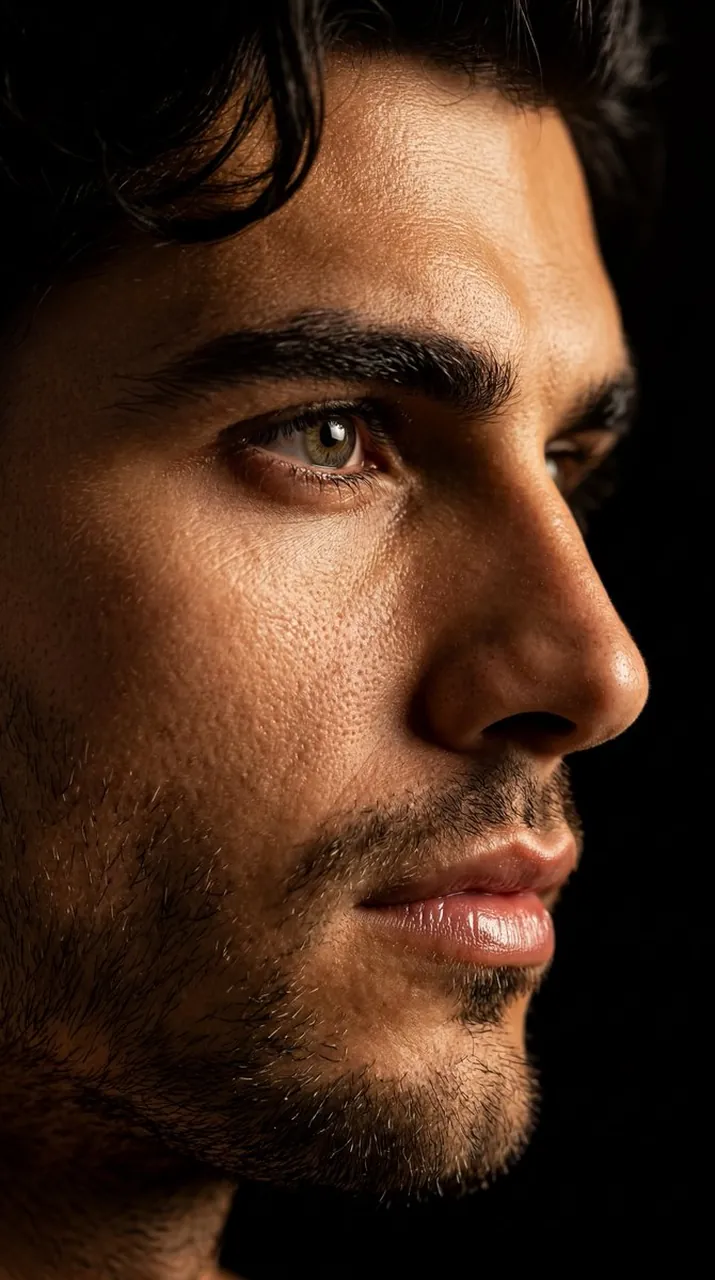
Compose the portrait as an extreme close-up where only half of my face is visible, emerging dramatically from deep black shadows. One eye should be fully illuminated and razor sharp, while the other half remains hidden in darkness. Use cinematic low-key lighting with a warm golden light softly washing across my cheek, nose, and lips, creating rich contrast against the black background.
Enhance every skin pore and natural texture with hyper-realistic detail. Add subtle glossy lips, crisp eyelashes, realistic catchlights in the eye, and smooth transitions between light and shadow. The mood should feel mysterious, elegant, luxurious, and emotionally powerful, with a timeless editorial fashion aesthetic.
Background should be completely black with no distractions. High dynamic range, dramatic contrast, ultra-photorealistic, fine art photography, luxury beauty campaign style, 85mm portrait lens, f/1.8, shallow depth of field, studio-quality lighting, 8K resolution, flawless detail, premium color grading, museum-quality realism.
Best for
Tips
Upload a high-resolution front-facing photo with neutral expression to ensure accurate facial feature preservation.
Adjust the golden light intensity in post-processing to fine-tune the dramatic shadow balance on the face.