
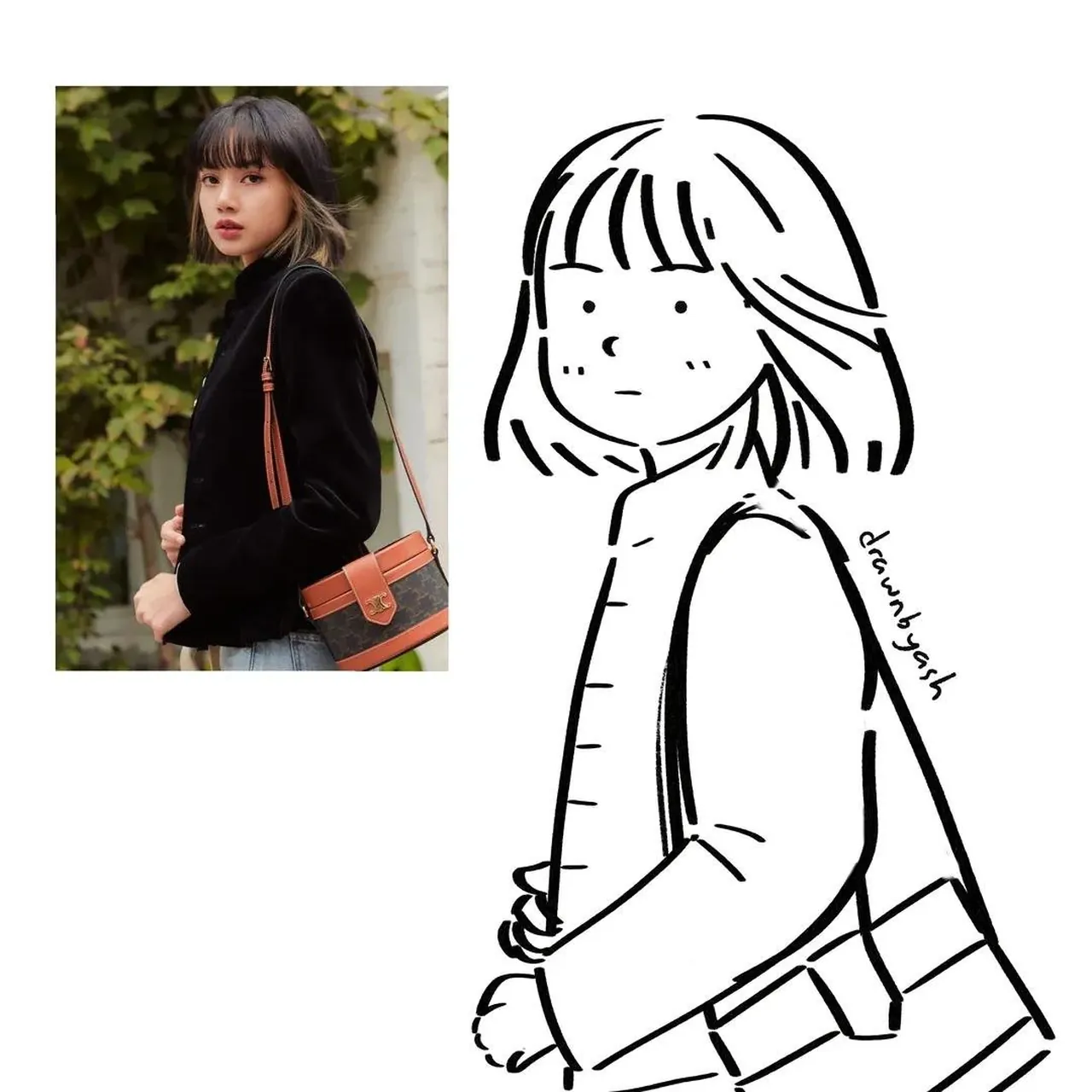
Prompt
Copy and customize
Transform the uploaded reference photo into a minimalist black-and-white hand-drawn doodle illustration while preserving the subject's pose, hairstyle, clothing, accessories, and overall composition. Use a cute, simple character design with a large rounded head, tiny dot eyes, a tiny button nose, small blush dots on the cheeks, and a minimal mouth. Draw with confident black ink lines of varying thickness, smooth slightly wobbly outlines, and almost no interior detail. Simplify all clothing into loose graphic shapes with minimal folds while keeping recognizable items such as jackets, scarves, bags, dresses, microphones, bows, jewelry, or hand poses. Preserve the original gesture and expression. Add only a few playful accent elements such as sparkle icons, tiny stars, or simple motion marks around the character. Place the original reference photo as a small rectangular inset in the upper-left corner with a generous white margin surrounding both the reference and illustration. Keep the illustration on a pure white background with no shading, no grayscale, no color, and no textures. Clean manga-inspired doodle aesthetic, cute sketchbook style, bold black line art, highly simplified, balanced composition, 1:1 aspect ratio.
Best for
Tips
Keep the main subject focused so Transform the uploaded reference photo into a remains recognizable after style or lighting changes.
Adjust camera angle and aspect ratio before generation when the composition needs a specific platform format.