
Prompt
Copy and customize
{
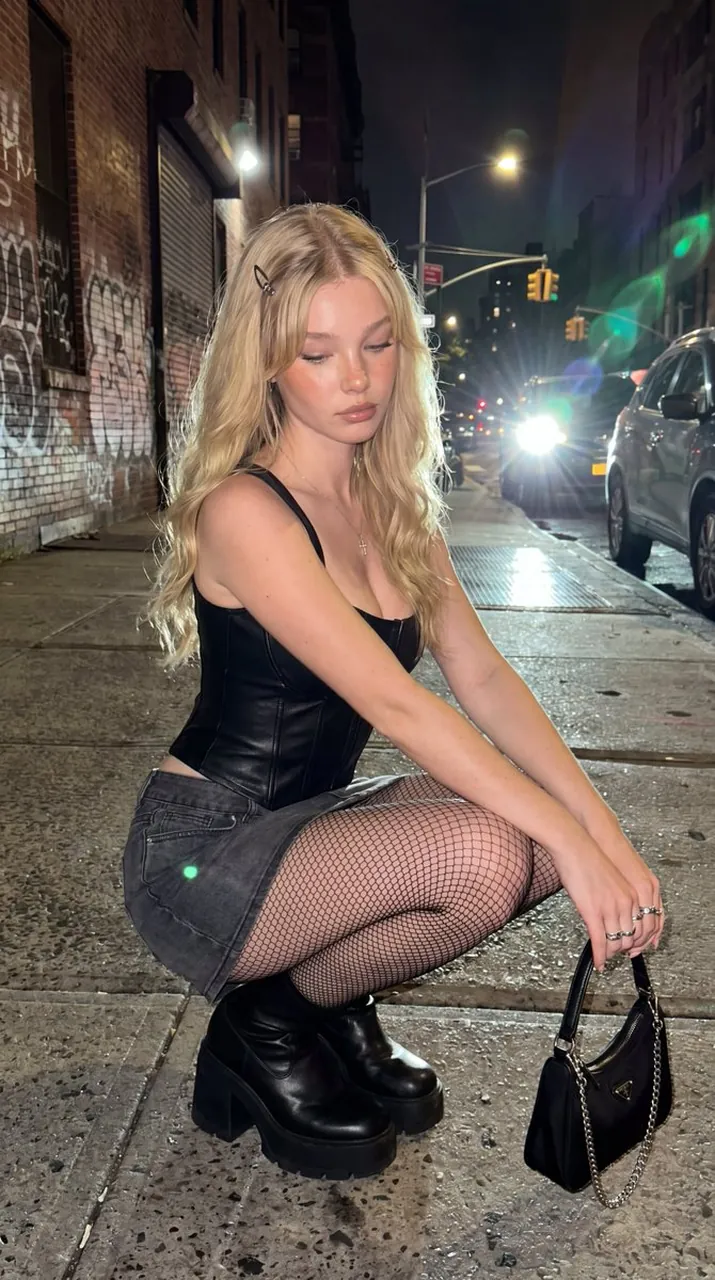
"prompt": "Ultra-realistic cinematic iPhone street fashion portrait of a young blonde woman crouching naturally on a quiet New York City sidewalk at night. Long wavy platinum-blonde hair with soft curtain bangs and a small black butterfly hair clip on one side. Porcelain skin with visible pores, realistic skin texture, subtle freckles, soft peach blush, glossy nude lips, natural skin sheen, and authentic facial micro-imperfections. Wearing a structured black leather corset with thin straps and front seam detailing, a charcoal gray low-rise denim mini skirt, black fishnet tights, chunky black leather platform ankle boots, delicate silver rings, and a thin silver cross necklace. Holding a small black luxury shoulder bag with a silver chain strap while resting naturally in a relaxed squat pose, looking down with a calm editorial expression. Urban NYC street with graffiti-covered brick walls, parked cars, wet concrete sidewalks, traffic lights, and bright vehicle headlights creating realistic green lens flares and cinematic bloom. Captured using an iPhone 15 Pro main camera with direct flash, authentic Smart HDR processing, subtle computational sharpening, realistic lens flare, slight digital noise, premium smartphone photography quality, natural color grading, editorial nightlife aesthetic, ultra photorealistic, DSLR-level detail while maintaining authentic iPhone realism, RAW photo, 8K.",
"negative_prompt": "cartoon, anime, CGI, painting, plastic skin, beauty filter, excessive skin smoothing, wax skin, fake pores, blurry face, blurry eyes, low resolution, noise reduction artifacts, watermark, text, logo, distorted anatomy, extra limbs, extra fingers, malformed hands, duplicate people, warped buildings, unrealistic proportions, oversaturated colors, artificial lens flare, low-detail hair",
"style": "photorealistic",
"camera": {
"type": "iPhone 15 Pro",
"lens": "26mm main camera",
"aperture": "f/1.8",
"iso": 640,
"angle": "eye-level street portrait",
"depth_of_field": "moderate"
},
"lighting": {
"type": "direct iPhone flash with streetlights and car headlights",
"direction": "frontal flash with backlit headlights",
"mood": "cinematic, urban, nightlife"
},
"composition": {
"framing": "vertical full-body portrait",
"subject_position": "crouching on NYC sidewalk",
"background": "graffiti-covered brick wall, parked cars, traffic lights, wet pavement, bright headlights with natural lens flare"
},
"quality": {
"resolution": "8k",
"detail": "ultra high",
"sharpness": "DSLR-quality with authentic iPhone rendering",
"skin_detail": "visible pores, realistic texture, natural imperfections",
"realism": "maximum"
}
}
Best for
Tips
Keep the main subject focused so prompt Ultra-realistic cinematic iPhone street fashion portrait remains recognizable after style or lighting changes.
Adjust camera angle and aspect ratio before generation when the composition needs a specific platform format.