
Prompt
Copy and customize
Preserve the subject's appearance 100%. Do not alter the facial features, facial proportions, eye shape, nose, lips, bone structure, skin texture, hair color, hair length, or hair texture. Maintain the person's unique identity and complete resemblance to the reference, even during motion.
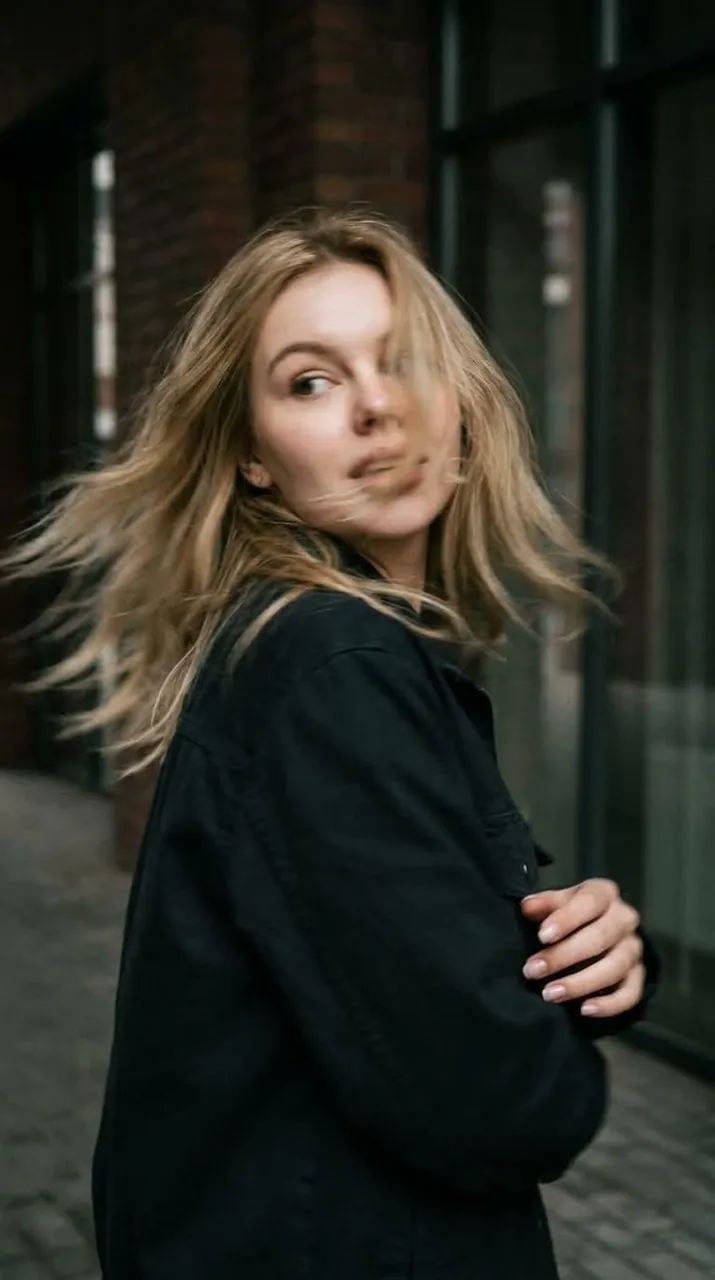
A photorealistic candid shot captured in motion. Close-up, waist-up framing. The woman is standing with her back to the camera at the exact moment she sharply turns her head over her shoulder. She suddenly looks back, her gaze directed off to the side. Her expression naturally reflects the movement, creating the feeling of a genuine, unposed snapshot rather than a staged photoshoot.
SHARPNESS TECHNIQUE: The rapid head turn creates natural motion blur—subtle blur across the face, hair, and individual strands, with slight softening along the edges of the silhouette due to the speed of the movement. The face remains clearly recognizable, with all key features preserved. Her curls sweep outward with the motion, creating a dynamic trail that conveys realistic movement, as if captured by a real camera with a slightly delayed shutter.
The body posture is natural, with slight asymmetry in the composition and realistic movement in the shoulders and neck. No fashion-model posing or studio-like stiffness.
Cinematic directional lighting with soft shadows, rich atmospheric depth, and a textured environment. Realistic skin with visible pores and subtle natural imperfections.
Captured as if on a real 35mm film camera: pronounced film grain, subtle optical imperfections, a muted, low-saturation color palette, natural depth of field, and the authentic look of a real-life photograph.
Best for
Tips
Keep the main subject focused so Preserve the subject's appearance 100 Do not remains recognizable after style or lighting changes.
Adjust camera angle and aspect ratio before generation when the composition needs a specific platform format.