
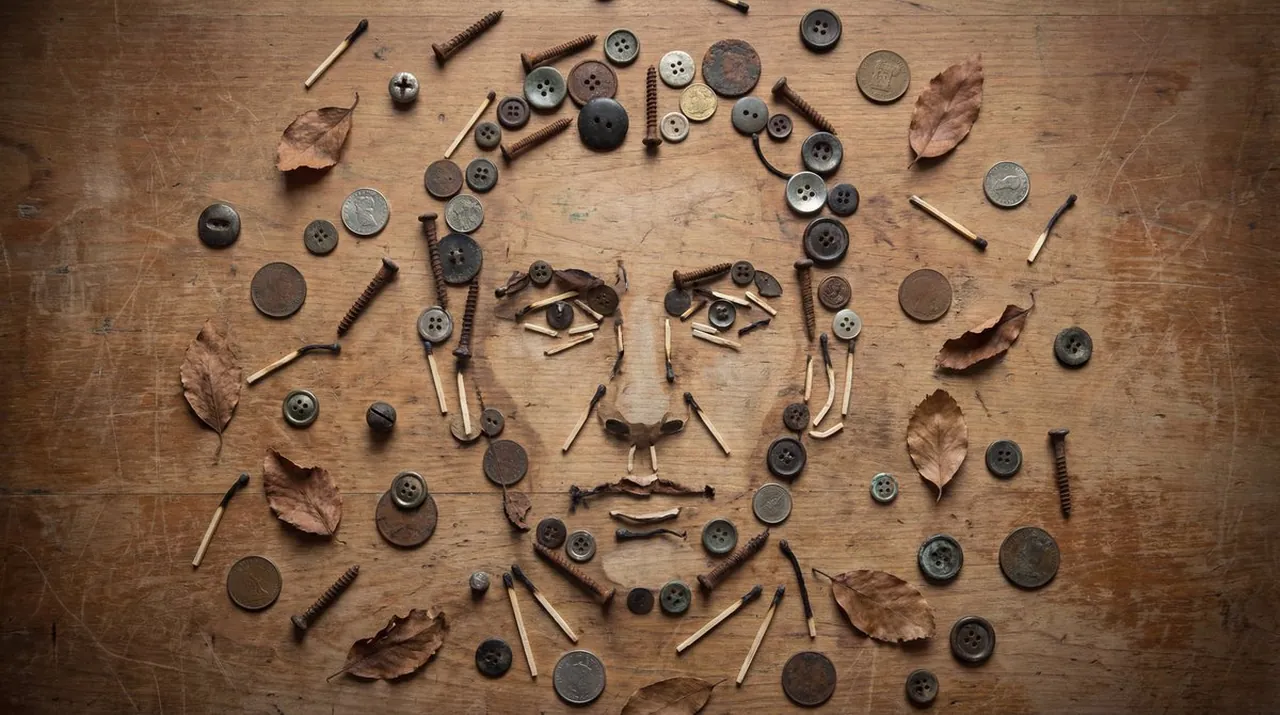
Still-Life Object Portrait Illusion

A polished image of Still-Life Object Portrait Illusion uses clear subject styling, lighting, composition, and atmospheric detail for a finished visual concept.

Still-Life Object Portrait Illusion

Prompt

Copy and customize

Create an image that looks like a tabletop still-life of many small objects buttons, screws, coins, leaves, matchsticks scattered naturally, yet from a top-down view they form a clear human face portrait through careful arrangement and shading. Use neutral tones, soft overhead light, and gentle vignette. The face should emerge at mid-distance viewing: close up it’s “just objects,” zoomed out it’s unmistakably a portrait. Add realistic cast shadows under each object to enhance depth. Background: worn wooden table with scratches. Keep the arrangement organic, not too symmetrical. No text, no obvious outlines, no artificial glow.

Best for

Portrait styleSocial Media PostVisual conceptStyle studyComposition test

Tips

Keep the main subject focused so n image that looks like a tabletop remains recognizable after style or lighting changes.

Adjust camera angle and aspect ratio before generation when the composition needs a specific platform format.

How to use this GPT Image 1.5 prompt

1

Copy the ready-to-use GPT Image 1.5 prompt from this page.

2

Paste it into GoEnhance AI or another generator that supports GPT Image 1.5.

3

Click generate and get your image quickly. You can edit the prompt first if needed.

Copy the prompt, try it with GoEnhance AI or another tool that supports GPT Image 1.5, and generate your image in just a few simple steps.

Overview

Everything you need to master AI prompts

From quick copy-paste prompts to advanced techniques, build stunning visuals faster.

20000+ prompts
All major models
Updated Daily