
Prompt
Copy and customize
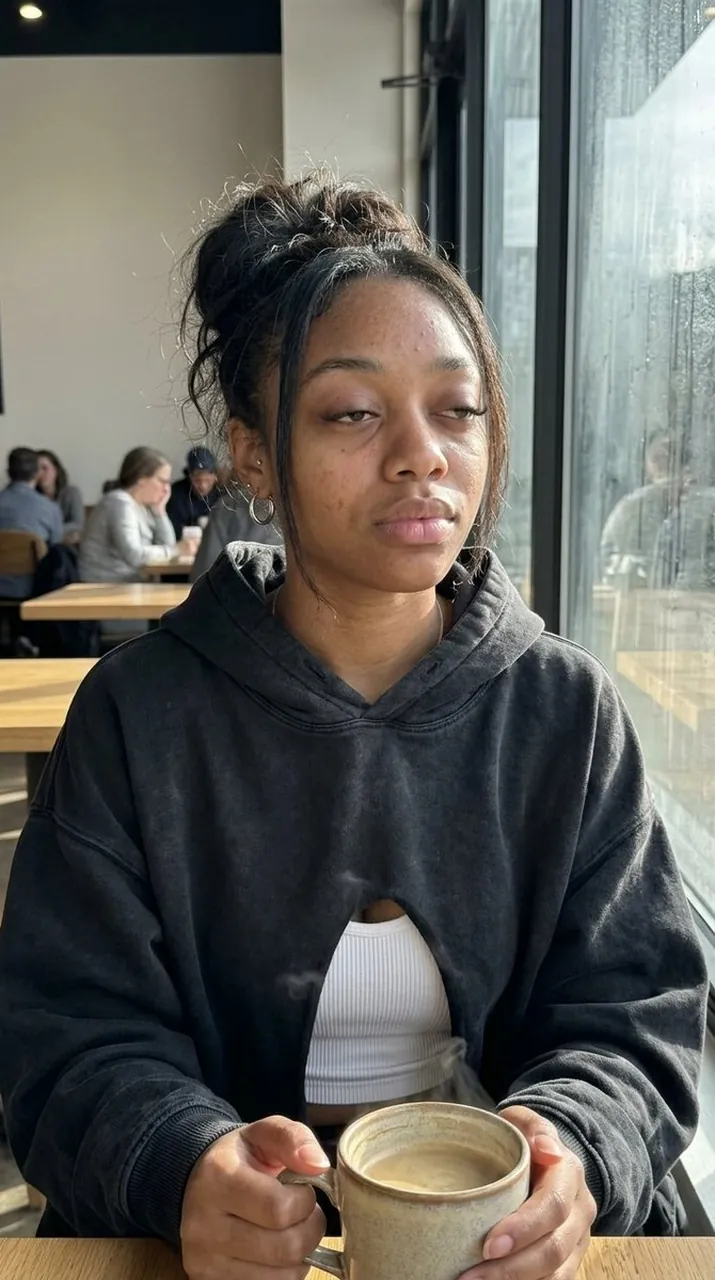
{ "style": "ultra-realistic iphone candid photography", "subject": { "description": "young woman sitting inside a quiet coffee shop early in the morning near the window", "expression": { "mood": "sleepy, calm, slightly distracted", "FACS": [ "AU43 (heavy relaxed eyelids)", "AU25 (slightly parted lips)", "AU14 (natural mouth asymmetry)", "AU17 (soft chin tension)", "AU45 (subtle blink fatigue)" ] }, "facial_realism": { "skin_texture": [ "visible pores", "natural skin grain", "slight under-eye puffiness", "peach fuzz catching window light", "tiny freckles", "subtle forehead texture", "non-uniform skin tone", "natural nose shine", "real lip texture", "minor skin redness around cheeks" ] }, "hair": "messy dark hair tied in a loose bun with two strands framing the face", "outfit": { "top": "oversized faded black hoodie", "inner": "white ribbed tank top", "bottom": "loose grey sweatpants", "accessories": [ "thin silver necklace", "small silver hoop earrings" ] } }, "scene": { "location": "small coffee shop morning atmosphere", "details": [ "soft sunlight through window", "coffee cup on table", "blurred people in background", "warm cozy tones" ] }, "lighting": { "style": "natural morning light with soft shadows and realistic highlights" }, "camera": { "device": "iPhone 15 Pro", "angle": "slightly low candid angle from across the table", "imperfections": [ "slight grain", "minor motion softness", "natural depth blur", "imperfect framing", "subtle iphone HDR inconsistencies" ] }, "avoid": [ "plastic skin", "beauty filter", "studio lighting", "CGI look", "airbrushed skin", "overly perfect face" ] }
Best for
Tips
Keep the main subject focused so style ultra-realistic iphone candid photography subject description remains recognizable after style or lighting changes.
Adjust camera angle and aspect ratio before generation when the composition needs a specific platform format.