
Prank Video Thumbnail

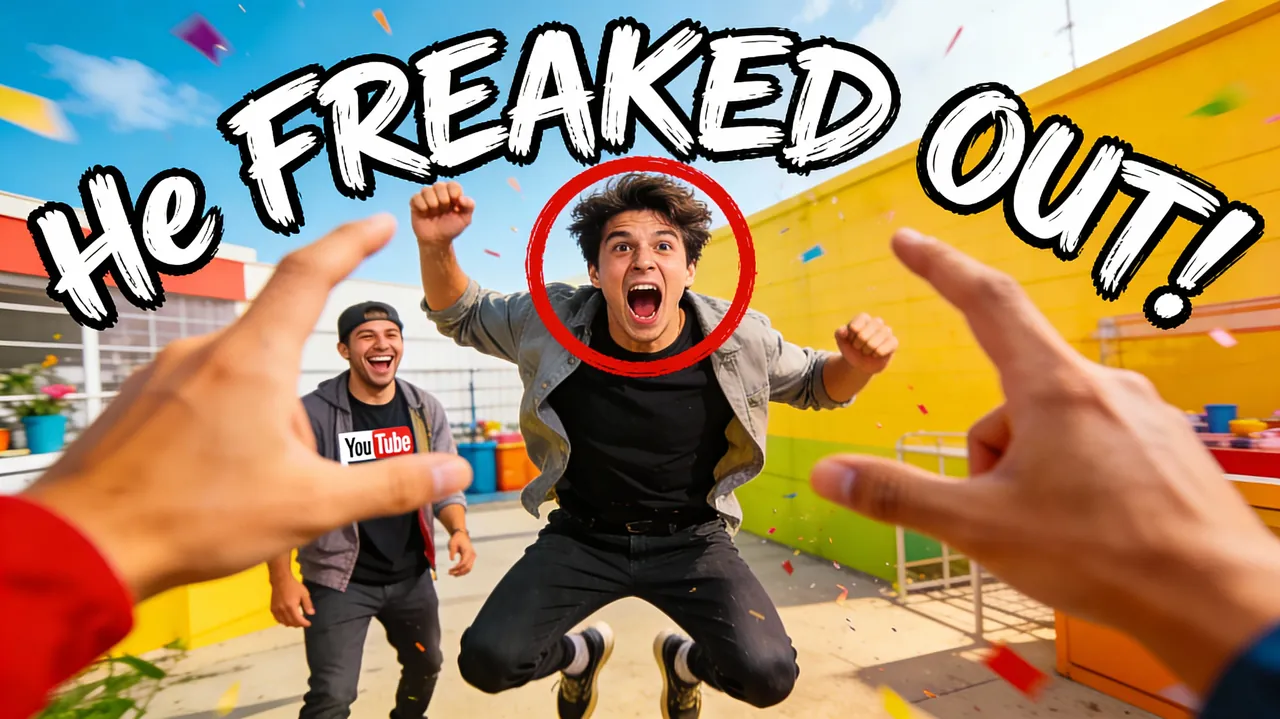
A prank thumbnail showing a screaming person circled in red, a laughing YouTuber behind, and shaky hand-drawn text celebrating the reaction.

Prank Video Thumbnail

Prompt

Copy and customize

A thumbnail for a prank video. The image captures the peak moment of the prank: the person being pranked is screaming or jumping in surprise. The YouTuber who set up the prank is in the background, laughing. The scene is chaotic and funny. A red circle is drawn around the pranked person’s face to highlight their reaction. The text “He FREAKED OUT!” is in a shaky, hand-drawn font. –ar 16:9

Best for

YouTube ThumbnailsPrank ReactionsExpressive FacesText OverlaysDynamic CompositionsViral Content

Tips

Use a 16:9 aspect ratio to match YouTube thumbnail dimensions and ensure key elements fit within the frame.

Place the red circle precisely around the subject's face to guide viewers' attention to the most expressive reaction.

How to use this SeedDream 4.5 prompt

1

Copy the ready-to-use SeedDream 4.5 prompt from this page.

2

Paste it into GoEnhance AI or another generator that supports SeedDream 4.5.

3

Click generate and get your image quickly. You can edit the prompt first if needed.

Copy the prompt, try it with GoEnhance AI or another tool that supports SeedDream 4.5, and generate your image in just a few simple steps.

Overview

Everything you need to master AI prompts

From quick copy-paste prompts to advanced techniques, build stunning visuals faster.

20000+ prompts
All major models
Updated Daily