
Prompt
Copy and customize
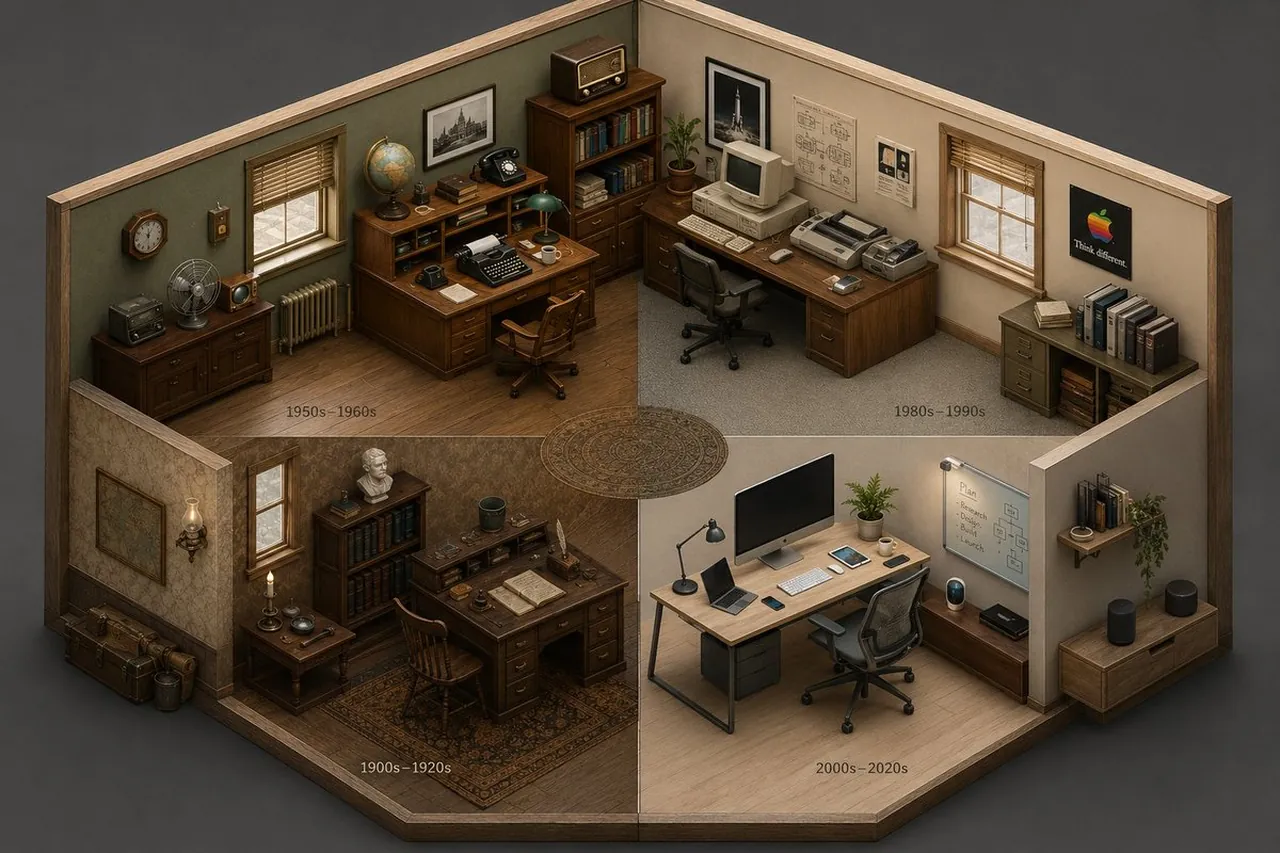
2x2 grid, 16:9, AI infers: An isometric cutaway of a single room (like a study or kitchen) divided into four seamless quadrants. The bottom-left quadrant is furnished with the earliest era’s [THEME] objects, the top-left is a middle period, the top-right is late period, and the bottom-right is the most modern. The room’s architecture morphs subtly but stays consistent; the objects tell the time shift ::5 Time Logic: AI_INFER 25–30 objects distributed across the four time quadrants, each zone historically consistent. Quadrants flow clockwise like a time-loop ::5 Composition: Isometric view (no perspective distortion), seamless quadrant transitions, no clutter, objects neatly arranged on surfaces ::3 Material Physics: Real materials, period-appropriate aging, soft shadows, no glowing items ::2 Illumination: Neutral ambient light across all zones, no dramatic shadows ::2 Typography: Small year range subtly placed on the floor of each quadrant ::2 Render Stack: Isometric time-room, evolutionary diorama, interior timeline, 8k ::1 Negative: [perspective, broken room geometry, anachronistic mixing across quadrants, excavation, moss, bioluminescence] ::-1
Best for
Tips
Keep the main subject focused so 2x2 grid 16 9 AI infers An remains recognizable after style or lighting changes.
Adjust camera angle and aspect ratio before generation when the composition needs a specific platform format.