
Prompt
Copy and customize
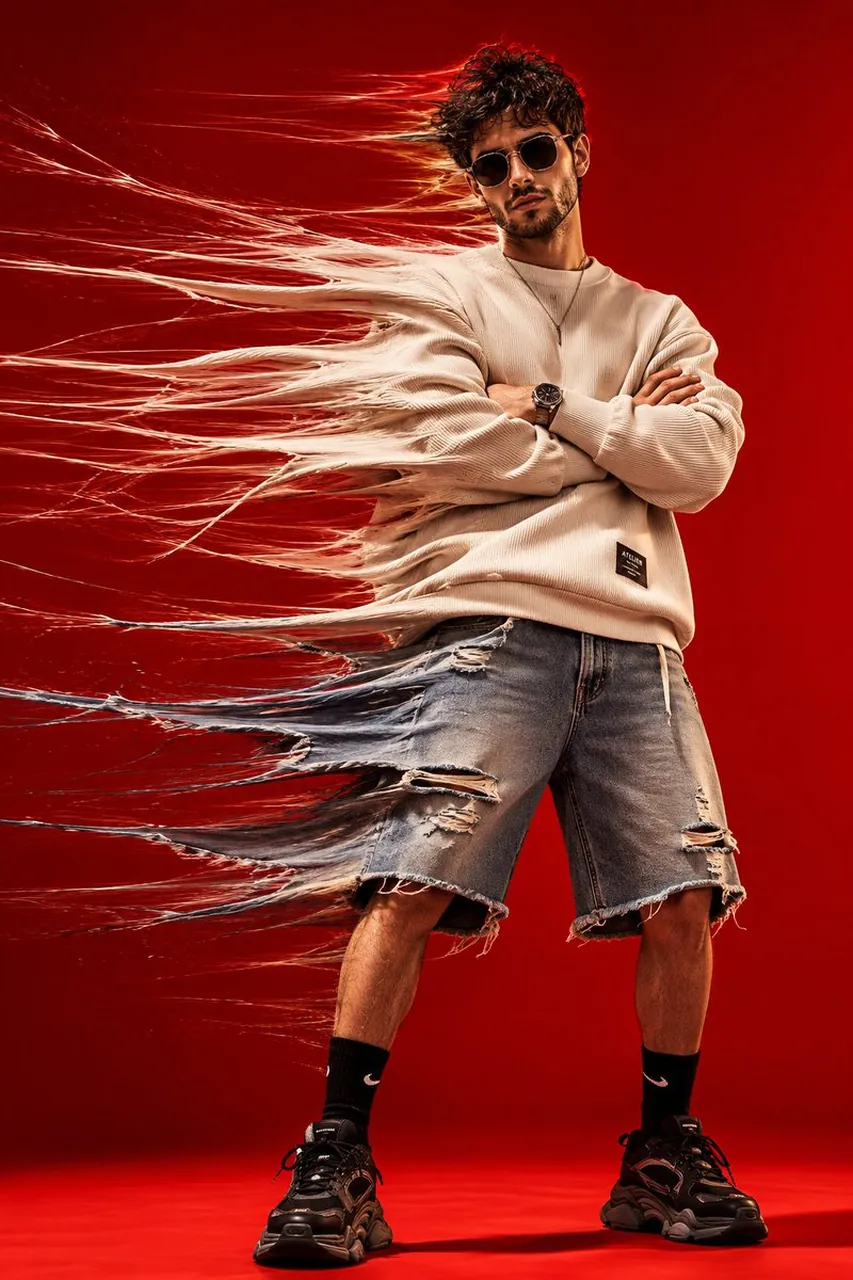
High-fashion conceptual studio portrait of a stylish young man standing confidently against a seamless vivid red background, wearing an oversized cream ribbed sweatshirt, loose knee-length distressed denim shorts, black crew socks, chunky black sneakers, a minimalist necklace and sleek dark futuristic sunglasses, arms folded across his chest, legs slightly apart, calm and confident expression. Create an extreme horizontal time-stretch motion effect pulling the entire left side of his body and clothing toward the left: stretch the sweatshirt sleeves, torso fabric, denim shorts, hair and silhouette into long flowing translucent fabric fibers and fine motion trails, while keeping his face, sunglasses, crossed arms, central torso, legs and shoes sharp, clean and anatomically realistic. The stretched fabric should look like physical textile fibers being dragged through space, with hundreds of layered strands, subtle transparency and realistic folds dissolving into motion blur. Strong studio lighting, vivid red monochrome backdrop and floor, dramatic shadows, crisp textile texture, cinematic contrast, experimental fashion photography, surreal kinetic movement, luxury streetwear editorial campaign, analog film grain, photorealistic skin, high detail, professional 35mm fashion photography, dynamic full-body composition, vertical 4:5.
Best for
Tips
Keep the main subject focused so High-fashion conceptual studio portrait of a stylish remains recognizable after style or lighting changes.
Adjust camera angle and aspect ratio before generation when the composition needs a specific platform format.