
Prompt
Copy and customize
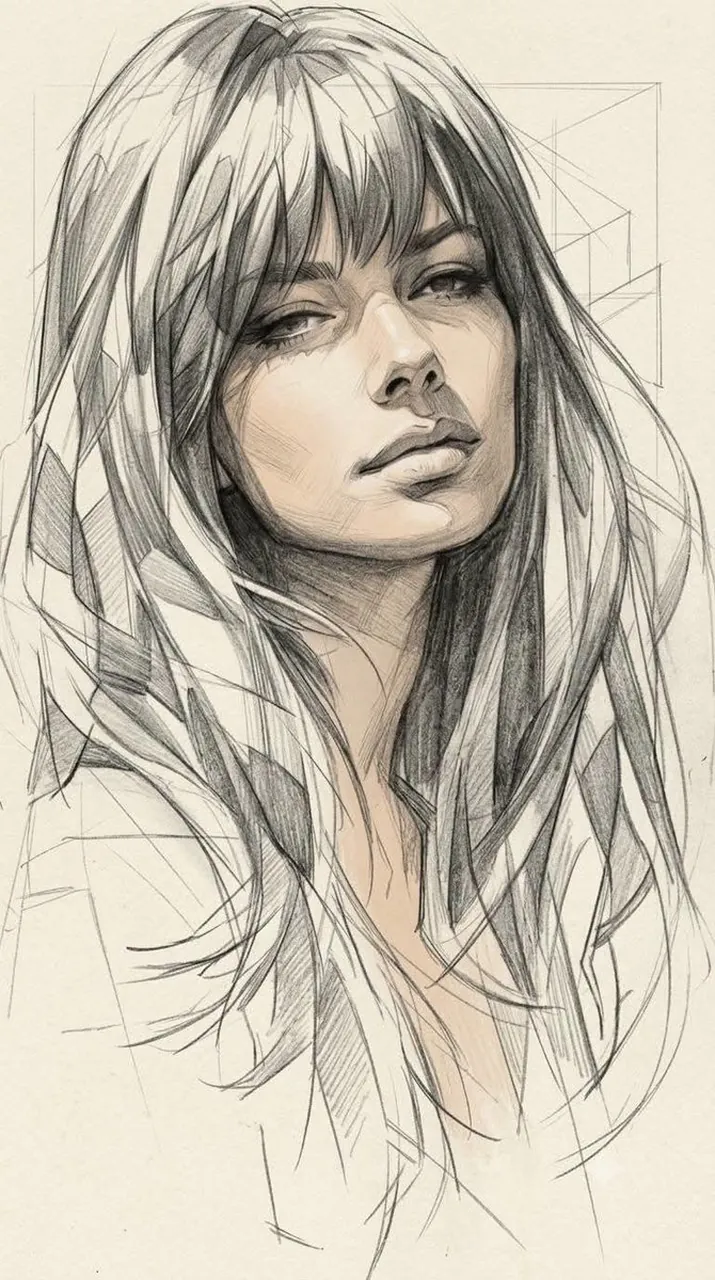
Medium & Style: High-contrast monochrome grayscale graphite sketch combined with a subtle realistic skin tint. Blends refined academic portraiture with dynamic fashion illustration.
Linework & Structure: Clean yet energetic hand-drawn pencil strokes with visible construction lines, loose geometric guidelines, overlapping angular sketch marks, and intentionally unfinished, raw edges. Strong line-weight variation and crisp facial features.
Shading & Texture: Soft graphite blending, delicate cross-hatching, feathered shading, and layered tonal rendering on a warm off-white drawing paper with a natural paper grain and visible graphite texture.
Color Accent: The realistic skin receives a gentle, natural peach-beige tint, echoing warm, sun-kissed lighting, while the rest of the artwork remains strictly grayscale graphite.
Hair & Background: Hair is rendered with sculptural, faceted pencil shapes, sharp planes, and flowing sketch lines. The background is minimal, featuring faint perspective guides and an abstract geometric framework.
Lighting: High-contrast directional lighting with deep graphite shadows and bright paper highlights, replicating dramatic shadow cutting across the face.
Aesthetic: Premium traditional sketchbook aesthetic, elegant, raw, artistic, highly detailed, museum-quality concept art. A 9:16.
Best for
Academic portrait studiesFashion illustration conceptsMinimalist artistic brandingProfessional sketchbook portfolios
Tips
Maintain the balance between raw pencil linework and the subtle skin tint to ensure the monochrome aesthetic remains the primary visual focus.
Adjust the aspect ratio to fit your specific platform requirements while keeping the central portrait composition centered for maximum visual impact.