
Prompt
Copy and customize
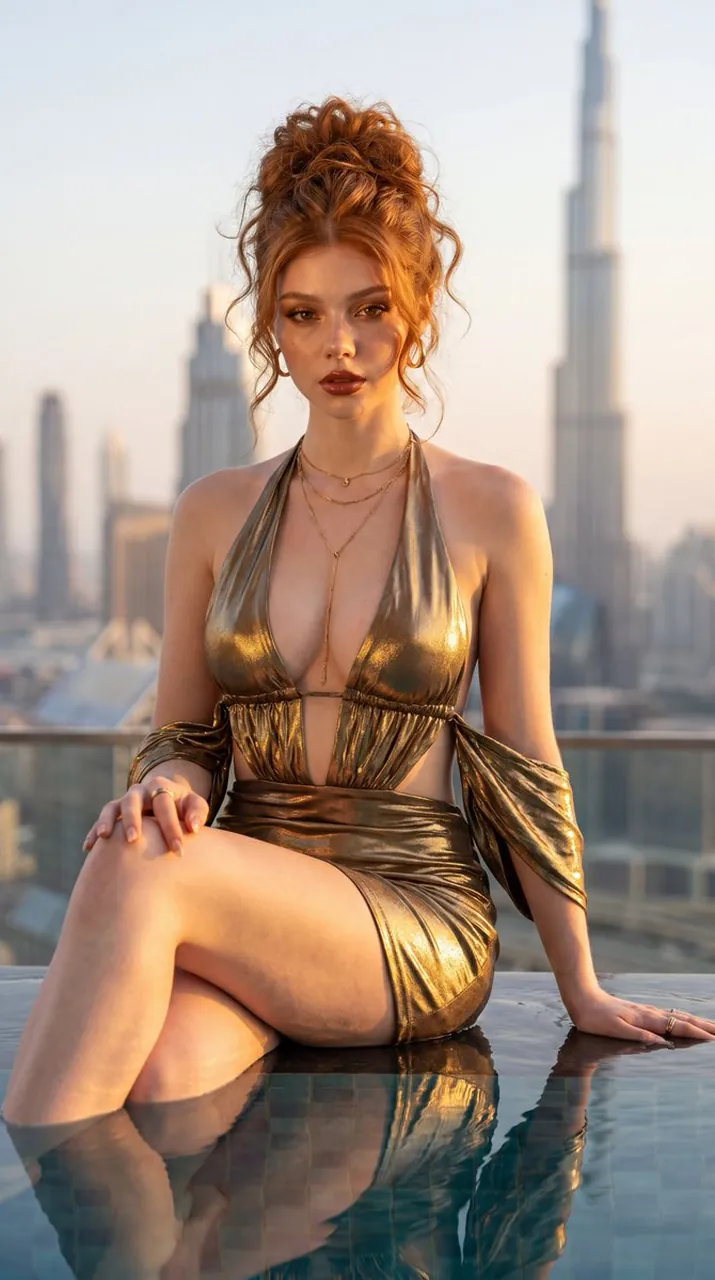
Ultra-realistic luxury fashion editorial portrait of a glamorous young woman with copper-red hair styled in an elegant voluminous textured updo with loose romantic curls framing the face. Warm ivory skin with visible pores, realistic skin texture, subtle freckles, soft peach blush, luminous satin complexion, champagne highlighter, feathered brows, warm bronze eyeshadow, soft fox-eye eyeliner, wispy lashes, and glossy nude lips with realistic lip texture. Wearing a luxurious metallic bronze halter mini dress with a plunging neckline, gathered bodice, dramatic side cutouts, and a draped off-the-shoulder sleeve detail. Delicate layered gold necklaces, gold rings, and minimalist jewelry. Seated gracefully on the edge of a luxury rooftop infinity pool with one hand resting behind her and the other on her knee, looking directly into the camera with a confident editorial expression. Crystal-clear water reflects the golden sunlight and the subject. Background features the iconic Dubai skyline with the Burj Khalifa rising prominently above the city, luxury skyscrapers softly blurred by atmospheric haze. Warm golden-hour sunlight creates cinematic rim lighting, soft shadows, and elegant reflections across the metallic fabric. Captured with a Sony A7R V and 85mm GM lens, luxury Vogue editorial aesthetic, Kodak Portra-inspired skin tones, premium fashion campaign, DSLR-quality sharpness, realistic skin rendering, RAW photo, photorealistic, ultra detailed, 8K.
Best for
Fashion editorial photographyLuxury lifestyle portraitsCinematic city scenesHigh-end commercial imagery
Tips
Maintain the specific camera settings like the 85mm lens and f/2.0 aperture to ensure the shallow depth of field remains consistent.
Focus on the lighting keywords like rim lighting and golden-hour sunlight to achieve the desired warm, sophisticated atmosphere in your final render.