
Prompt
Copy and customize
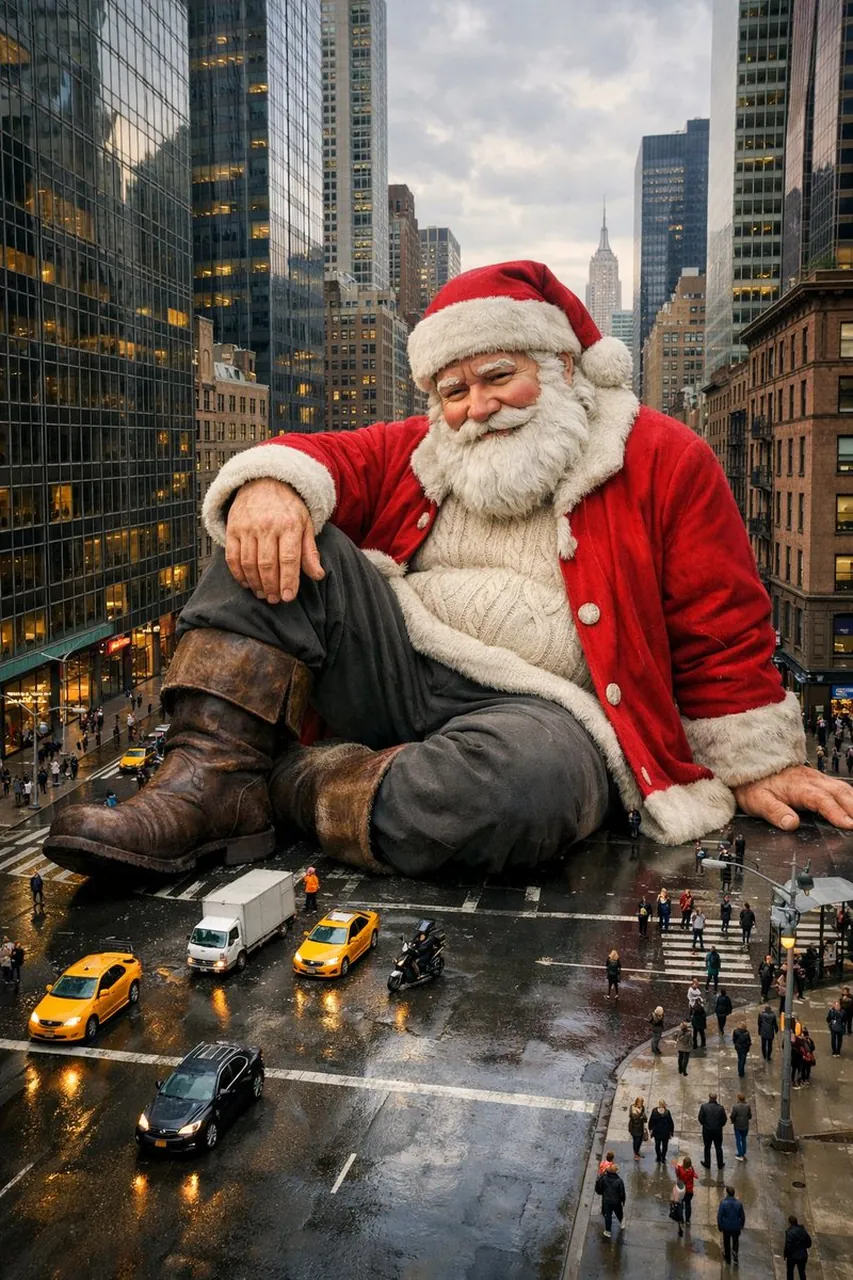
{ "camera_setup": { "shot_type": "aerial_overhead_perspective", "angle": "wide_panoramic_view", "capture_device": "elevated_drone_position", "visual_quality": "hyperrealistic_photography" },
"primary_subject": { "character": "Santa_Claus", "scale": "gigantic_proportions", "facial_features": "maintain_exact_reference_likeness", "body_structure": "preserve_reference_anatomy", "posture": { "position": "seated_relaxed_on_roadway", "leg_arrangement": "single_knee_elevated", "arm_placement": "palm_resting_casually" } },
"wardrobe": { "outer_layer": "traditional_crimson_fur_trimmed_coat", "mid_layer": "chunky_cable_knit_pullover", "lower_garment": "deep_charcoal_pants", "footwear": "weathered_leather_boots", "headpiece": "simple_slouch_winter_cap" },
"environment_setting": { "location": "New_York_City_avenue", "architecture": "towering_glass_skyscrapers_and_brownstone_facades", "street_furniture": "modern_street_lights_and_traffic_signals", "pavement": "urban_asphalt_grid" },
"scale_context": { "vehicles": ["miniature_yellow_taxis", "compact_delivery_trucks", "motorcycles"], "human_presence": "tiny_pedestrians_navigating_around", "size_contrast": "buildings_appear_dwarfed_by_figure" },
"atmospheric_conditions": { "sky": "gentle_cloudy_diffusion", "time_indicator": "afternoon_ambient_glow", "surface_texture": "reflective_rain_slicked_ground" } }
Best for
Tips
When using this structured prompt, keep the scale_context vehicles and human_presence values to maintain the gigantic illusion.
For a hyperrealistic result, ensure the camera_setup shot_type is aerial_overhead_perspective and visual_quality is hyperrealistic_photography.