
Prompt
Copy and customize
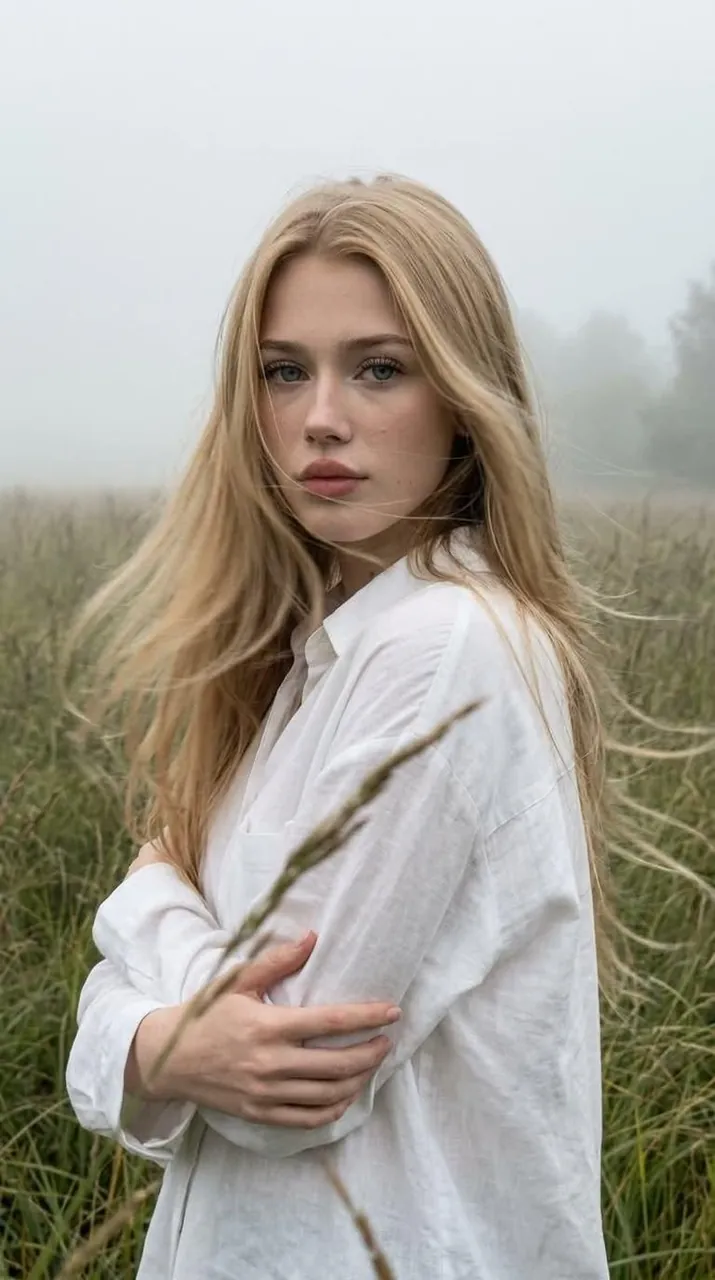
Create a close-up portrait without altering the facial features or appearance. A melancholic luxury candid, as if it were a spontaneous photo taken on a smartphone. Aspect ratio: 9:16.
The girl is standing in the middle of tall grass surrounded by dense morning fog. The frame is cropped from the chest up, with a few blades of grass softly blurred in the foreground, while the background gradually fades into the mist.
She has long, thick hair, flawless makeup, sun-kissed skin, and dusty rose lips. Her body is turned at a 3/4 angle, with a calm, direct gaze into the camera. Her arms are gently wrapped around herself in a relaxed pose.
She is wearing an oversized white shirt made of lightweight fabric. A strong wind naturally blows through her hair, shirt, and the surrounding grass.
The image captures a spontaneous moment in motion. Her face and eyes remain perfectly sharp and highly detailed, with clearly visible pores, eyelashes, and individual strands of hair. The moving hair and grass have subtle, natural motion blur, creating the feeling of a genuine photograph. High natural micro-contrast, optical sharpness, and no artificial over-sharpening.
Photorealistic, realistic skin texture, subtle film grain, natural digital noise, RAW smartphone aesthetic, deep perspective, no beauty filter, no plastic skin, no CGI.
Best for
Tips
Keep the main subject focused so close-up portrait without altering the facial features remains recognizable after style or lighting changes.
Adjust camera angle and aspect ratio before generation when the composition needs a specific platform format.