
Prompt
Copy and customize
Create an ultra-realistic cinematic studio backlight portrait.
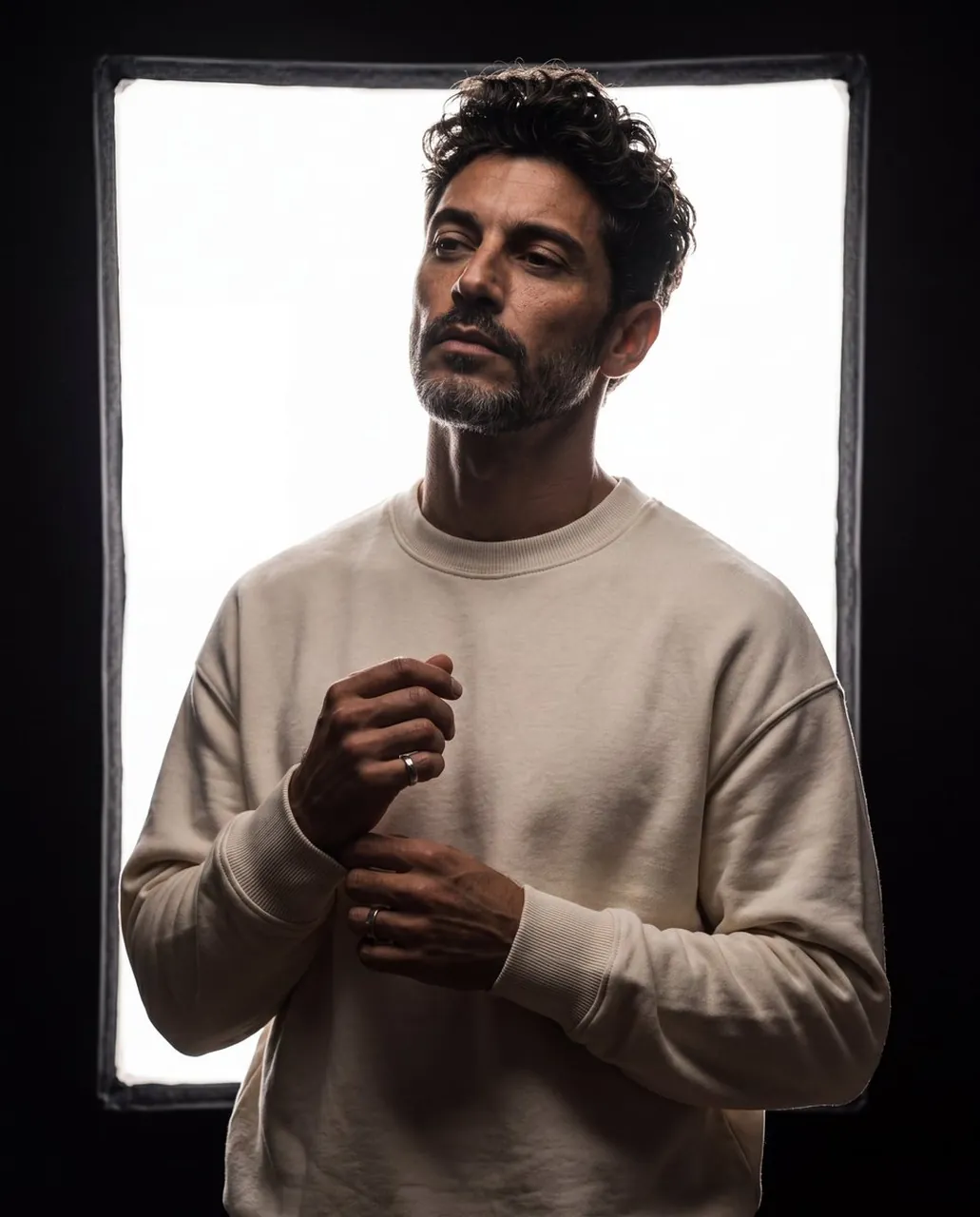
Scene: a dark studio space with a huge glowing rectangular softbox or white light panel directly behind the subject. The background should be almost black, with only the bright rectangle illuminating the scene and creating a strong silhouette effect.
Pose: the subject stands in a medium close-up portrait, slightly angled toward the camera, head tilted upward and to the side, looking away with a calm, confident, mysterious expression. Hands are positioned near the chest, gently adjusting rings or clasped naturally.
Outfit: oversized cream or beige crewneck sweatshirt with premium soft fabric texture, ribbed cuffs and collar, minimal luxury casual styling.
Lighting: extreme white backlight from the large softbox, clean rim light around the hair, jawline, neck, shoulders, and hands. Face mostly in shadow but still readable, cinematic high contrast, warm skin tones, deep dark edges.
Camera: medium close-up portrait, vertical 4:5 Instagram aspect ratio, shallow depth of field, professional portrait photography.
Style: luxury minimal studio portrait, dramatic backlight, premium editorial mood, cinematic shadows, ultra-realistic skin and clothing texture.
Best for
Portrait photographyFashion editorialCinematic moodProfessional headshotsMinimalist studio art
Tips
Ensure the subject is well-defined to maintain clarity against the high-contrast backlight and deep shadows of the dark studio environment.
Adjust the aspect ratio settings before generation if you require a specific format like vertical 4:5 for social media platforms.