
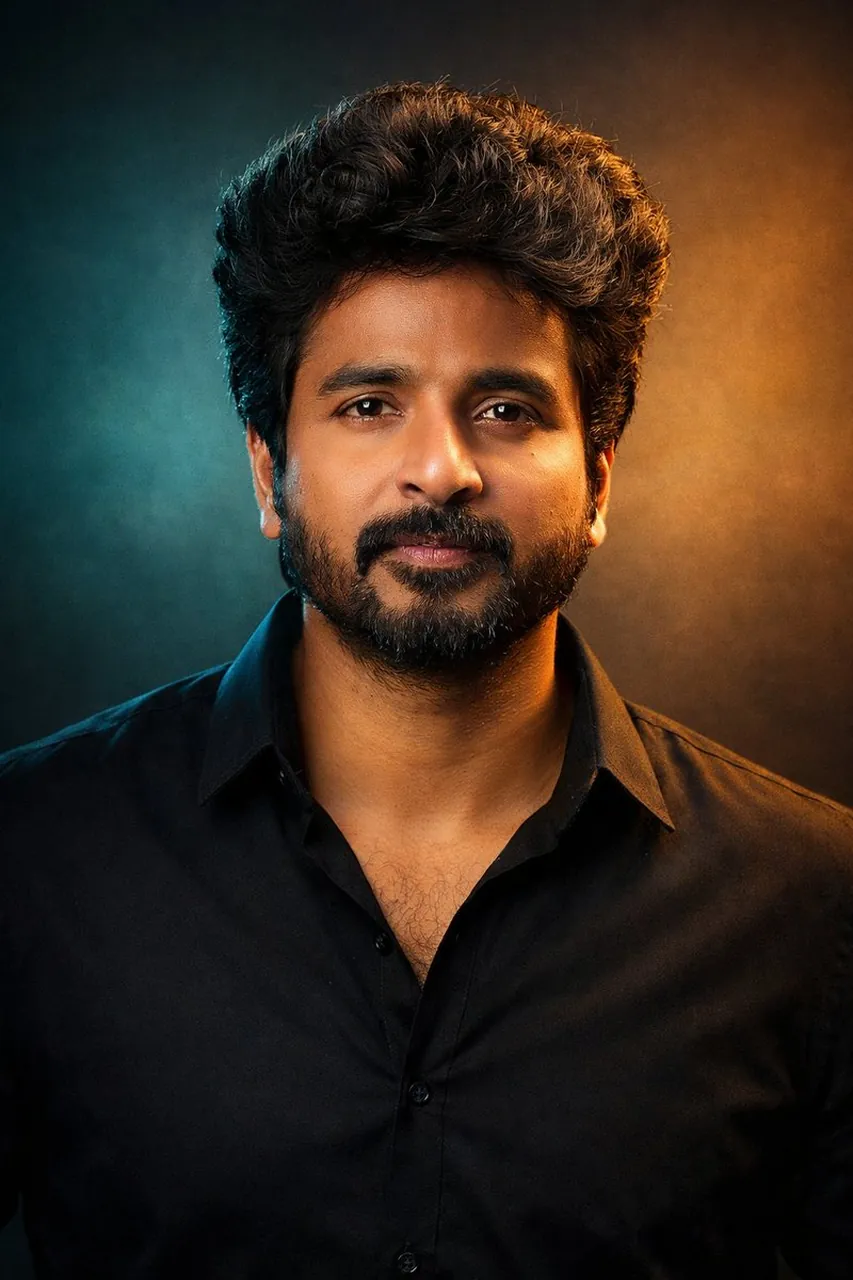
Cinematic Dual-Tone Portrait from Uploaded Photo

A polished image of Cinematic Dual-Tone Portrait from Uploaded Photo uses clear subject styling, lighting, composition, and atmospheric detail for a finished.

Cinematic Dual-Tone Portrait from Uploaded Photo

Prompt

Copy and customize

"A cinematic studio portrait of the person in the uploaded photo, framed from the chest up, facing the camera with a calm, confident presence.

Dramatic dual-tone lighting with cool teal and warm golden tones creating a modern, cinematic mood.

Natural skin texture, sharp focus on the eyes, soft shadows, and smooth color transitions.

Hair styled naturally, wearing a minimal dark outfit with a contemporary aesthetic.

Clean studio background with subtle gradients.

Professional photography, shallow depth of field, cinematic color grading, ultra-realistic, high detail, 4K quality.

Aspect ratio: 3:4 "

Best for

Portrait styleFashion conceptCinematic moodNature settingMotion beat

Tips

Keep the main subject focused so A cinematic studio portrait of the person remains recognizable after style or lighting changes.

Adjust camera angle and aspect ratio before generation when the composition needs a specific platform format.

How to use this GPT Image 1.5 prompt

1

Copy the ready-to-use GPT Image 1.5 prompt from this page.

2

Paste it into GoEnhance AI or another generator that supports GPT Image 1.5.

3

Click generate and get your image quickly. You can edit the prompt first if needed.

Copy the prompt, try it with GoEnhance AI or another tool that supports GPT Image 1.5, and generate your image in just a few simple steps.

Overview

Everything you need to master AI prompts

From quick copy-paste prompts to advanced techniques, build stunning visuals faster.

20000+ prompts
All major models
Updated Daily