
Prompt
Copy and customize
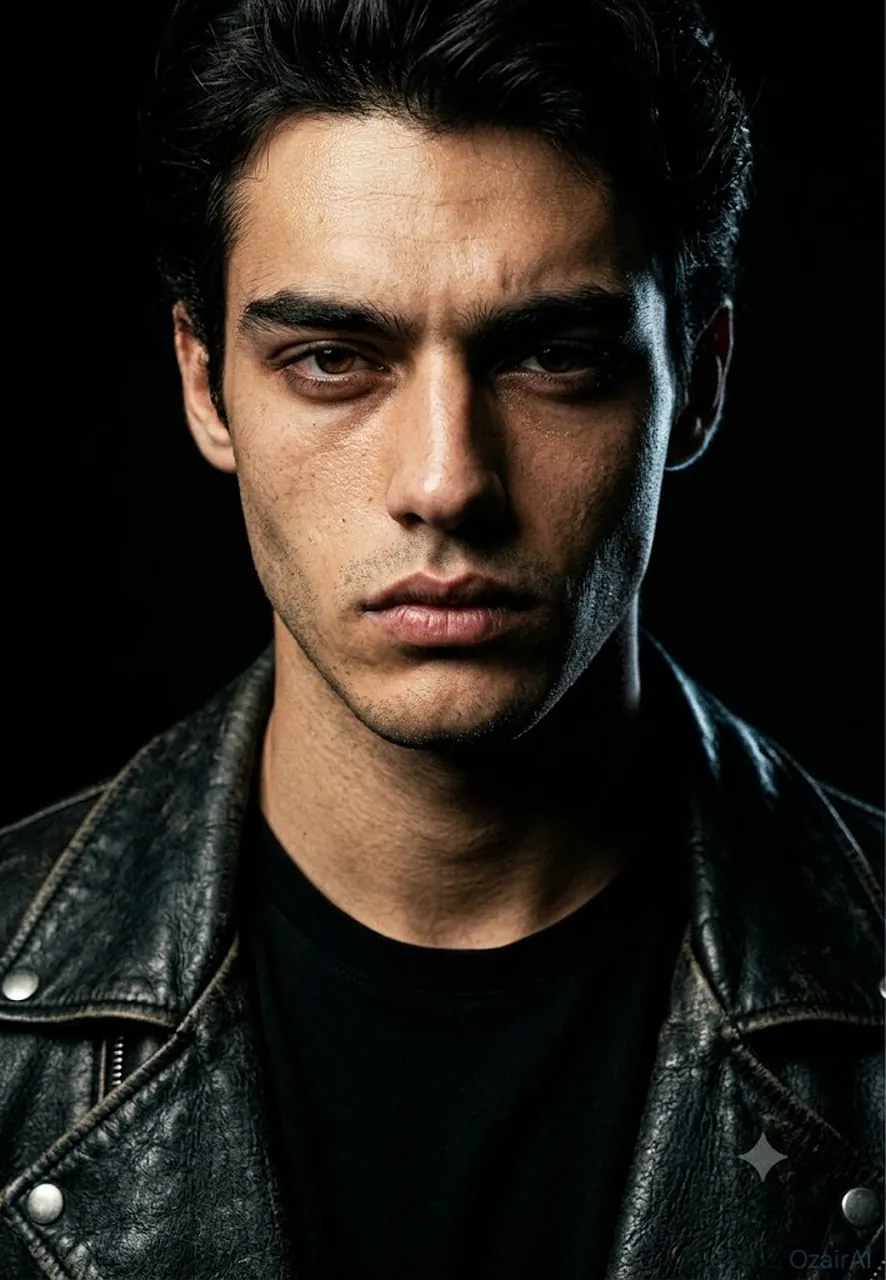
Generate a dark, bold cinematic portrait that hits like a sledgehammer — raw, real, and utterly unforgettable. Use tight chest-up framing with the face commanding the center of the frame with absolute authority. The subject wears a heavy, worn black leather jacket with a plain black crew neck underneath. No accessories or jewelry. The expression should be intense, with eyes burning directly into the lens, a hard-set jaw, and a firm, sealed mouth. Lighting is cinematic and brutal, using a single large Fresnel spotlight from high above and to the left, creating a narrow, hard-edged beam that cuts across the face. The light catches the forehead, nose bridge, and cheekbone in brilliant white, falling off into absolute black shadow on the right side. Include a faint rim light from behind to trace the jawline. The background is an absolute black void with no detail or atmosphere. Render skin with brutal photographic honesty, showing every pore, stubble, and natural imperfection. Color grading is severe, featuring warm-toned lit areas and crushed black shadows with a subtle cold blue tint in the rim light. Apply 10% heavy film grain throughout to mimic a pushed Kodak Tri-X shot. Shot on Arri Alexa 35 with Zeiss Supreme Prime 85mm lens. Vertical 9:13 format, ultra-photorealistic, 8K, zero retouching.
Best for
Cinematic character portraitsDramatic lighting studiesHigh-detail skin renderingMoody artistic photographyProfessional film stills
Tips
Use a high-resolution source image to ensure the AI captures fine skin details like pores and stubble effectively.
Adjust the lighting intensity in your settings if the shadows appear too crushed or lose necessary facial definition.