
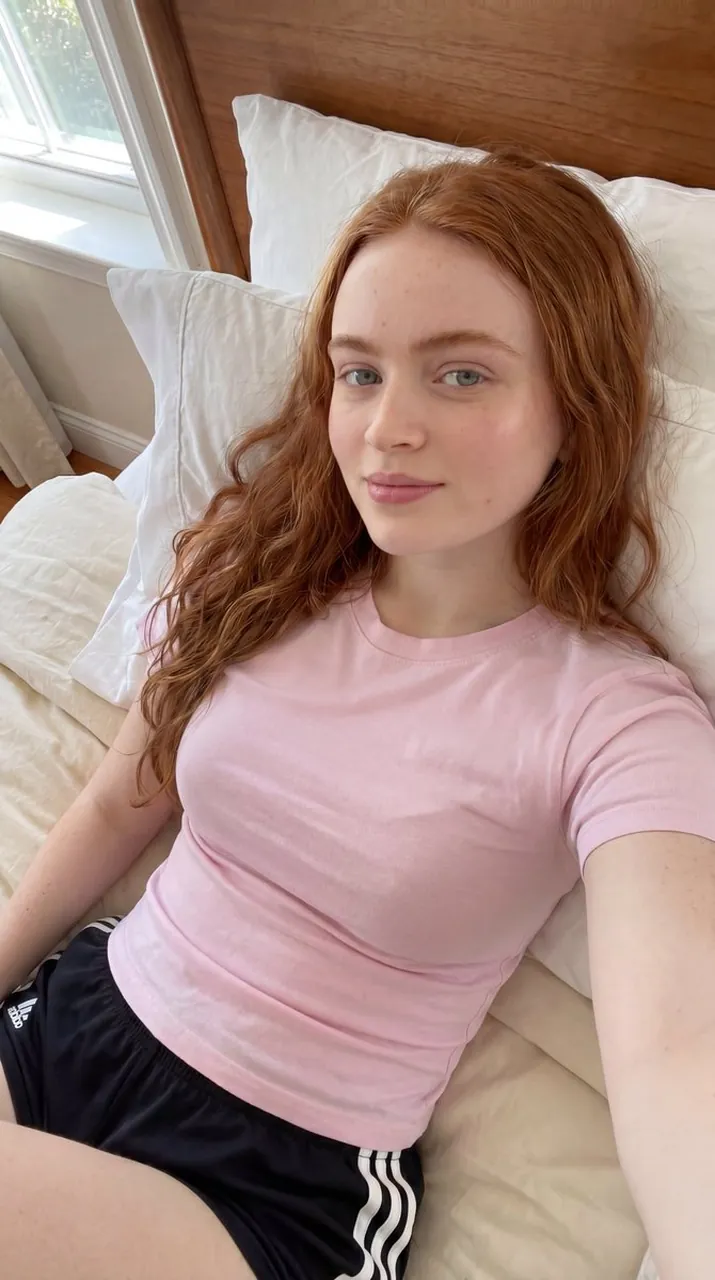
Prompt
Copy and customize
{ "prompt": "Ultra-realistic casual selfie portrait of a young woman with long wavy auburn-red hair reclining comfortably on a neatly made bed beside bright natural window light. She wears a fitted pastel pink crew-neck t-shirt and black athletic shorts with white side stripes. Natural makeup, soft freckles, clear skin texture, relaxed expression, and direct eye contact with the camera. Cozy modern bedroom with white pillows, cream bedding, and a warm wooden headboard. Morning sunlight streams through the nearby window, creating soft natural illumination and gentle shadows. Lifestyle photography, candid social media aesthetic, authentic everyday moment, highly detailed, photorealistic, clean and minimal interior, natural color grading.", "negative_prompt": "blurry, low resolution, distorted anatomy, extra limbs, extra fingers, duplicate person, unrealistic proportions, plastic skin, heavy makeup, cartoon, anime, CGI, painting, watermark, text, logo, motion blur, noisy image, cluttered room, harsh lighting, overexposed highlights", "style": "photorealistic", "camera": { "lens": "35mm", "aperture": "f/2.0", "angle": "high-angle handheld selfie perspective", "depth_of_field": "shallow" }, "lighting": { "type": "natural window light", "direction": "soft side lighting from nearby window", "mood": "calm, fresh, authentic" }, "composition": { "framing": "vertical portrait", "subject_position": "centered reclining on bed", "background": "white pillows, cream bedding, wooden headboard, bright window" }, "quality": { "resolution": "8k", "detail": "ultra high", "realism": "maximum" } }
Best for
Tips
Keep the main subject focused so prompt Ultra-realistic casual selfie portrait of a remains recognizable after style or lighting changes.
Adjust camera angle and aspect ratio before generation when the composition needs a specific platform format.