
Prompt
Copy and customize
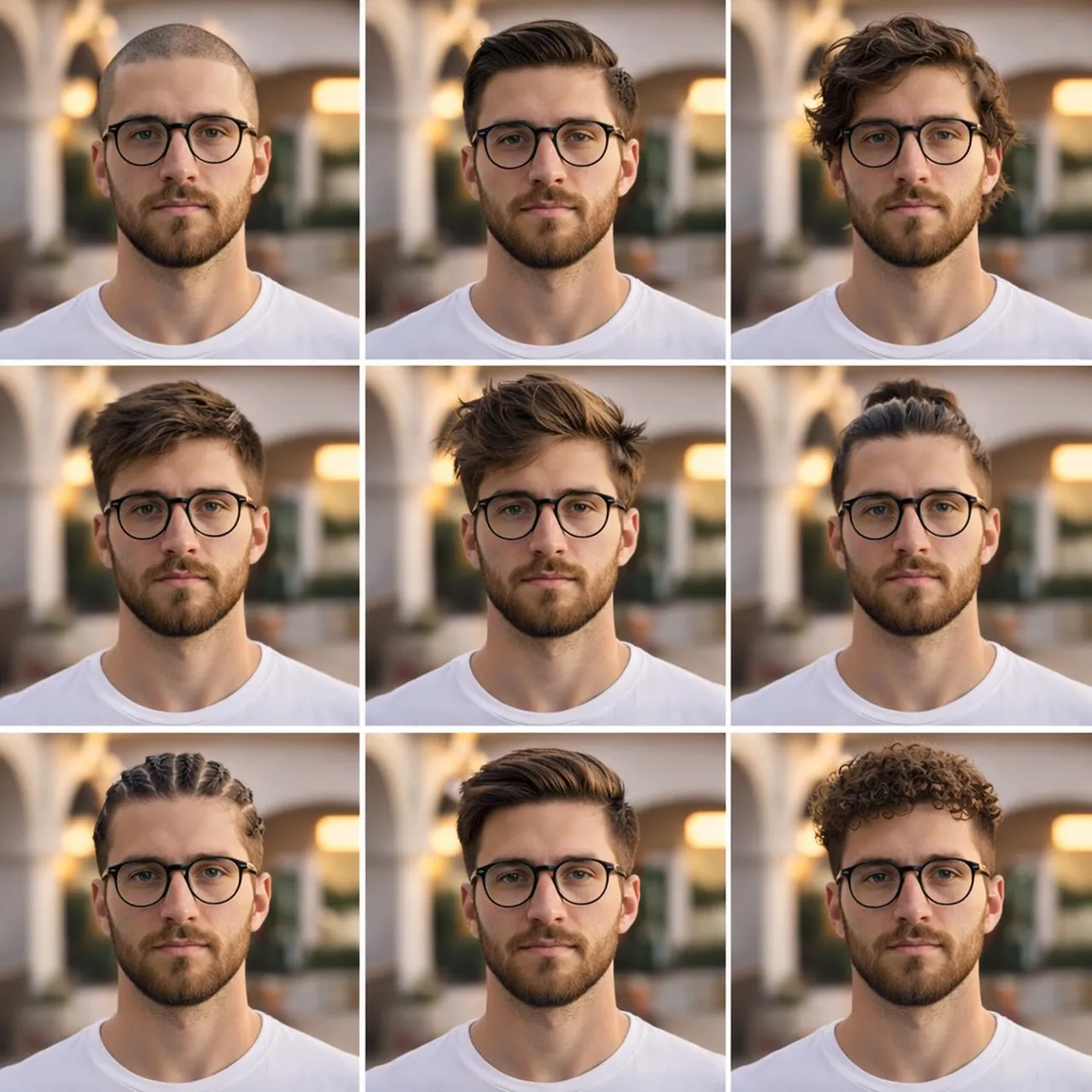
description: "A clean, aesthetic 3x3 collage portrait showcasing different men's hairstyles. The same young man is captured in each frame, positioned in consistent lighting and pose, creating a style comparison grid.",
"subject": { "type": "young man", "age": "early 20s", "skin_tone": "medium with smooth texture", "facial_features": "sharp jawline, well-groomed beard stubble, symmetrical face", "expression": "neutral and confident" },
"hairstyles": [ "clean shaved buzz cut", "slicked back classic hairstyle", "medium wavy long hair", "short textured fringe", "voluminous messy hairstyle", "man bun", "cornrow braids", "side swept modern fade", "tight curly textured cut" ],
"environment": { "location": "outdoor courtyard with white architecture arches", "lighting": "soft sunset golden-hour lighting", "background": "slightly blurred but clean and minimal" },
"camera": { "shot": "shoulder-level portrait", "angle": "eye-level", "lens": "standard lens (50mm)", "composition": "consistent framing for all nine shots" },
"wardrobe": { "top": "plain fitted white t-shirt", "style": "minimal, clean, modern" },
"mood": [ "stylish", "fresh", "groomed", "aesthetic" ] }
Best for
Tips
Ensure the nine portraits maintain consistent framing and lighting to emphasize the hairstyle differences clearly.
Use the same subject with identical expression and pose across all frames for a clean visual comparison.