
Prompt
Copy and customize
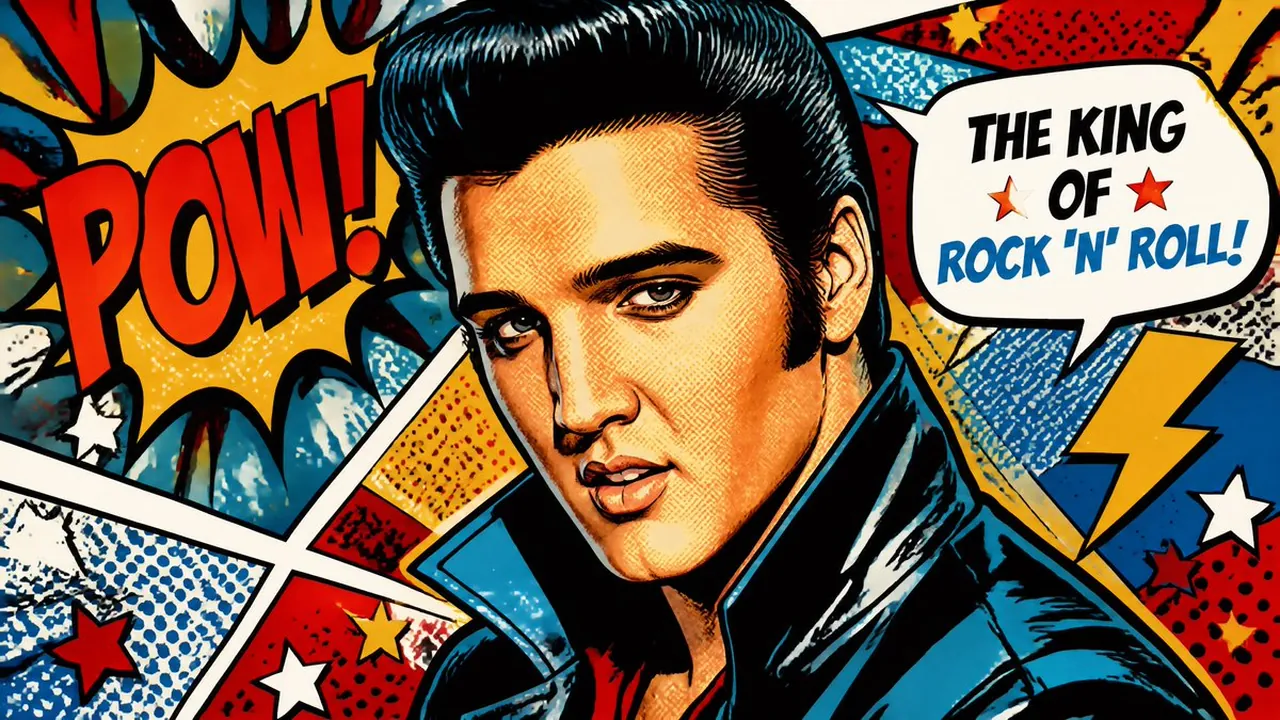
Create a vibrant pop art illustration of a globally recognizable celebrity, inspired by classic 1960s pop art and vintage comic book aesthetics. Use bold primary colors including bright red, electric blue, vibrant yellow, and rich black outlines. The portrait should feature high-contrast shading, Ben-Day dots, halftone textures, dramatic comic-style shadows, and thick inked contours. Capture a confident, expressive pose with an iconic facial expression that conveys charisma and star power. Surround the subject with energetic graphic elements such as explosive comic bursts, speech bubbles, geometric shapes, stars, lightning bolts, and dynamic action lines. The background should consist of colorful layered panels, retro patterns, and abstract pop art compositions that enhance the visual impact. Emphasize crisp details, ultra-sharp linework, glossy print quality, and a polished poster-like finish. The overall artwork should feel bold, playful, nostalgic, and instantly recognizable as a high-end pop art masterpiece, with cinematic lighting, rich color saturation, museum-quality digital illustration, and 8K ultra-high-resolution detail.
Best for
Tips
Ensure the celebrity's iconic features like eyes and smile are clearly defined even with thick outlines and halftone shading.
Incorporate Ben-Day dots and primary colors to simulate vintage comic printing, and avoid realistic textures that would break the art style.