
Vidfly Review: Easy to Start, Harder to Trust Once Money Enters the Picture
- 1. Quick comparison table before we go deeper
- 2. What Vidfly is actually selling
- 3. Where Vidfly looks strongest
- 4. The part most reviews skip: paying for uncertainty
- 5. Don’t review Vidfly as one product
- 6. GoEnhance: better when you need flexibility, not just fast output
- 7. Best use cases by creator type
- 8. Is Vidfly worth it? A practical decision guide
- 9. FAQ
- 10. Final verdict
Vidfly is easy to understand on the surface. That is part of the appeal.
It promises a fast path from idea to video: script to video, image to video, shorts, captions, voice, repurposing. For beginners, that sounds ideal. No heavy editing app. No steep learning curve. Just type, upload, generate.
But that is not really the decision.
The real question is whether Vidfly gives you a repeatable way to make usable short-form video without turning every second draft into another reroll, another wait, or another “maybe the next one will be better.” That is where tools like this usually separate. Not on the homepage. On the third attempt.
My take is simple: Vidfly looks strongest when the job is fast, template-shaped, short-form content. It looks weaker when you need control, consistency, and confidence that fixing one thing will not break three others.
1. Quick comparison table before we go deeper
| Tool | Best for | Fastest winning workflow | Where it breaks down | My take |
|---|---|---|---|---|
| Vidfly | Beginners making short-form content quickly | Script-led shorts, simple social clips, lightweight repurposing | Output predictability, pricing confidence, support trust, reroll fatigue | Worth trying. Not an automatic long-term buy. |
| GoEnhance | Creators who want more flexibility across different AI video paths | Image-to-video, video-to-video, broader workflow experimentation | Not a drag-and-drop layout editor for flyers, decks, or print-style design | Better fit when you want options instead of one narrow route. |
| Canva / Adobe Express | Teams doing layout-heavy branded content | Social graphics, lightweight promo edits, branded templates | Less useful if your main goal is AI-led motion generation and model experimentation | Still stronger when layout control matters more than generation. |
Short-form video is still where a lot of attention goes. YouTube says Shorts now average more than 200 billion daily views, and HubSpot’s short-form video trends report keeps pointing in the same direction. That does not mean every AI video tool is worth paying for. It means the upside is real if the workflow holds up.
Explore the full AI video workflow on GoEnhance
Bottom line: Vidfly makes the most sense when speed matters more than precision, and that is not the same thing as being the best choice for every beginner.
2. What Vidfly is actually selling
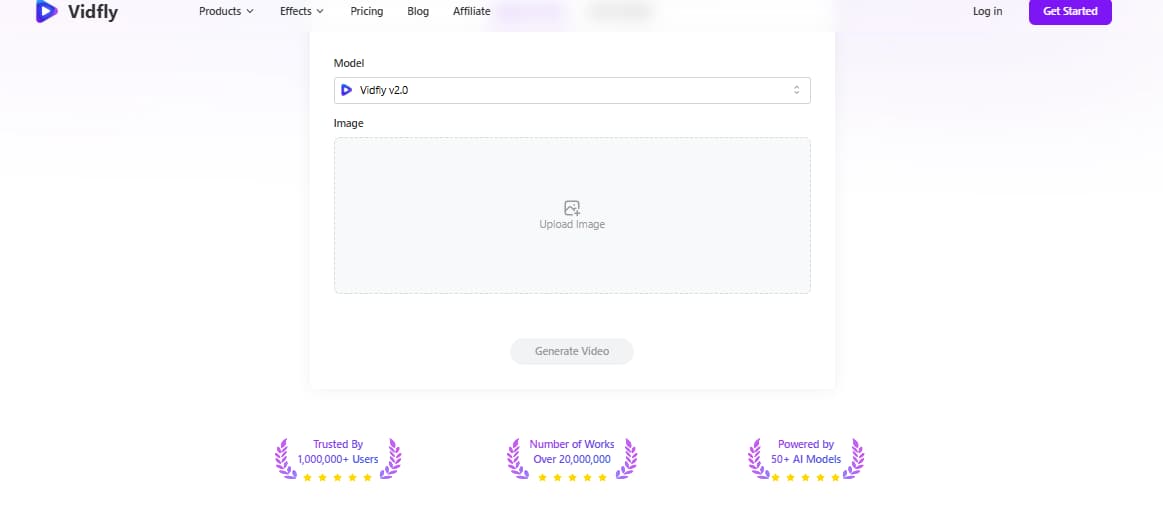
Vidfly is not really selling “AI video” in the abstract. It is selling relief.
Relief from editing complexity. Relief from blank timelines. Relief from having to learn a serious video tool before you can publish anything that looks halfway decent.
That positioning matters because it explains why the platform keeps attracting beginner interest. The promise is not “become a better editor.” It is “skip the editor.”
For some people, that is exactly the right pitch.
If your content plan is built around short explainers, social promos, talking-point videos, quick product clips, or fast repurposed content, the value of a tool like Vidfly is not cinematic brilliance. It is compression. Less setup. Fewer decisions. Faster first output.
That also explains why so many reviews describe it as beginner-friendly. They are usually reacting to the same thing: the workflow feels closer to a guided content machine than a creative sandbox.
That sounds great. Until you need control.
Because once your needs shift from “give me a decent short” to “keep this character stable,” “follow this motion precisely,” or “let me fix one weak scene without redoing the whole thing,” the original selling point starts to wobble. Fast is helpful. Fast and predictable is a different category.
Bottom line: Vidfly is appealing because it reduces friction at the start, but low-friction onboarding is not the same as low-risk output.
3. Where Vidfly looks strongest
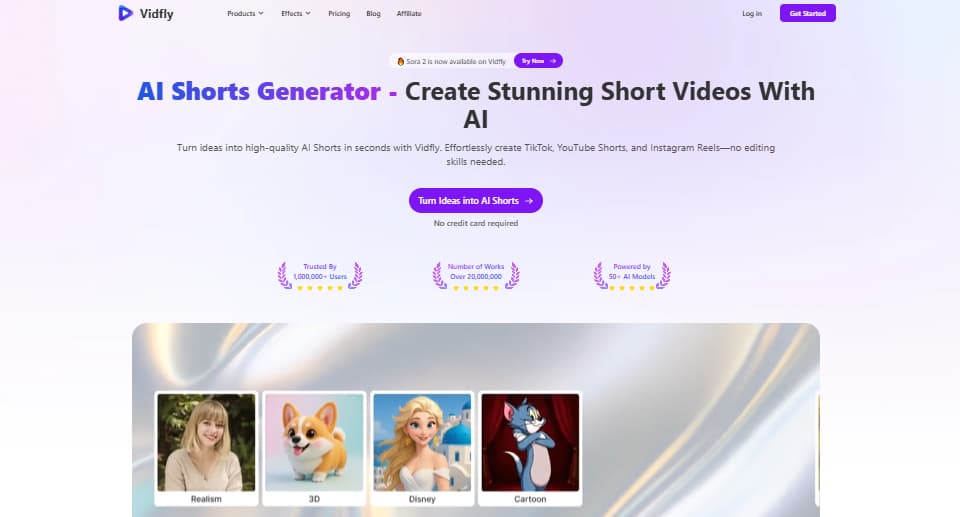
Vidfly looks most believable in three kinds of work.
The first is script-led short-form content. When the job is turning an idea, hook, or talking point into a quick social-ready video, the tool’s “just generate something for me” posture makes sense. You are not chasing frame-perfect control. You are chasing momentum.
The second is simple image-led video. A still image, a clear subject, a straightforward motion idea. This is the kind of workflow where people often feel a first-hit win. Not always a perfect result. Just something that feels usable enough to keep going.
The third is repurposing. Chop long material down. Reframe it. Turn it into something shorter, easier to post, easier to test.
That is the part many people miss when they call Vidfly “good for beginners.” It is not beginner-friendly in a universal sense. It is beginner-friendly in a template-shaped, short-form, speed-first sense.
That distinction matters.
A beginner trying to make TikTok-style content from an existing idea is one thing. A beginner trying to produce brand-consistent promo videos with specific visual logic is something else entirely. Same skill level. Different risk.
The broader demand for this kind of video is real. Wistia’s video marketing data still shows product videos, social videos, and educational videos among the most common and useful formats for businesses. That fits Vidfly’s likely sweet spot. It does not automatically make Vidfly the best tool for those jobs. It just explains why the category keeps growing.
Bottom line: Vidfly feels strongest when the task already fits the tool’s fast, short, guided shape.
4. The part most reviews skip: paying for uncertainty
A lot of reviews ask whether Vidfly can make a decent video. Fair question. Not the most important one.
The more important question is this: what happens when the first result is close, but not usable? What is the cost of getting from “almost” to “ready”?
That cost is usually hidden in three places:
- rerolls
- waiting
- trust
Rerolls are obvious. You generate again. Adjust again. Try again.
Waiting is less obvious, but it matters. Especially for people trying to publish on a schedule instead of casually experimenting at night.
Trust is the one that hurts most. If a tool feels inconsistent, even a reasonable subscription starts to feel expensive. Not because the monthly number is shocking on paper, but because the number silently expands when every usable clip takes more attempts than expected.
That is why some AI video tools feel “cheap” to one person and “not worth it” to another. They are not really buying the same thing. One person gets fast usable output. The other gets a loop.
Bad trade.
This is also why community complaints matter more than homepage promises. Not because every complaint is correct. Because complaints usually gather around the exact parts of the workflow that marketing pages smooth over: billing clarity, support responsiveness, failed generations, prompt adherence, time lost.
The hardest part to explain to new users is this: the cost of an AI video tool is rarely the plan itself. It is the distance between the first draft and the first usable draft.
Bottom line: Vidfly’s biggest risk is not that it sometimes makes weak video. It is that uncertainty can become the product you are actually paying for.
5. Don’t review Vidfly as one product
Reviewing Vidfly as one big platform hides too much.
A better way to judge it is to split the experience by workflow.
| Workflow | Best-case use | Main friction | Confidence level |
|---|---|---|---|
| Text to video | Quick idea-to-clip drafts, simple concept visuals | Prompt adherence, reroll sensitivity | Medium at best |
| Image to video | Turning a clear still into motion | Consistency, natural motion, over-animation | Better than pure prompt-first workflows |
| Script to video | Fast short explainers, creator-style talking points, repurposed topics | Generic pacing, template feel, limited nuance | Strongest practical case |
| Clip / repurposing workflow | Turning long content into shorter assets | Quality control, sameness, edit flexibility | Useful, but very dependent on source material |
Test prompt used for this review
To keep the test practical, I used a prompt that checks subject realism, motion logic, lighting, reflections, and camera obedience at the same time instead of relying on a simple landscape clip.
Video prompt used in this test:
A cinematic short video of an adult person walking through a rainy European street at blue hour, holding a transparent umbrella. Warm shop lights, wet cobblestones, soft wind, natural walking motion, smooth tracking camera from behind to the side, realistic lighting, detailed reflections, believable fabric movement, elegant composition, high realism, no distorted anatomy, no extra fingers, no warped face, no floating objects.
This kind of prompt is useful because it pushes several core areas at once: body movement, umbrella handling, wet-ground reflections, fabric response, and whether the camera transition actually follows instruction.
That gives you a cleaner way to judge output. Not “does this look cool?” More like: does the motion make sense, does the camera actually listen, and does the scene hold together once you stop looking at the thumbnail and watch the clip itself?
Bottom line: Vidfly should be judged by the success rate of the workflow you need most, not by the number of features on the landing page.
6. GoEnhance: better when you need flexibility, not just fast output
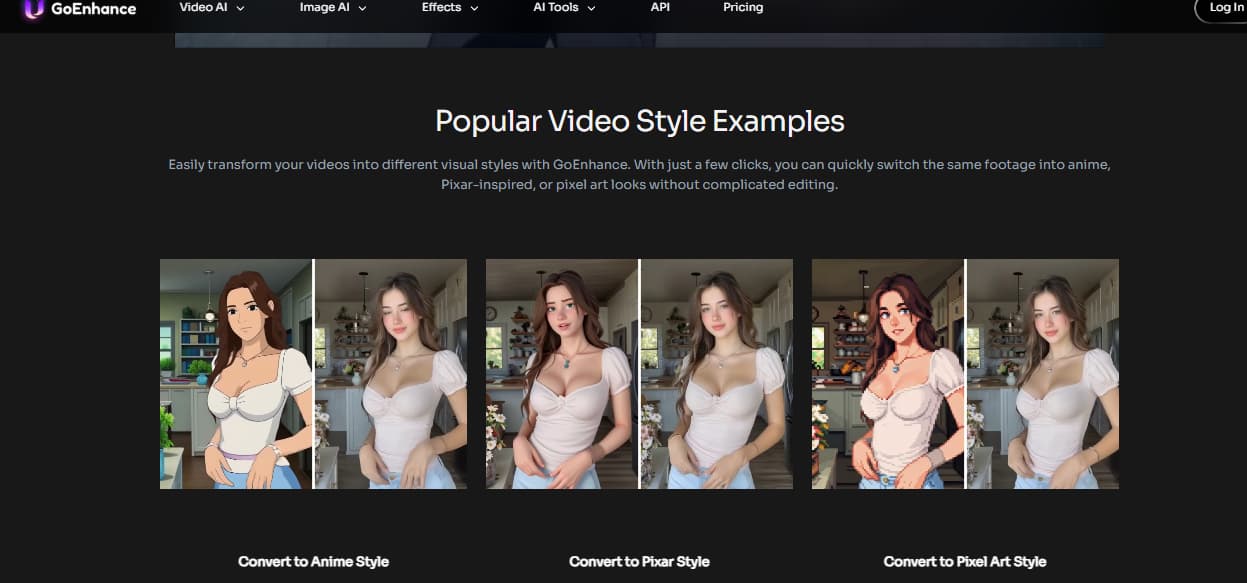
GoEnhance becomes more interesting at exactly the point where Vidfly starts to feel narrow.
Not because it magically solves every AI video problem. It does not. And it is worth saying clearly: if your core job is layout-first work — flyers, branded decks, static ads, print collateral — this is not the tool I would force into that role.
Still, for people comparing Vidfly with something broader, GoEnhance has a cleaner argument than “we have lots of features too.” The better argument is workflow flexibility.
The first thing I look for in tools like this is what happens after the first decent clip. Can I switch from one generation path to another without starting from zero? Can I reuse an existing asset? Can I improve weak source footage instead of scrapping it? That is usually where the real value shows up.
On GoEnhance, the image-to-video workflow is the cleanest entry point for people who already have a still image, character concept, or product visual and want motion without rebuilding the entire idea from scratch. That matters because many users do not actually need “AI video” in the broadest sense. They need one still asset to start moving in a believable way.
The second useful difference is that you are not locked into one kind of output logic. If your source is already a clip, the video-to-video workflow gives you another path entirely. That sounds like a small thing until you hit the moment where rewriting prompts feels slower than reworking what you already have.
And if your problem is not generation but footage quality, GoEnhance also has an AI video enhancer path, which is a much more practical answer than pretending every weak clip needs to be regenerated from scratch.
That is why I would frame GoEnhance differently from Vidfly. Vidfly is easier to understand in one sentence. GoEnhance is easier to keep using once your needs spread across more than one kind of task.
Browse the broader GoEnhance tool stack
Its limitation is real, though. GoEnhance is not trying to be your drag-and-drop brand layout system. If your team lives in template-heavy social graphics, multi-slide visual systems, or precise hand-placed typography, a traditional design platform still makes more sense for that specific job.
Bottom line: GoEnhance is the better fit when your process changes from “just generate something fast” to “give me more than one way to get to a usable result.”
7. Best use cases by creator type
The easiest way to choose between Vidfly and a broader alternative is to stop thinking about features and start thinking about user type.
For social-first beginners
Vidfly makes sense if your main goal is quick output for Shorts, Reels, or TikTok-style publishing. The learning curve matters more than perfect control.
For product marketers
This is where caution starts. If you need repeatable messaging, decent visual stability, and less randomness between versions, fast generation alone will not be enough.
For creators starting from images
GoEnhance has a cleaner angle here because image-to-video is a real workflow, not just an extra feature bolted onto a bigger promise.
For teams reworking existing footage
Video-to-video matters more than people think. If you already have something and want to reshape it instead of regenerate it, broader workflow options save time.
For site owners who care about search
If video is going on your own site, not just social, discovery matters too. Google’s video search documentation and VideoObject structured data guidance are still worth following if you want those pages to perform better in search.
This is why “best for beginners” is too weak as a final verdict. The better question is: beginner at what?
Bottom line: Vidfly is better described as beginner-friendly for short-form content production, not beginner-friendly for every kind of video work.
8. Is Vidfly worth it? A practical decision guide
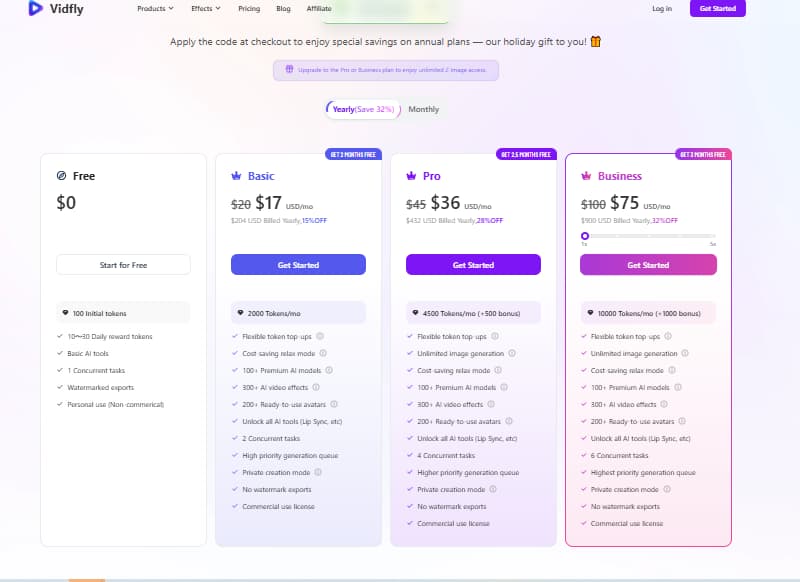
Vidfly is worth trying if you fit one of these descriptions:
- you want fast short-form drafts
- you care more about output speed than control depth
- you are comfortable testing and discarding weaker generations
- your main goal is social content, not polished brand systems
Vidfly is worth considering carefully if:
- you are budget-sensitive
- you hate rerolls
- you need support to be responsive
- your content depends on consistency, not just novelty
Vidfly is probably the wrong buy if:
- you need reliable control over motion, identity, or structure
- you want the same project to move across multiple generation paths
- your workflow often starts with existing footage or images you need to preserve carefully
- you need every paid generation to feel efficient, not experimental
That last point matters more than people admit. Some tools are genuinely fun in trial mode and frustrating in paid mode because the emotional math changes. Exploration feels playful when it is free. It feels wasteful when you are watching the cost stack up behind each “one more try.”
Bottom line: Vidfly is worth testing, but the case for paying gets weaker the more you depend on predictability.
9. FAQ
Is Vidfly free to use?
Usually, tools in this category offer a limited free entry point that is good enough for testing, not enough for serious output. That is useful for checking whether the workflow clicks for you, but not enough to prove long-term value.
What does Vidfly pricing actually include?
The important distinction is not just free vs paid. It is what changes once money enters the picture: watermark removal, better output options, commercial usage rights, and a workflow that is supposed to feel less restricted. That is where most buying decisions start to matter.
Is Vidfly worth it for beginners?
Yes, for the right kind of beginner. Not for every beginner. It is strongest for people making quick short-form video, not for users who need a lot of control or brand-level consistency.
What is the best Vidfly alternative if you want more flexibility?
If flexibility matters more than speed alone, GoEnhance is the more convincing alternative because it gives you multiple paths instead of one narrow generation story.
Is Vidfly good for YouTube Shorts and TikTok videos?
That is probably the most natural fit. Short-form video remains one of the strongest content formats for reach and engagement, which is why these tools keep attracting creators. HubSpot’s social video trends coverage still points to short-form as a strong channel for marketers.
Bottom line: Vidfly is easier to recommend for fast publishing than for precise creative control.
10. Final verdict
Vidfly is not a bad product. That is too simple.
It is a product with a very specific kind of appeal: fast starts, guided workflows, and a lower psychological barrier for people who do not want to open a serious editor. For the right user, that can feel great.
For the wrong user, it gets expensive fast.
My read is this: Vidfly is most compelling when the job is short-form, lightweight, and forgiving. The moment your workflow becomes more iterative, more quality-sensitive, or more dependent on switching between different creation paths, the case for something more flexible gets stronger.
That is where GoEnhance makes more sense. Not because it wins every category. Because it gives you more ways to recover when the first path is not enough.
And one last thing. If your workflow is mostly layout-based — branded slides, flyers, static ad design, print-ready assets — Canva or Adobe Express are still better matches for that specific job. No reason to force an AI video-first tool into the wrong role.


