
11 Best Synthesia Alternatives in 2026: Which One Fits Your Video Workflow?
- Quick comparison table: the best Synthesia alternatives in 2026
- Most people looking for Synthesia alternatives are really trying to fix a workflow problem
- HeyGen is one of the clearest options if you still want presenter-led videos
- Clueso makes more sense when the real job is demos, onboarding, or training
- AI Studios, Colossyan, and Elai.io still have a place if you want a classic business video workflow
- VEED, Canva, InVideo, Descript, and Adobe Express are useful too — just not always as direct replacements
- GoEnhance gets a lot more relevant when the workflow starts with images instead of scripts
- The pricing question is bigger than the monthly plan
- So which Synthesia alternative should you choose?
- FAQ
- Final thoughts
If you're searching for Synthesia alternatives, you're probably not debating whether AI avatars work.
They do.
The real question is whether that format still fits the way your team makes videos.
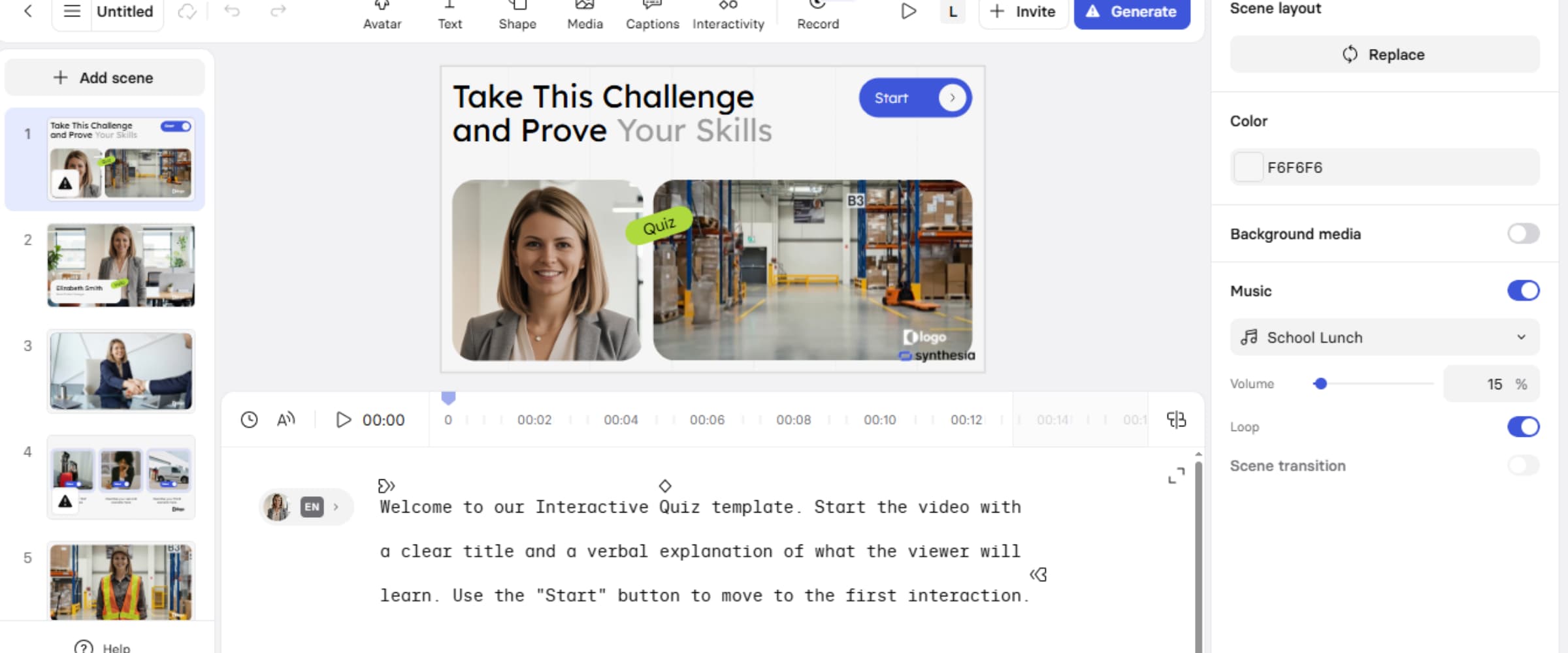
Synthesia still has a place. No point pretending otherwise. If you're making onboarding videos, internal explainers, policy updates, or straightforward training with a presenter on screen, it still works. But that format doesn't cover everything anymore. Some teams need product walkthroughs. Some need training built around real steps on screen. Others are starting with campaign visuals, product stills, or image assets that need motion more than narration.
That's the more useful frame here.
This guide isn't really about finding the tool that feels closest to Synthesia. It's about finding the one that makes sense for the way you actually work now.
Quick comparison table: the best Synthesia alternatives in 2026
| Tool | Best for | What it does best | Main limitation | Best starting point |
|---|---|---|---|---|
| HeyGen | Marketing teams using AI presenters | Polished avatars, customization, public-facing spokesperson videos | Still built around presenter-led output | Script + avatar |
| Clueso | Product demos and training | Screen-based walkthroughs, SOPs, customer education | Not designed for visual-first creative work | Product steps / screen flow |
| AI Studios | Enterprise business videos | Structured multilingual presenter workflow | Feels close to the same model some teams want to move away from | Script + avatar |
| Colossyan | L&D and internal training | Learning-focused presenter content | Narrower outside training use cases | Script + avatar |
| Elai.io | Simple business explainers | Fast setup for internal videos | Less flexible for broader creative workflows | Script + avatar |
| VEED | Editing-heavy workflows | Fast editing, captions, accessibility features | Not a direct presenter replacement | Existing video |
| Canva | Design-led teams | Branded layouts, quick design production | Stronger for design than full AI video workflows | Design assets |
| InVideo | Fast marketing content | Template-driven speed | Output can feel templated | Template + script |
| Descript | Voice and editing workflows | Editing, dubbing, post-production | More adjacent than direct alternative | Existing audio/video |
| GoEnhance | Visual-first AI video creation | Turning images and assets into motion | Less ideal for rigid talking-head training formats | Image / visual asset |
| Adobe Express | Lightweight branded content | Quick visual content creation for teams | Not a true Synthesia-style replacement | Design asset / template |
Bottom line: this isn't one clean category. Some tools are avatar-first. Some are demo-first. Some are really workflow tools that happen to overlap with Synthesia.
Most people looking for Synthesia alternatives are really trying to fix a workflow problem
A lot of roundup posts compare the obvious stuff first: avatars, voices, templates, languages, pricing.
Fair enough. That just doesn't get you very far.
A customer education team looking for the best Synthesia alternatives for training videos is not making the same decision as a social team trying to ship campaign content fast. A product marketer comparing Synthesia alternatives for product demos is solving a different problem from an HR team building repeatable onboarding videos. Even the “cheaper than Synthesia” angle gets fuzzy pretty quickly, because the entry plan rarely tells you what the full workflow still needs.
That was the part that kept standing out to me.
The broadest comparison lists usually ended up being the least helpful. They flattened everything into one bucket, even when the tools were built around very different starting points.
A better way to narrow the list is to ask three questions first:
- Does the project start with a script, a screen recording, or a visual asset?
- Is the goal to teach, explain, sell, or demonstrate?
- Are you replacing one tool, or trying to reduce a stack?
That gets you closer to the right answer than another feature checklist.
Bottom line: once you compare the workflow instead of just the avatar, the shortlist changes fast.
HeyGen is one of the clearest options if you still want presenter-led videos
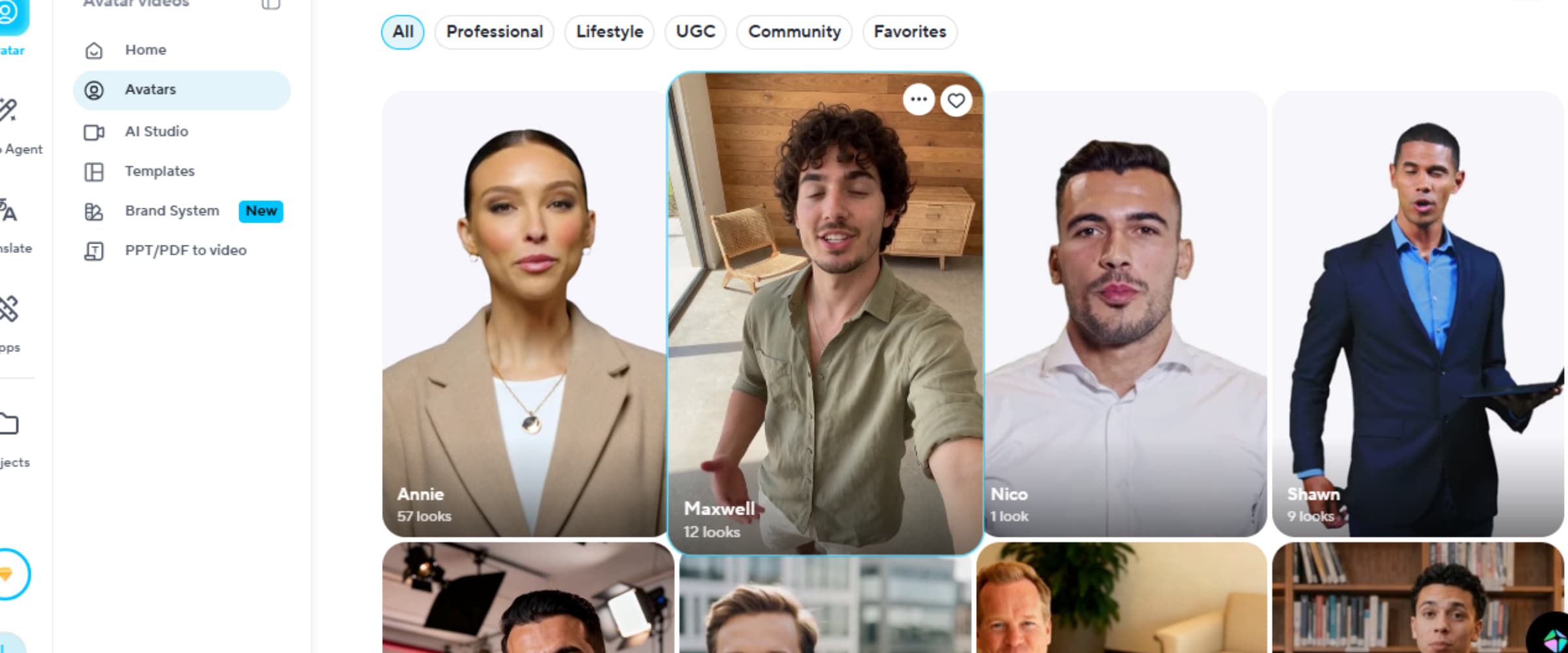
HeyGen makes the most sense if you still like the basic category Synthesia sits in, but want something that feels a little more flexible, a little more polished, and less stiff for outward-facing content.
That's why it comes up so often.
If your team needs spokesperson-style videos for product marketing, promos, explainers, or localized content, HeyGen is easy to understand. The avatar quality is strong. The customization is useful. It generally feels more comfortable in marketing hands than tools that still feel built mostly for internal business communication.
But the format itself doesn't really change.
You're still choosing a presenter-led workflow. You're just getting a stronger version of it.
That makes HeyGen a very good replacement for some teams and a not-that-helpful one for others. If your projects usually start with screenshots, product visuals, campaign assets, or creative stills, then a better avatar system may not actually solve the thing that's slowing you down.
That part matters.
Bottom line: HeyGen is a strong choice if you still want presenter-led videos, not if you're trying to move away from that model.
Clueso makes more sense when the real job is demos, onboarding, or training
Clueso gets more interesting the second the video needs to show something real happening on screen.
Not describe it. Show it.
That sounds obvious, but this is exactly where a lot of Synthesia comparisons drift off course. An avatar can narrate a workflow. It can't replace the workflow itself. If the point of the video is to walk someone through a product, show an SOP, document internal steps, or build customer education around actual software use, then a demo-first tool is usually the more natural answer.
That's why Clueso fits so well for people searching for Synthesia alternatives for product demos or the best Synthesia alternatives for training videos. The job is different. In practice, training and demo content usually works better when people can see real steps unfold on screen, which is part of why screen-based workflows are so effective. As the University of Alaska Fairbanks notes in its guide to screencasting, this format is especially useful when you need to demonstrate a process or explain a task visually instead of just describing it.
The job is different.
The downside is pretty clear too. Clueso is not where most teams would go for visual experimentation, campaign-style motion, or image-led creative work. It solves a narrower problem. Still, that focus is part of why it works.
Bottom line: if the content needs to teach by showing real product steps, Clueso is often more useful than switching to another AI presenter.
AI Studios, Colossyan, and Elai.io still have a place if you want a classic business video workflow
These tools sit close to each other, even if each one leans a little differently.
AI Studios fits teams that want a structured enterprise presenter workflow. Colossyan is a natural fit for learning and development. Elai.io makes more sense for lighter internal explainers where speed matters more than depth.
And that's fine. Not every team wants a totally different model.
For some teams, the whole point is consistency. Script. Presenter. Voiceover. Repeat. If that's the workflow, these tools still belong in the conversation.
The thing to keep in mind is that they don't really move you away from the logic that made Synthesia useful in the first place. They mostly give you a different version of it. Different balance of UI, pricing, localization, training fit, or enterprise structure. Same general lane.
So if your issue with Synthesia is the product itself, these may help. If your issue is the presenter-first format, they may feel a little too familiar.
Bottom line: these tools are worth considering when you still want the same general kind of output, just with a different balance of business features and workflow fit.
VEED, Canva, InVideo, Descript, and Adobe Express are useful too — just not always as direct replacements
This is the part where a lot of listicles start stretching the category.
A tool has video features, so it gets thrown into the same bucket. That doesn't always hold up.
VEED is useful for editing and captions. Canva is strong when branded layout and design speed matter. InVideo is fast when templates are good enough. Descript is especially strong for voice-heavy editing and post-production. Adobe Express works well for lightweight branded content and quick visual production. That captions piece matters more than some roundup posts admit: according to W3C guidance on captions, captions are not just spoken dialogue written on screen, but also include the non-speech audio information viewers may need in order to fully understand video content.
All true. Still not the same job.
That doesn't mean these tools should be left out. It just means they should be framed more clearly. In a lot of cases, they support the workflow around the video rather than replacing a Synthesia-style platform directly.
That distinction makes the comparison more honest. It also makes it easier for readers to figure out whether they need one tool, a different tool, or just a cleaner stack.
I spent too much time, honestly, trying to force one “master alternative” to cover all of this neatly. That was the wrong way to think about it.
Bottom line: adjacent tools matter, but they only count as real alternatives when they solve the part of the workflow you're actually trying to replace.
GoEnhance gets a lot more relevant when the workflow starts with images instead of scripts
This is where the comparison becomes more useful.
Most Synthesia alternatives still assume the same starting point: write the script, choose the presenter, generate the video. That still works for internal business communication and some kinds of training. But it stops feeling natural when the project starts with a visual asset instead.
And a lot of projects do.
Sometimes it starts with a product still. Sometimes it's campaign imagery, character art, a concept frame, or a reference visual that needs motion. In those cases, an avatar-first workflow can feel like taking the long way around. You end up rebuilding the idea into a format that wasn't really the right fit to begin with.
That's where GoEnhance stands out.
The main appeal here is not that it tries to be a better version of Synthesia. It doesn't. The appeal is that it starts from a different kind of input. The image-to-video tool is the clearest example. Instead of forcing every project into a presenter-led structure, it lets you start from the image or visual asset and build motion from there. The broader AI video generator workflow makes that more useful for teams that want to move from quick visual tests into something more complete without bouncing between a pile of disconnected tools.
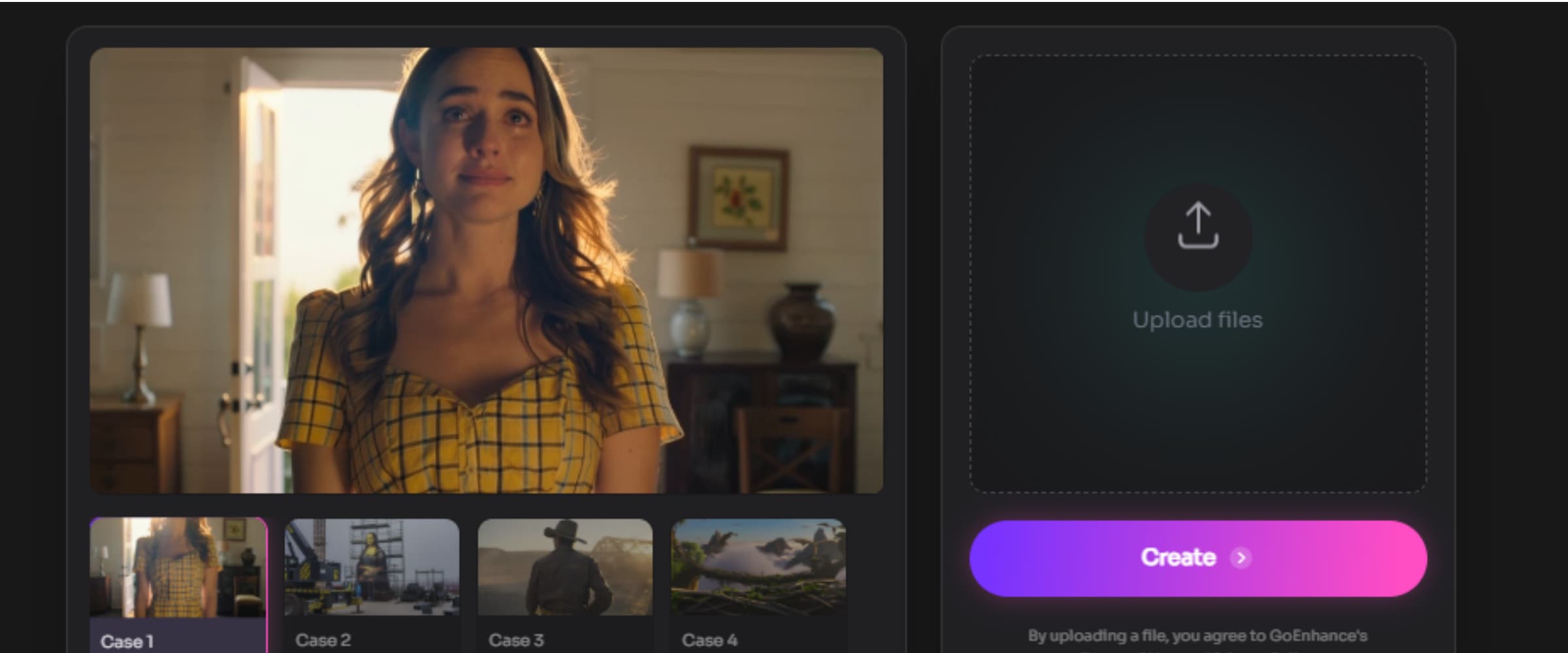
That difference sounds small until you think about how messy content workflows usually are. The same person might need an ad-style visual in the morning, a quick product motion test in the afternoon, and a creative variation later the same day. In that kind of setup, starting from visuals makes more sense than pretending every project begins as a talking-head script.
I think that's the part a lot of Synthesia comparison posts still miss.
There is a limit here, and it should be said directly. GoEnhance is not the neatest substitute for teams that need rigid presenter-led training videos with the same spokesperson format every time. If that is the whole job, tools like HeyGen, AI Studios, or Colossyan will probably feel more natural. And if your main task is static layout work for decks, posters, or simple branded graphics, Canva or Adobe Express still fit better.
That doesn't weaken the recommendation. It just makes the fit clearer.
See what GoEnhance can create from a single image
Bottom line: if your workflow starts with images, creative assets, or visual concepts rather than scripts, GoEnhance belongs on a more relevant shortlist than most traditional Synthesia competitors.
The pricing question is bigger than the monthly plan
People search for cheaper alternatives to Synthesia all the time, which makes sense.
But the monthly number on the pricing page is only part of the story. Sometimes not even the useful part.
The real cost is usually the workflow cost. What else do you still need after picking the tool? Separate image generation. Separate editing. Separate motion tools. Separate enhancement. Separate software for quick variations or creative testing. Once all of that starts stacking up, the cheapest-looking subscription can end up being the most expensive setup.
This matters most for marketers, creators, and lean teams because their workflow is rarely as neat as the product page suggests. One project starts with screenshots. Another starts with visual assets. Another needs short motion from existing campaign material. By that point, the question is not just “Which tool is cheaper?” It is “How many other tools does this choice quietly force me to keep paying for?”
That changes the math quite a bit.
Bottom line: the more useful comparison is total workflow cost, not just the price of one subscription.
So which Synthesia alternative should you choose?
At this point, the answer is not that complicated.
Choose HeyGen if you still want presenter-led content, but want it to feel more polished and more usable for outward-facing marketing work.
Choose Clueso if your team makes demos, onboarding content, walkthroughs, training, or customer education based on real product steps.
Choose AI Studios, Colossyan, or Elai.io if your workflow is still mostly internal, structured, and presenter-first.
Choose VEED, Canva, InVideo, Descript, or Adobe Express if the bottleneck is editing, templates, layout, or post-production more than AI presenter generation itself.
Choose GoEnhance if the work starts with images, creative assets, visual concepts, or product stills and you want motion without forcing everything through a presenter template.
That last group is bigger than a lot of comparisons make it seem.
Bottom line: choose the tool that matches the work your team repeats every week, not the demo that looks best for thirty seconds.
FAQ
What is the best Synthesia alternative in 2026?
There is no single best answer for every team. HeyGen is a strong choice for presenter-led marketing videos, Clueso makes more sense for demos and training, and GoEnhance is more relevant for visual-first workflows.
What are the best Synthesia alternatives for training videos?
Clueso and Colossyan are usually stronger fits for structured training because they align better with walkthroughs, learning content, and internal enablement.
What are the best Synthesia alternatives for product demos?
Clueso is one of the clearest choices when the goal is to show the product itself instead of having a digital presenter talk around it.
Are there cheaper alternatives to Synthesia?
Sometimes, yes. But the more useful comparison is total workflow cost rather than the monthly plan alone.
Is GoEnhance a direct Synthesia replacement?
Not exactly. It overlaps with the broader AI video space, but it makes more sense when the workflow starts with images, creative assets, or visual concepts rather than scripts and presenters.
Final thoughts
The best Synthesia alternatives are not all trying to do the same thing.
That's the main reason so many comparison posts end up feeling thin. They flatten very different tools into one list and act as if the buying logic is identical for every team.
It isn't.
If you still want presenter-led business videos, HeyGen, AI Studios, and Colossyan will feel familiar. If your work is demos and training, Clueso is usually the more practical pick. And if your workflow starts with visual assets instead of narration, GoEnhance is worth a serious look because it approaches the problem from the other direction.
That's really the divide that matters.


