
Midjourney Video Review: Is It Worth the Hype in 2026?
- 1. Introduction & TL;DR
- 2. What is Midjourney Video?
- 3. Core Strengths: Where Midjourney Video Dominates
- 4. Key Limitations & Common Failure Modes
- 5. How Midjourney Video Works (Simplified)
- 6. Quickstart: Your First Midjourney Animation in 5 Steps
- 7. Motion-Prompt Crafting: Keywords for Cinematic Results
- 8. Technical Specifications & Performance Benchmarks
- 9. Privacy, Licensing & Pricing Snapshot
- 10. Competitive Analysis: Midjourney vs. Veo 3, Runway, Pika
- 11. Real-World Examples & Performance Analysis
- 12. Who Should Use Midjourney Video & Final Verdict
- 13. Frequently Asked Questions
- Conclusion
I’ve spent hands-on time with Midjourney Video and I’m writing up what actually matters for creators in 2026.
1. Introduction & TL;DR
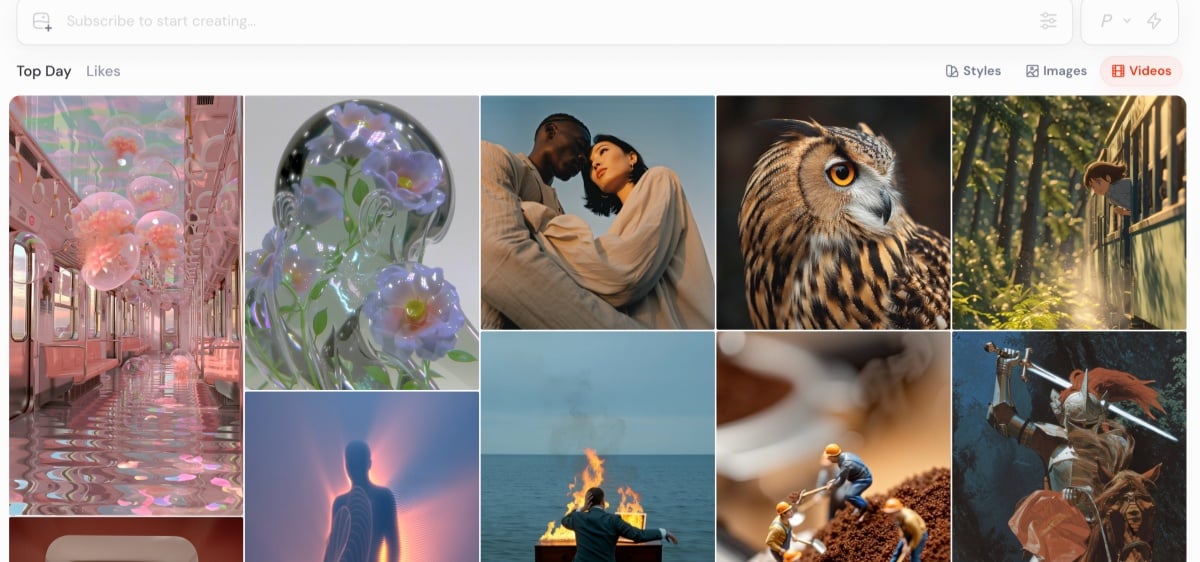
Here's the deal with Midjourney Video—it nails quick, artistic animations from single images. Perfect for that. A replacement for actual video production tools? Not even close.
1.1 Overall verdict
For short, painterly clips used in concept work and social content, Midjourney Video is a strong choice.
1.2 Why this matters right now
With short-form content and rapid prototyping dominating many creative workflows, tools that turn images into motion have become genuinely useful.
1.3 What you’ll get from this article
This article breaks down the tech side without getting boring, shows you actual strengths and weaknesses (not just marketing talk), gives you usable techniques, and puts it next to similar tools. The goal? Help you figure out if this belongs in your workflow or not.
2. What is Midjourney Video?
Midjourney Video is an image-to-video generator that converts a single still into a short animated clip with simple motion controls.
2.1 Core definition and product overview
Put simply: supply an image, the model applies learned motion priors, and it returns a short MP4 loop that you can iterate on.
2.2 Company context and market position
Midjourney is positioned as an artistically driven vendor, favoring a distinctive visual signature over strict photorealism.
2.3 Primary use cases
Typical uses include mood pieces, teasers, rapid concept validation, and social-ready loops.
3. Core Strengths: Where Midjourney Video Dominates
The platform’s main strength is its recognizable artistic output and the speed at which you can iterate.
3.1 Signature aesthetic quality
Expect painterly, stylized motion that reads as a deliberate creative choice rather than a literal recreation of reality.
3.2 Rapid iteration for creatives
Generating multiple stylistic variants takes minutes, which is incredibly helpful in early-stage reviews.
3.3 Seamless image-to-video workflow
The single-image → animate flow reduces friction for image-focused creators and fits naturally into an image-to-video mindset.
See also: image to video
4. Key Limitations & Common Failure Modes
Midjourney frequently produces physics-defying artifacts and can struggle with complex scenes and reproducibility.
4.1 Physics-defying moments
Elements sometimes warp, stretch, or pass through one another—this can be artistic, but it breaks realism.
4.2 Technical constraints
Clip length, resolution, and per-frame fidelity lag behind dedicated studio renderers.
4.3 Reproducibility challenges
Identical prompts and images do not always yield identical outputs, so deterministic workflows require extra steps.
4.4 Text and complex scene issues
Small text, signage, and dense multi-subject scenes tend to degrade or become unreadable across frames.
5. How Midjourney Video Works (Simplified)
At a practical level, the model predicts plausible frame-to-frame changes while preserving the original style using learned motion priors.
5.1 Generation pipeline overview
Workflow: reference image → motion prior application → frame synthesis → MP4 assembly (loopable).
5.2 Controllable elements
You can steer perceived camera motion, motion intensity, and loop behavior through concise directives, though not at the granularity of keyframes.
5.3 Black box limitations
The internal mechanics aren’t fully transparent; prompt engineering remains the main lever for shaping results.
5.4 Practical takeaway for creators
Treat the tool as a creative collaborator: iterate quickly, welcome a bit of serendipity, and finish precise work in an NLE when necessary.
6. Quickstart: Your First Midjourney Animation in 5 Steps
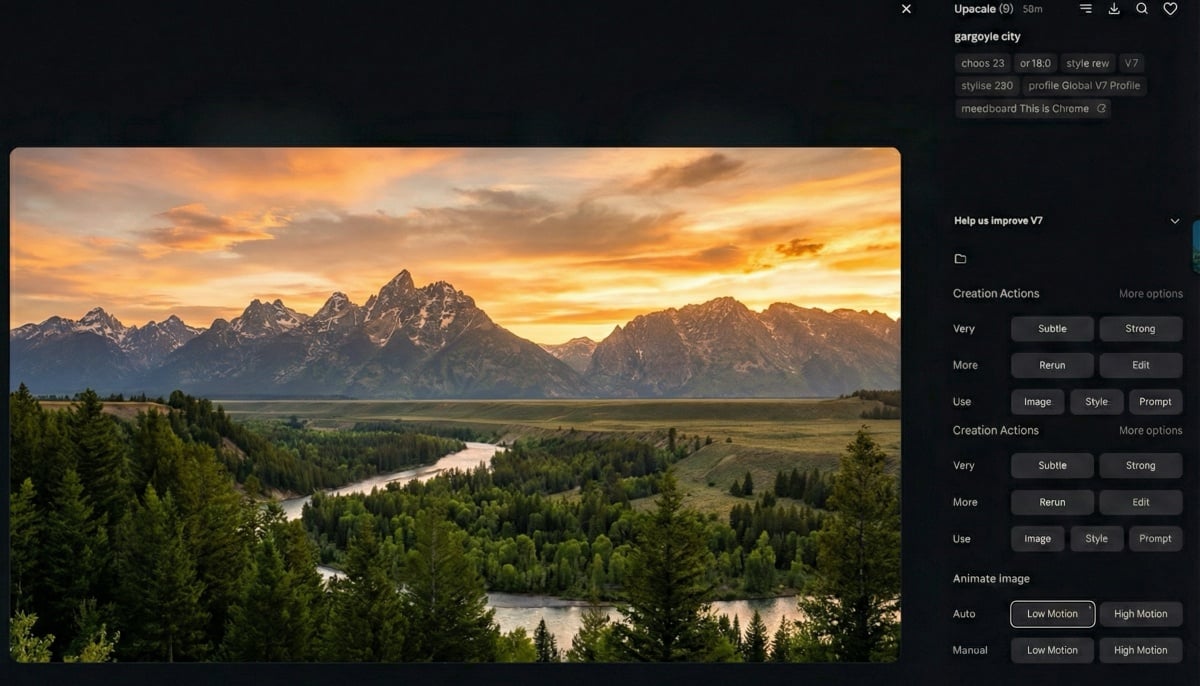
Follow this repeatable process and you can produce a usable clip quickly.
- Prepare foundation — pick a high-contrast, single-subject image.
- Add motion directives — short phrases like “slow dolly; subtle hair wind” are effective.
- Generate and evaluate — choose the variant that best matches your intent.
- Iterate strategically — tweak motion intensity and camera flags in small steps.
- Export and optimize — loop or upscale in an NLE if needed.
7. Motion-Prompt Crafting: Keywords for Cinematic Results
A small, consistent vocabulary helps the model produce cinematic-feeling motion.
7.1 Camera motion vocabulary
Use terms like “push in,” “dolly left,” and “slow pan” to suggest camera behavior.
7.2 Tempo and mood modifiers
Words such as “lingering,” “snappy,” and “ethereal” guide motion energy and atmosphere.
7.3 Genre-specific templates
Beginning prompts with genre cues—“noir close-up,” “documentary hand-held”—helps anchor stylistic expectations.
7.4 Troubleshooting tips
When limbs warp or artifacts appear, lower motion intensity or isolate the subject for a separate pass.
8. Technical Specifications & Performance Benchmarks
Expect short, stylistic outputs and cloud-based rendering optimized for quick runs rather than studio-grade sequences.
- Typical output: short MP4 loops (commonly 480–720p for quick runs).
- Usable lengths: optimized for short clips; longer sequences usually require stitching or external tools.
- Render speed: fast for short clips; cost and time scale with duration.
- System: cloud service—no heavy local GPU required.
(If desired, I can assemble benchmark tables comparing runtimes and costs across multiple tools.)
9. Privacy, Licensing & Pricing Snapshot
Video generation tends to cost more than images; review licensing and privacy policies before using outputs commercially.
9.1 Pricing tiers breakdown
Video jobs are often billed at a premium or per-second rate within subscription tiers.
9.2 Licensing essentials
Confirm the license terms for commercial use and be aware of ongoing IP discussions in the space.
9.3 Privacy highlights
Avoid uploading sensitive personal data—inputs are processed in the cloud and retained per provider policies.
9.4 Data handling policies
Always check the latest policy pages if you plan enterprise-scale usage.
10. Competitive Analysis: Midjourney vs. Veo 3, Runway, Pika
Midjourney favors stylized, image-driven motion; other tools focus on audio, sequencing, or longer, more deterministic outputs.
10.1 Feature comparison matrix
| Feature | Midjourney Video | Google Veo 3.1 | Runway Gen | Pika Labs |
|---|---|---|---|---|
| Input style | image → video | text/image → video | text/image/video → video | text/image → short clip |
| Typical length | short (single-shot loops) | short (audio + motion) | variable, longer possible | social clips (short) |
| Strength | stylistic aesthetics | integrated audio & sequencing | multi-input versatility | speed & social focus |
10.2 When to pick Midjourney
Choose Midjourney when the priority is a painterly look from a still image.
10.3 When to pick alternatives
Opt for Runway or Veo when you need audio, longer durations, deterministic control, or advanced editing capabilities—many people search for terms like "gogole veo 3.1", "veo 3.1 length limit", and "how to use veo 3.1" while evaluating those options.
10.4 Hybrid workflow suggestions
A useful approach is to prototype looks in Midjourney, then bring frames into Runway or an NLE for audio, precise edits, and extended timelines.
11. Real-World Examples & Performance Analysis
Practical tests show Midjourney excels at mood and concept motion but trips over continuity in multi-shot narratives.
11.1 Success case study
A short Midjourney clip worked well as a pitch asset in a campaign moodboard—motion increased stakeholder engagement compared to a static image.
11.2 Failure case analysis
Scenes with abundant signage or text often produced unreadable or distorted lettering across frames.
11.3 Looping animation test results
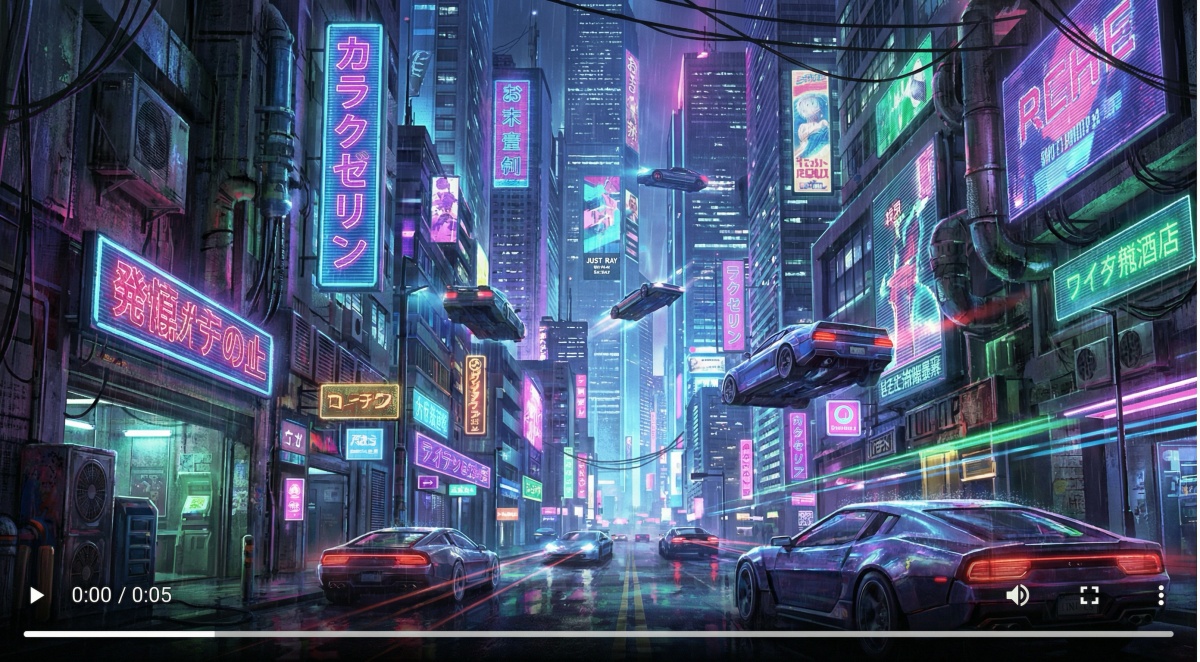
Abstract loops with low-intensity motion tended to hold up best; continuity of character limbs remained a common weakness.
11.4 Industry-specific applications
Advertising mood tests, concept art exploration, social posts, and UI motion mockups are natural fits.
12. Who Should Use Midjourney Video & Final Verdict
Midjourney Video suits creators who value speed and distinct visual style more than frame-level realism.
12.1 Ideal user profiles
Independent creators, small studios, social media teams, and concept artists will get the most value.
12.2 Not recommended for
Avoid it for VFX-heavy films, campaigns that require IP indemnity guarantees, or simulations needing strict physical accuracy.
12.3 Wait-and-see scenarios
Hold off when deterministic reproducibility or enterprise-level legal assurances are essential.
12.4 Actionable next steps
Run a short test: pick a strong image, animate at low motion, iterate, and composite the output in an NLE.
12.5 Future outlook
Expect faster controls, longer durations, and tighter editing-suite integrations across vendors in the near term.
13. Frequently Asked Questions
Practical answers to the most common creator questions.
13.1 Supported formats
Outputs are standard MP4 loops; inputs are typical image types (JPEG/PNG) via the web app.
13.2 Commercial use permissions
Check current license terms before monetizing generated content.
13.3 Creating perfect loops
Use subtle motion and manual cross-fades in an NLE to hide start/end discontinuities.
13.4 Anatomy and physics issues
When anatomy or physics break down, reduce motion intensity or composite affected areas separately.
13.5 Result reproducibility
Save seeds and generate in batches to improve consistency, but exact duplication can be difficult.
13.6 Community resources and templates
Community prompt packs, shared templates, and official docs are valuable learning resources.
Quick links & internal references
- Official product page: Midjourney Video
Conclusion
I've found Midjourney Video works best when I just need something quick and visually striking from a still image. Perfect for throwing together mood boards, social content, or testing out rough ideas. But if I'm working on anything longer or need frame-accurate control, I usually use Midjourney to nail down the vibe first, then move everything into Runway or Veo to actually finish it.


