
Fotor Review: What It Does Well, Where It Gets Expensive, and Who It’s Really For
- 2. Quick Verdict at a Glance
- 3. What Fotor Actually Is Now
- 4. What Fotor Does Well in Real Use
- 5. Fotor Pricing, Credits, and Free vs Pro
- 6. Fotor Pros and Cons
- 7. Is Fotor Legit, Safe, and Worth Paying For?
- 8. Who Should Use Fotor, and Who Probably Should Not
- 9. When It Makes Sense to Look at a Fotor Alternative
- 10. FAQ
- 11. Final Verdict
I can see why Fotor gets shortlisted so often.
It feels approachable right away. The interface is clean, the common tools are easy to find, and the product does a good job making basic visual work feel manageable even if you are not especially technical.
That first impression is real.
The more useful question is what happens after that.
Not whether Fotor can edit images. It can. Not whether it has AI tools. It does. The harder question is whether the product still feels like a smart buy once you start paying for it, using the AI layer more often, and expecting the workflow to make more sense over time. Fotor now presents itself as a broader visual platform, not just a lightweight browser editor, with photo editing, AI image tools, AI video tools, and design features all grouped into one product system.
That is really what this review is about.
Fotor is easy to start using.
It is less easy to evaluate once money and repeat usage enter the picture.
2. Quick Verdict at a Glance
Fotor makes the most sense when speed matters more than control.
| Review Area | Take |
|---|---|
| Best fit | Beginners, marketers, ecommerce sellers, and creators who want fast visual output |
| Less ideal for | Users who want deeper control over AI generation or more predictable long-term workflows |
| Ease of use | High |
| AI workflow depth | Moderate |
| Pricing clarity | Mixed |
| Strongest point | Broad all-in-one convenience |
| Main tradeoff | Credits and platform breadth can make deeper use feel less clear |
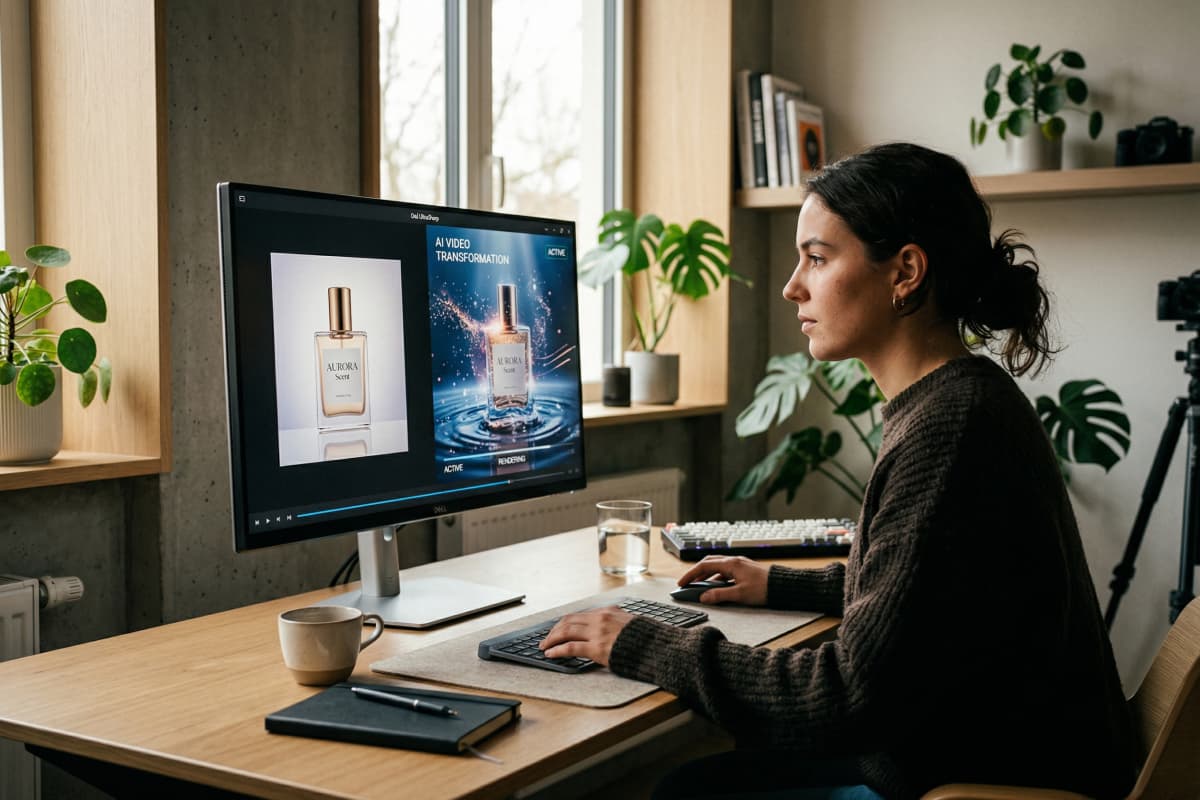
If you mainly need quick edits, simple cleanup, social visuals, light AI image help, and the occasional experiment with video, Fotor is a reasonable pick.
If your workflow is already moving toward generation-first work, the fit gets weaker. At that point, a broader discovery layer like the AI tools hub can be more useful because it is organized around output paths and use cases, not just editing convenience.
Bottom line: Fotor is easy to recommend for speed. It gets harder to recommend once control becomes the priority.
3. What Fotor Actually Is Now
Calling Fotor an online photo editor is not wrong.
It is just incomplete.
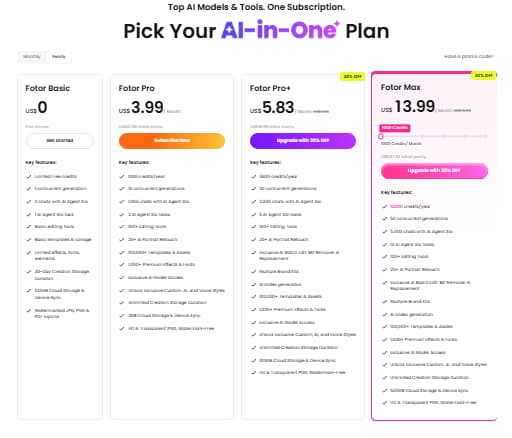
That label still follows the brand, but it describes an older version of the product better than the current one. Fotor has expanded into a broader visual stack that includes editing, AI photo tools, image generation, video generation, and design-oriented utilities. Its public product pages and pricing structure make that shift pretty clear.
That matters because it changes the standard you should use to judge it.
If Fotor were still just a simple browser editor, the review would be fairly straightforward. Is it fast? Is it easy? Does it cover common edits?
Now the better question is whether the platform is broad in a way that genuinely helps, or broad in a way that mostly sounds good on a landing page.
Those are not the same thing.
A lot of thin reviews miss that. They treat feature count as if it settles the argument. It does not. Once a product tries to cover editing, AI image work, AI video work, and design inside the same ecosystem, breadth only matters if the experience still feels coherent.
Sometimes it does.
Sometimes it starts to feel like one product trying to do three jobs at once.
Bottom line: Fotor is no longer just a light editor, so it should not be judged like one.
4. What Fotor Does Well in Real Use
This is the part where Fotor is easiest to like.
It works well on the kind of tasks people do repeatedly: cleaning up an image, removing a background, retouching a portrait, fixing something that is almost usable, resizing assets, or making a fast draft when “good enough to publish” matters more than squeezing every last detail out of the file.
That is not a small strength. It is the reason the product has real appeal.
A lot of tools claim to save time. Fotor usually does, at least on the front end. The common tasks are easy to find, the interface is not overloaded, and the AI layer feels like an extension of the editor rather than a completely separate system.
That packaging matters.
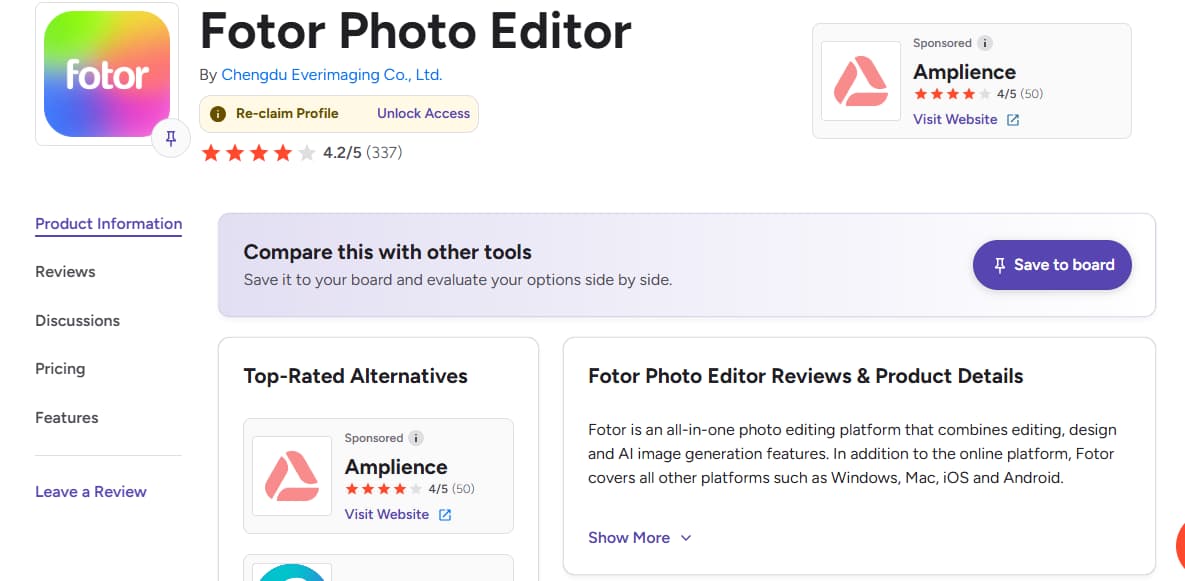
Fotor publicly leans into exactly these use cases: AI photo editing, background removal, object cleanup, enhancement, image extension, AI image generation, and AI video features. So the “fast output” read is not guesswork. It is clearly how the product wants to be used.
I can also see why beginners respond well to it. There is less emotional friction. You do not get the feeling that the tool expects you to already know what you are doing.
That said, this is also where the ceiling starts to show. Fotor feels strongest when the task is concrete and the finish line is close. It feels less convincing when you want more deliberate control over style, consistency, or model choice. That is usually the point where a more focused AI image generator setup starts making more sense.
Bottom line: Fotor is strong at getting you to usable output quickly. It is less strong once you want to push further than that.
5. Fotor Pricing, Credits, and Free vs Pro
This is the section most buyers should pay more attention to.
Not because the pricing is hidden. It is not. The issue is that the product feels simpler than the payment logic behind it.
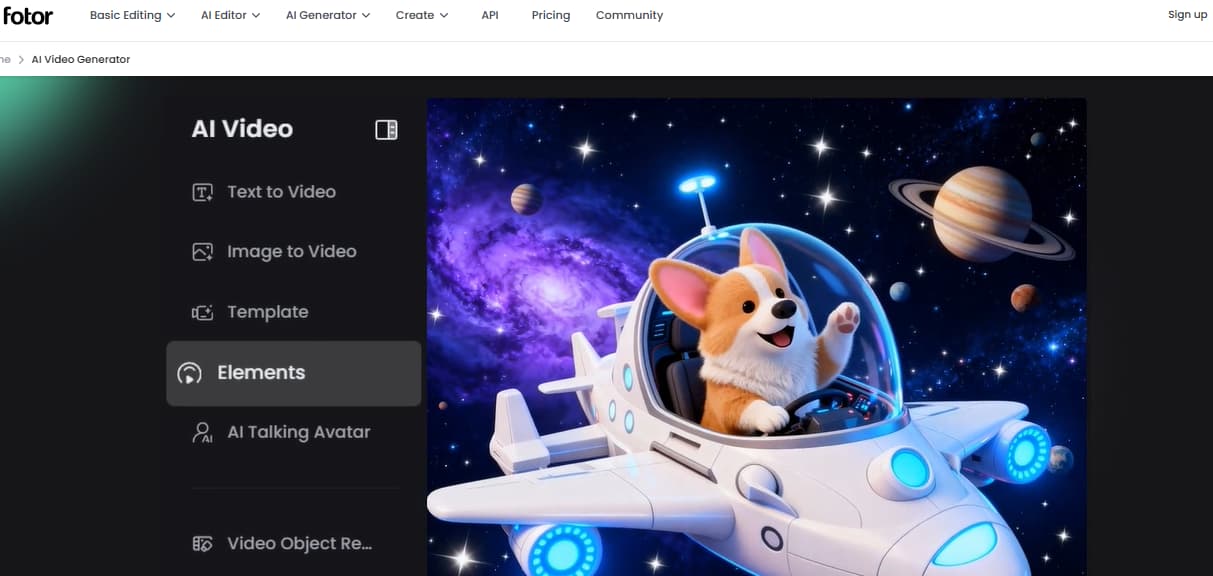
According to Fotor’s own support documentation, Pro includes 100 monthly credits, Pro+ includes 300, and Max includes 1000, with unused credits stacking for up to five months.
Fotor has multiple paid tiers, monthly credits, and AI usage rules that do not always match what a casual buyer assumes “paid access” means. According to Fotor’s own support documentation, Pro includes 100 monthly credits, Pro+ includes 300, and Max includes 1000, with unused credits stacking for up to five months.
That is useful to know.
It is also the kind of detail people often notice later than they should.
| Plan | Practical Read |
|---|---|
| Free | Fine for testing and occasional use, but limited once AI becomes part of your regular workflow |
| Pro | Better for recurring visual work, though credits still shape how comfortable the experience feels |
| Pro+ | A more realistic fit for users leaning harder into AI and broader asset production |
This is why fotor pricing, fotor free vs pro, and how does Fotor credits work all make sense as real search queries. They are not side questions. They sit close to the center of the buying decision.
If you mostly need editing plus occasional AI help, the paid version may feel fair enough.
If you expect the paid version to feel open-ended and simple, you may hesitate more.
That split shows up on review platforms too. Capterra currently lists Fotor at 4.6/5 from 1,089 reviews, while public reviews on G2 also show a mixed pattern: users like the convenience, but some push back on value perception, paywalls, or limits once they spend more time with the product.
Bottom line: The product feels simpler than the payment model, and that gap shapes whether Fotor feels worth it.
6. Fotor Pros and Cons
Fotor makes a good first impression.
Its long-term case is a little less clean.
That is probably the most honest way to frame the pros and cons.
What it does well
- It is easy to start using, even if you are not a designer.
- The platform covers a lot of common visual tasks in one place.
- It is genuinely useful for quick cleanup, simple marketing assets, and light AI-assisted work.
- The AI layer feels approachable rather than overly technical.
- It works well for people who care more about momentum than perfection.
Where it gets weaker
- Broad feature coverage does not always translate into strong depth.
- Credits complicate the value calculation more than many users expect.
- The AI side feels better for convenient output than for deeper, repeat creative workflows.
- Users with more specific needs may start to feel the all-in-one design working against them.
- A large menu of features is not the same thing as a strong workflow.
That last point matters.
A lot of fotor pros and cons style content ends up sounding too generic because it treats feature variety as a direct proxy for value. I do not think that holds up very well anymore, especially in AI products. In practice, some of the most satisfying tools are narrower than they first appear because they are built around a clearer job.
Fotor is broad. Sometimes that helps. Sometimes it just means you are carrying around more product than you really need.
Bottom line: Fotor’s strengths show up quickly. Its tradeoffs usually appear once your usage becomes more regular and more specific.
7. Is Fotor Legit, Safe, and Worth Paying For?
On the “is Fotor legit?” question, yes, this looks like a real platform, not a random tool pretending to be one.
Fotor has public pricing, official help documentation, broad product coverage, and substantial third-party review presence. That part is not especially controversial.
The more useful question is whether it feels trustworthy as a purchase.
That is a little different.
Top-line review scores help, but they do not settle the issue. Capterra, G2, and editorial coverage like TechRadar together paint a more balanced picture: Fotor is clearly established, clearly useful, and clearly liked by many users, but it is not one of those products where every layer of the experience feels equally smooth once money and repeat AI usage enter the picture.
That is where people start asking a more honest version of “is Fotor legit?”
What they usually mean is:
Will this still feel like a good buy after the easy part is over?
For some users, yes. Especially beginners, small teams, and people doing practical visual work without wanting to build a heavier stack.
Capterra user reviews currently list Fotor at 4.6/5 from 1,089 reviews, while public reviews on G2 also show a mixed pattern: users like the convenience, but some push back on value perception, paywalls, or limits once they spend more time with the product.
For others, not so clearly. If you already know you care about model choice, generation routes, or more direct control over video creation, it is easy to see why a more focused path like an AI text-to-video tool starts looking more attractive.
Bottom line: Fotor is legitimate. The harder question is whether it stays comfortable once your workflow gets more serious.
8. Who Should Use Fotor, and Who Probably Should Not
I would not call Fotor a general recommendation for everyone.
I would call it a good fit for a pretty specific kind of user.
It makes sense for:
- beginners who want less friction
- marketers who need assets quickly
- ecommerce sellers cleaning up product visuals
- creators making thumbnails, social graphics, and fast image edits
- users who want AI help without stepping into a more technical workflow
It makes less sense for:
- people who already know they want deeper AI generation control
- users who care a lot about model variety
- teams building repeat workflows around image or video generation
- buyers who strongly dislike credits-based usage logic
- advanced users who prefer clarity over breadth
That distinction matters because Fotor can look more universal than it really is.
It covers a lot. That part is true.
But coverage is not the same as fit.
If you want one familiar place to handle a lot of routine visual work, the product makes sense. If you already feel yourself moving from editing toward creation, especially AI image and video creation as a main workflow rather than an add-on, the appeal becomes less automatic.
Bottom line: Fotor is a practical fit for lighter, faster visual work. It is not the clearest long-term home for users who want more creative control.
9. When It Makes Sense to Look at a Fotor Alternative
You probably start looking beyond Fotor when convenience stops being your main bottleneck.
That is the shift.
At first, the platform solves a very normal problem: too many small visual jobs, not enough time, and no desire to deal with heavy software. For that, Fotor can be genuinely helpful.
Later, the problem changes.
You are no longer trying to save ten minutes on cleanup. You are trying to get better output, understand what kind of generation workflow suits you, or move more intentionally between images and video.
That is when a different kind of product starts to feel more natural.
If your workflow starts with still visuals and you want motion output, the image-to-video tool path is more direct. If you are comparing broader video and visual creation routes and want a cleaner way to explore what is possible, GoEnhance is easier to navigate than trying to force one general-purpose platform to cover every next step.
That does not make Fotor a bad choice.
It just means its strengths may no longer line up with the job you need done.
Bottom line: The fotor alternative question usually starts when your work becomes more generation-first than editing-first.
10. FAQ
Is Fotor legit?
Yes. Fotor appears to be a legitimate software platform with public pricing, official support documentation, and substantial third-party review coverage.
Is Fotor worth it?
It can be, especially if you mainly care about quick visual work and occasional AI use. It becomes a harder yes if you expect a deeper or more open-ended generation workflow.
Is Fotor worth paying for?
For beginners and light-to-mid visual production, often yes. For heavier AI use, the answer depends more on how comfortable you are with credits and plan limits.
How do Fotor credits work?
According to Fotor’s support documentation, Pro includes 100 monthly credits, Pro+ includes 300, Max includes 1000, and unused credits can stack for up to five months.
Is Fotor good for beginners?
Yes. This is one of its clearest strengths. The interface lowers the barrier to getting usable results quickly.
What are the biggest downsides of Fotor?
The main downsides are uneven depth across features, a payment model that can feel less simple than the product itself, and a workflow that may start to feel limiting once you care more about generation control.
When should you switch to an alternative?
Usually when you stop mainly caring about convenience and start caring more about output control, model choice, and clearer image or video generation paths.
Bottom line: Most Fotor questions are really fit questions disguised as feature questions.
11. Final Verdict
I get why Fotor has an audience.
The product is approachable, useful, and better than some reviews give it credit for when the job is straightforward. If you want to clean up images, produce light marketing visuals, and use AI features without stepping into a more technical environment, there is real value here.
I also would not call it an easy yes.
The product gets more complicated where it matters most: payment logic, repeat AI use, and whether all-in-one still feels efficient once your needs become more specific. That is where the pitch starts to thin out a bit.
So this is where I land:
Fotor is easy to start with.
It is not always easy to justify once you are paying for it regularly.
If your needs stay practical and light, that may not matter much. If your work is already moving toward more intentional AI image and video creation, I would keep looking. At that point, a generation-first route usually feels more natural, and the move becomes easier once you start exploring through the GoEnhance instead of treating AI creation like an extra tab inside a general editor.
Bottom line: Fotor is a solid convenience tool. It becomes less convincing once your standards shift from speed to control.


