
Artlist Review 2026: The Hidden Trade-Offs Behind the All-in-One Subscription
- 1. Direct Verdict
- 2. Artlist vs the Field
- 3. Why Creators Actually Look at Artlist
- 4. The Subscription Model: What “Unlimited” Does Not Tell You
- 5. The License Question Before Any Feature Discussion
- 6. Where Artlist Actually Holds Up
- 7. The Two User Profiles That Predict Satisfaction
- 8. AI Features: The Gap Between Marketing Weight and Practical Access
- 9. When GoEnhance Makes More Sense
- 10. Who Should Skip Artlist Entirely
- 11. FAQ
- If I cancel, can I still use Artlist music in videos I already published?
- Why do so many users seem confused about the license?
- Does Clearlist actually prevent YouTube copyright claims?
- Is the entry-tier plan ($9.99) worth it for someone who wants to try the AI features?
- What do real users say about Artlist’s customer service and refunds?
- 12. Final Verdict
Artlist works well for one kind of creator. It frustrates everyone else. The gap between those two outcomes comes down to whether you understood the subscription model before you signed up — not after.
1. Direct Verdict
Here is the short version: Artlist bundles music, sound effects, footage, templates, and AI generation into one subscription. That is a real workflow convenience for video-first creators producing content on a recurring basis — corporate teams, freelance editors handling client work, YouTubers publishing multiple times per week.
The catches are real too. A daily download ceiling that the word “unlimited” quietly sidesteps. An AI credits system that resets monthly and does not roll over. And a licensing rule that trips up more buyers than any other single factor: the authorization is tied to when you publish, not when you download.
Bottom line: Artlist is worth it if you need a curated, high-volume asset workflow and you know exactly what you are buying. It is a bad fit if you wanted low-cost access to a broad library, need flexibility around cancellation, or read “unlimited” as meaning exactly what it sounds like.
2. Artlist vs the Field
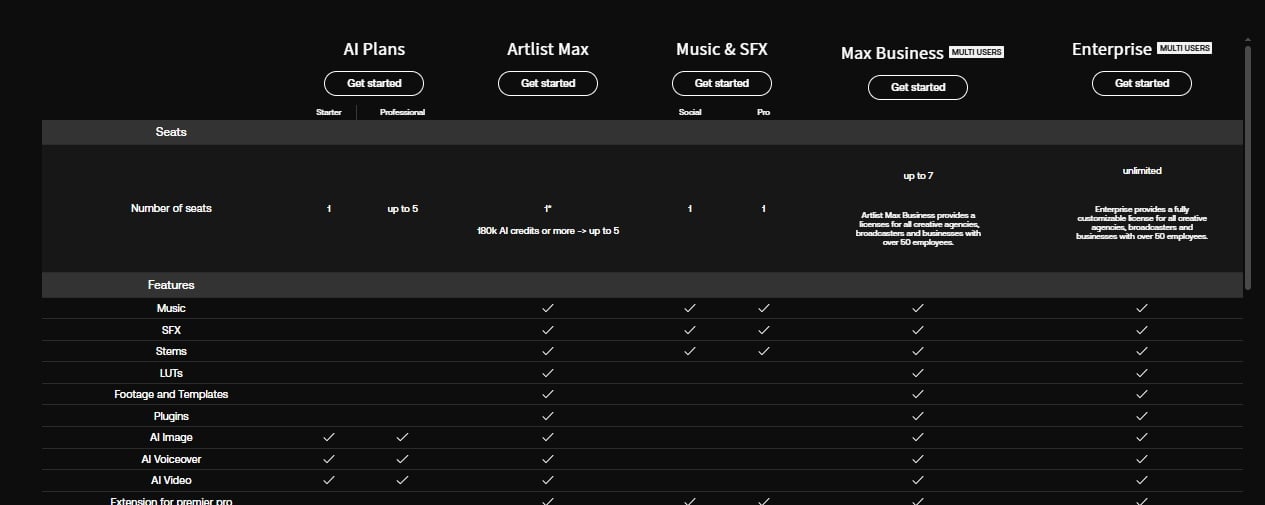
| Feature | Artlist | Epidemic Sound | Notes |
|---|---|---|---|
| Music tracks | ~60,000 | 55,000+ | Artlist is more tightly curated; Epidemic tends to add new tracks faster |
| Sound effects | ~50,000 | 250,000+ | Epidemic Sound leads on sheer volume |
| Stock footage | 180,000+ clips | ❌ None | An Artlist-only advantage |
| Templates | 20,000+ | ❌ None | Another Artlist-only advantage |
| AI tools | Video / image / voice / music | Limited | Artlist offers a broader AI toolset, though real-world usefulness still depends on your workflow |
| Daily download cap | 40 songs / day | Unlimited | One of Artlist’s least-mentioned limitations |
| License structure | PRO-affiliated artists | Direct ownership | Different legal models behind the catalog |
| Free trial | Watermarked preview | 30-day full access | Epidemic Sound is stronger here |
| Starting price | $9.99/mo | $9.99/mo | Same entry price, different upgrade path |
Artlist is one of the few platforms that bundles music, stock footage, templates, and AI tools into a single subscription. That is a real differentiator. The catch is simple: it only matters if you actually use those extra assets. If you mainly need music and sound effects, the broader bundle may feel less valuable than it first appears.
3. Why Creators Actually Look at Artlist
Not everyone coming to Artlist has the same job to be done. Sorting who wants what matters more than the feature list does.
High-volume publishers want faster asset sourcing
This is not only YouTubers. Reddit threads include corporate communications teams, event producers, and freelance editors sourcing music for client deliverables. The appeal is the combination of curation quality and search speed — less time filtering through mediocre generic tracks.
Tool-fatigued creators want one subscription, not four
Music, SFX, footage, templates, and AI generation in a single monthly plan has genuine operational appeal for anyone managing multiple content channels. Consolidating four separate subscriptions into one billing cycle is a real quality-of-life improvement.
Client-work creators need clear commercial licensing
This is more specific than it sounds. A creator with an organic YouTube channel has different concerns than an editor delivering a branded corporate video to a procurement department. Artlist’s commercial license is designed for the latter — but the terms require reading before purchase, not after.
YouTubers want copyright claim protection
Clearlist addresses a concrete, widely-felt pain: having a valid download receipt and still receiving a YouTube claim. That fear drives subscriptions whether or not Clearlist fully solves the problem.
4. The Subscription Model: What “Unlimited” Does Not Tell You
Artlist is straightforward about what it offers. It is less upfront about what is capped.
The tiers
- Music & SFX Social at $9.99/mo covers single-channel personal use.
- Music & SFX Pro at $16.58/mo unlocks multi-channel and commercial rights.
- Max Pro at $39.99/mo adds footage, templates, and AI generation credits.
All at annual billing rates — monthly pricing is higher.
The daily download cap
The marketing says “unlimited downloads.” What it means is: no monthly total cap. There is still a daily ceiling of 40 songs or 100 sound effects per day.
For creators building a video around a specific track, this is irrelevant. For creators testing four music options across a single project — different moods for a product launch, different energy levels for a tutorial series — the daily limit surfaces quickly. You can pre-download, but that introduces file management overhead that partially negates the speed argument.
AI credits do not roll over
AI video, image, and voice generation are add-ons or Max-plan inclusions. The monthly credits allocation does not carry into the next billing cycle. Burstable generation use cases — creating a batch of AI content in one week and going quiet for three — effectively waste the unused portion.
The publication timing rule
This is where buyer confusion concentrates most heavily.
Artlist’s license authorizes assets used in projects published while the subscription is active. Cancel, and already-published projects retain their license. New projects cannot use Artlist assets, even if you downloaded those assets before canceling. AI-generated outputs are the exception: they belong to the user and work after subscription ends.
The Reddit complaint pattern is predictable: users who read “unlimited downloads” as “permanent ownership” discover the limitation only after canceling. The policy is not hidden. The marketing language primes users to misinterpret it.
5. The License Question Before Any Feature Discussion
More post-purchase complaints on Reddit and third-party review sites cluster around the license than around any single feature gap. It deserves a direct explanation.
What the license actually says
Projects published during an active Artlist subscription remain licensed after cancellation. Assets downloaded during an active subscription cannot be used in new projects after cancellation, regardless of when they were downloaded. AI-generated outputs are not subject to this restriction.
Two common misreads follow directly from the marketing language:
- “Unlimited downloads” is not the same as “permanent download ownership.”
- “Downloaded during my subscription” does not equal “authorized for projects created during my subscription.”
These are genuinely different things.
If you want the official wording on account closure, refunds, and what Artlist considers eligible for reimbursement, read Artlist's refund and cancellation policy before subscribing. It is one of those pages people usually read too late.
The confusion is not theoretical either. You can see it in this Reddit community discussion on license confusion, where the frustration is less about track quality and more about what users thought they were allowed to keep using after cancellation.
Client work and license transferability
For editors delivering project files to external clients, there is a gray area worth naming. Artlist’s commercial license covers the client’s use of the delivered video. If a client receives an editable timeline containing Artlist assets and repurposes those assets in subsequent projects, the second use falls outside the original grant.
This is standard in royalty-free music licensing broadly. Corporate procurement teams do not always know to ask. That is where problems surface — usually months after the subscription started.
What Clearlist actually does
Clearlist monitors YouTube uploads, identifies false claims, and disputes them automatically. Useful. But not a preemptive shield. Assets not registered in Clearlist can still receive claims despite valid downloads. And its coverage is platform-specific — multi-channel publishing and client deliverables may need additional configuration. Check the Help Center documentation before assuming full protection across all distribution points.
6. Where Artlist Actually Holds Up
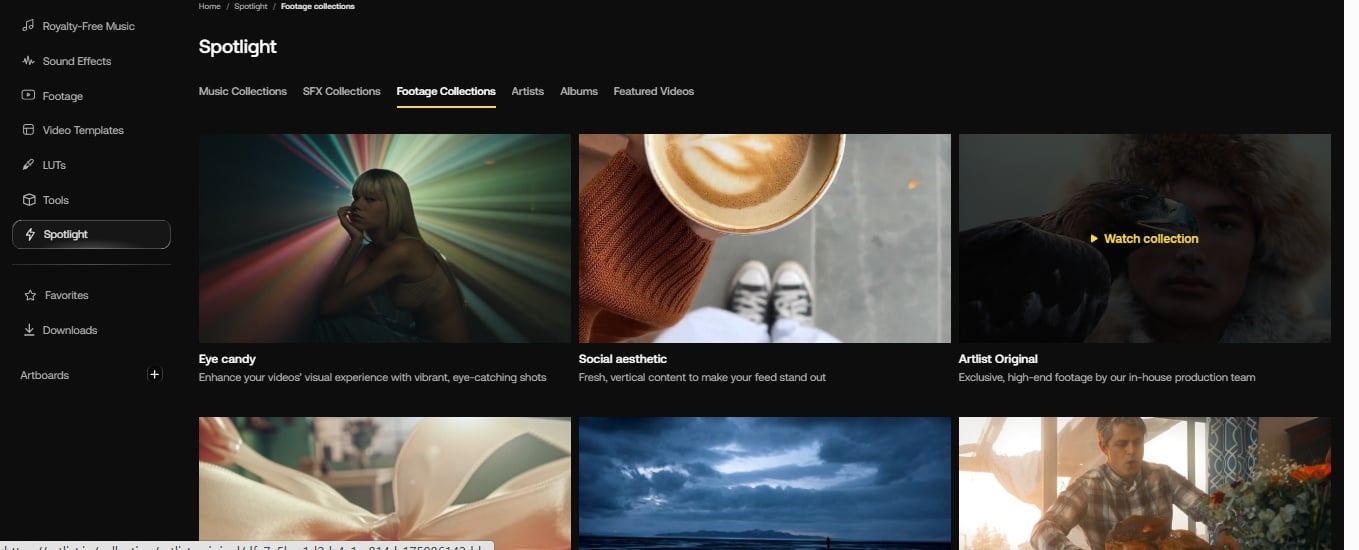
Three genuine strengths deserve acknowledgment, independent of the subscription mechanics.
Stock footage is the most defensible exclusive
180,000+ clips at HD, 4K, and 8K, with RAW and LOG options on higher plans. For a creator producing social content or client deliverables at volume, this replaces a separate footage subscription or an additional production day entirely.
Editor plugins save the time they claim to save
Premiere Pro, DaVinci Resolve, Final Cut Pro, and After Effects extensions allow search and download inside the editing timeline. Not switching applications mid-project to source music is a measurable workflow efficiency — particularly under deadline pressure.
The music library is small by library standards but dense by curation standards
60,000 tracks sounds modest next to Epidemic Sound. The curation approach means less sorting through generically similar options. For a video editor on a deadline, that difference is meaningful.
7. The Two User Profiles That Predict Satisfaction
Artlist satisfaction correlates almost perfectly with one variable: whether your publishing frequency and workflow type match what the subscription is designed for.
High-volume professional creators tend to be satisfied
They publish frequently enough to use the asset volume, they rely on editor plugins and footage consistently, and the daily download limit is a mild friction rather than a blocker. For corporate teams, agencies, and active freelancers with recurring content calendars, the value proposition holds up.
Hobbyists, occasional publishers, and anyone expecting an unlimited generic library tend to be frustrated
The subscription cost does not amortize well at low frequency. The daily cap of 40 songs reads differently when you are publishing three videos a week and testing multiple music options per video. And the credits limits in lower tiers make AI features feel more prominent in marketing than in practice.
A third, smaller group — creators who evaluated Artlist primarily for AI generation — tends toward disappointment
AI video and image are real capabilities. They are not the platform’s core asset, and the credits structure makes them difficult to assess on entry-tier subscriptions.
8. AI Features: The Gap Between Marketing Weight and Practical Access
AI generation appears prominently in Artlist’s marketing. The actual user experience of those features depends heavily on which plan you are on and how you generate.
AI video and image are Max-plan inclusions with a monthly credits allocation. The outputs are usable — low-stakes internal content, rough cuts, elements for further editing. They are not competitive with dedicated AI generation platforms for creative-first video work in their current form.
The credits structure deserves specific attention here. Monthly allocations that do not roll over mean that unused capacity is lost at each billing cycle. For anyone planning to evaluate AI generation seriously before committing to a full subscription, this is a structural obstacle the pricing page does not make obvious.
That gap also shows up in hands-on creator coverage. In I Tried Artlist so You Don't Have to, the real takeaway is not that Artlist’s AI tools are fake. It is that they feel secondary to the broader subscription, not like the main reason to buy it.
If AI video generation is your primary reason for considering Artlist, a dedicated tool is usually a more direct fit. For example, if your workflow starts from a still image and you want motion control rather than stock assets, a more specialized AI image-to-video tool makes the comparison much clearer. That is where the difference between “AI included” and “AI-first workflow” starts to matter.
9. When GoEnhance Makes More Sense
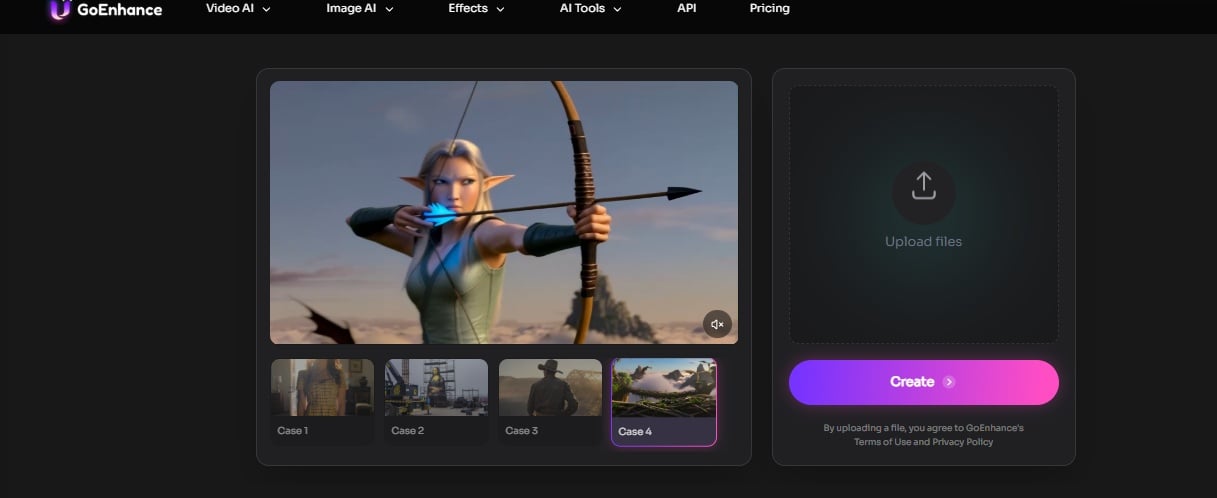
These two platforms answer different questions.
- Artlist answers: how do I manage music, footage, and assets in one workflow?
- GoEnhance answers: how do I generate and edit video using AI?
If your workflow starts with “I need music for this video,” Artlist is a reasonable candidate. If it starts with “I need to generate this video using AI,” a dedicated AI video generator is the more direct path.
The AI video generator category has matured enough that specialized tools offer deeper AI-native functionality, clearer pricing structures, and more consistent model improvements than a bundled asset platform can prioritize. For creators whose primary workflow need is AI video generation, two focused subscriptions may serve them better than one all-in-one bundle — depending on how heavily they actually use each component.
If your workflow starts from a still image and you care more about motion, stylization, and generation control than stock assets, a specialized AI image-to-video tool makes that difference easier to see in practice.
For creators needing character consistency across generations, a focused character animation tool is one area where specialized AI video generation offers capabilities that Artlist’s broader library does not directly address.
10. Who Should Skip Artlist Entirely
Four profiles should look elsewhere.
Occasional publishers
Those publishing fewer than two pieces of content per month will not amortize the subscription efficiently. The asset volume required to justify the cost is higher than first-time subscribers often expect.
Creators who need cancellation flexibility
The 14-day refund window is narrow, and the license logic on already-downloaded assets means understanding the terms before committing is not optional.
Anyone who read “unlimited downloads” as a permanent ownership model
The daily cap, the credits limits, and the publication-timing rule are structural realities that the marketing does not prepare you for.
Creators who need broad generic asset coverage
At 60,000 tracks, Artlist’s curation-first approach deliberately trades breadth for quality. Larger libraries exist. That is a choice Artlist has made, not a gap in their catalog.
11. FAQ
If I cancel, can I still use Artlist music in videos I already published?
Yes — if those videos were published while your subscription was active. Projects published during an active subscription retain their license after cancellation. New projects cannot use Artlist assets after cancellation, even if the assets were downloaded before you canceled. AI-generated outputs are not affected by this rule.
Why do so many users seem confused about the license?
Two sources.
First: “unlimited downloads” primes users to interpret this as permanent download ownership.
Second: “published during your subscription” and “created during your subscription” sound similar but carry different legal weight.
Community discussions on Reddit show this as the single most common post-purchase surprise.
Does Clearlist actually prevent YouTube copyright claims?
It handles false claims on registered YouTube channels automatically — that part works as described. But it is not a preemptive tool. Unregistered assets can still receive claims. And its protection is platform-specific; multi-platform publishing and client deliverables may need additional configuration. Read the Help Center documentation before relying on it.
Is the entry-tier plan ($9.99) worth it for someone who wants to try the AI features?
No. The Social plan covers music and SFX only. AI features require Max or a separate AI plan — both meaningfully more expensive, both with credits that reset monthly without rollover. YouTube reviews of Artlist’s AI suite consistently note that credits limits make serious evaluation difficult on lower-tier plans.
What do real users say about Artlist’s customer service and refunds?
The response is mixed. Some users say support is responsive when a billing or licensing issue is simple. Others describe a much rougher experience once cancellation, claims, or plan expectations enter the picture.
A broader third-party view is visible in Trustpilot Artlist reviews. The split is pretty consistent: positive reviews tend to mention helpful support and quick fixes, while negative reviews cluster around auto-renewal frustration, refund expectations, and confusion about what the license actually covered once a dispute happened.
That pattern matters because it mirrors the rest of the product. Artlist usually works best when the subscription model already matches the way you publish. When it does not, support friction becomes part of the review, not a side note.
12. Final Verdict
Artlist is a legitimate platform for creators producing high-volume video content on a recurring basis. The all-in-one bundle — footage, templates, editor plugins, curated music — genuinely reduces tool-switching friction for professional workflows. Clearlist addresses a real YouTube copyright anxiety. The music curation is above average.
The subscription costs are real too. The daily download cap is more restrictive than the word “unlimited” implies. AI credits that do not roll over make AI features more limited than their marketing presence suggests. And the license — which ties permanent authorization to publication timing, not download timing — is the source of more post-purchase frustration than any feature gap.
Know what you are buying before you sign up. Artlist works well for creators who understood the terms going in. Everyone else tends to discover the terms after canceling.


