AI Eating Videos: How to Make Surreal ASMR and Mukbang Clips
- 1. What AI Eating Videos Are
- 2. AI Eating Video Ideas Worth Making
- 3. How To Create AI Eating Videos From Images
- 4. Prompt Tips For Better Results
- 5. Text-To-Video Templates Versus Image-To-Video Control
- 6. ASMR Details That Make The Clip Work
- 7. Best AI Eating Video Generators To Try
- 8. Common Mistakes To Avoid
- 9. FAQ
- 10. Final Takeaway
AI eating videos sit in a strange but very clickable corner of short-form content. A glossy fruit cracks like ice. A cartoonish cat eats food it never actually touched. A bowl of noodles becomes a whole landscape. The best clips are odd enough to stop the scroll, but polished enough that people keep watching.
For creators, the appeal is practical: you do not need a studio, food props, lighting, microphones, or repeat takes. You need a strong visual idea, a clean source image, and a tool that can turn that image into motion. If your workflow already includes AI image generation, image-to-video, or video editing, a platform like GoEnhance AI can be useful for testing creative concepts before building a full content series.
1. What AI Eating Videos Are
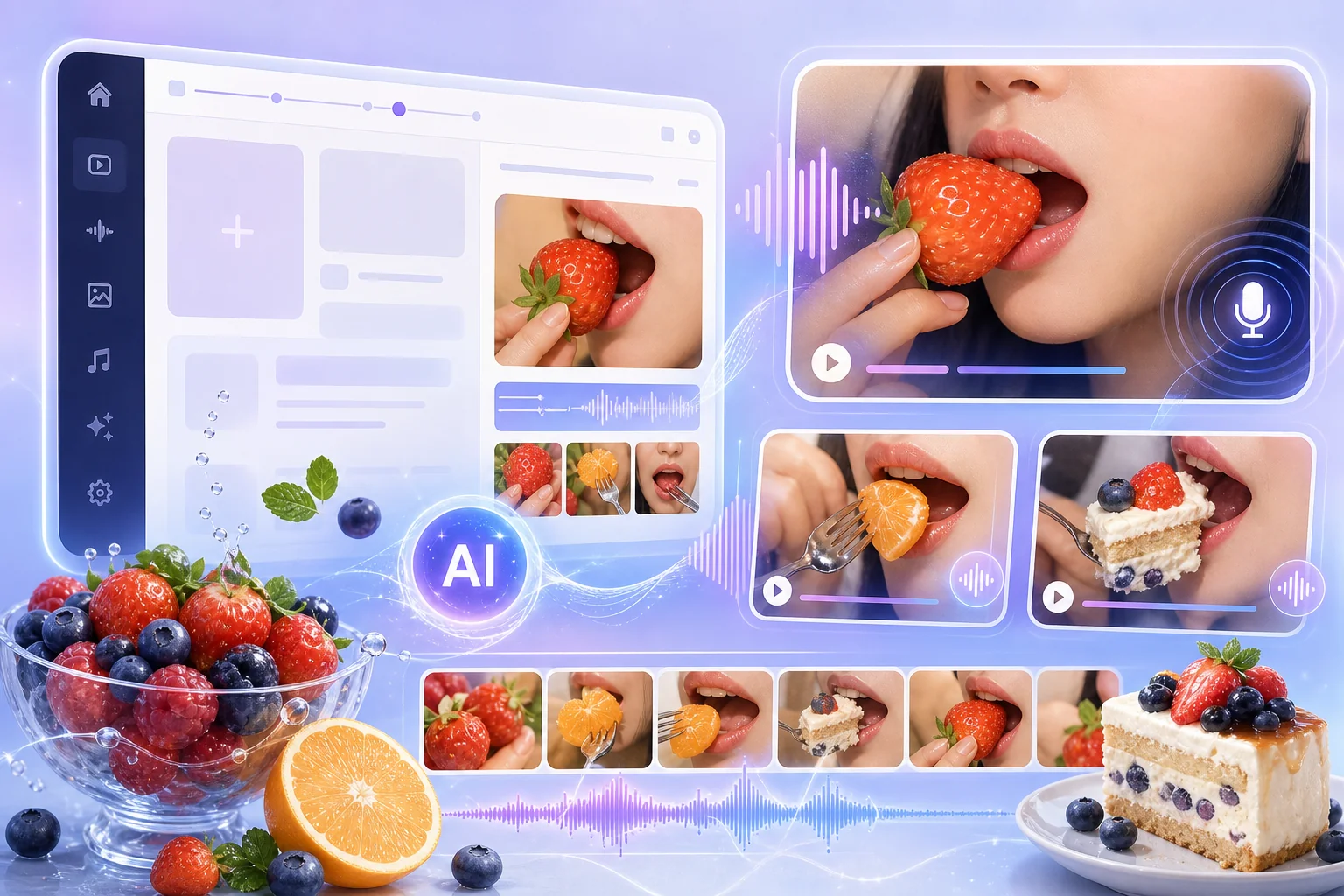
AI eating videos are generated clips that simulate food being eaten, bitten, sliced, melted, chewed, or transformed. Some are inspired by ASMR. Some feel like surreal mukbang. Others are pure visual experiments: glass sushi, lava candy, ramen lakes, fruit eating fruit, or pets performing human-like food scenes.
The format works because it combines three attention triggers:
- A familiar action: eating, biting, chewing, pouring, slicing.
- An impossible material: glass fruit, lava sweets, jelly noodles, ice textures.
- A sensory hook: crunch, crackle, slurp, fizz, melt, stretch.
That mix gives creators a lot of room to experiment. The clip does not need to be realistic. It needs to be clear, surprising, and satisfying to watch.
2. AI Eating Video Ideas Worth Making
Not every idea deserves a generation credit. The best AI eating videos are easy to understand in one second. If viewers need to read a caption to know what is happening, the concept is probably too complicated.
Start with a simple object and one sensory twist.
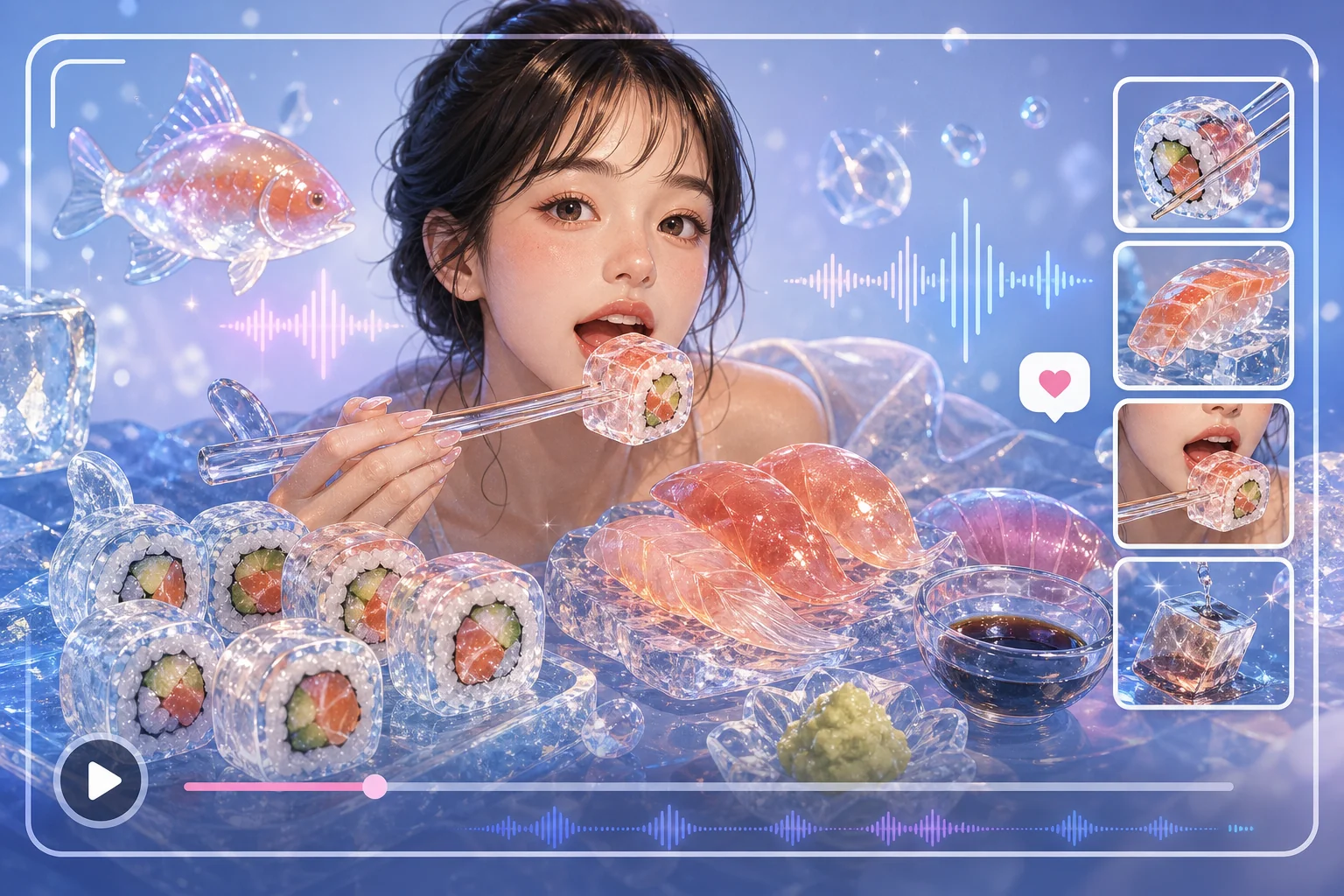 Glassy sushi AI eating video idea
Glassy sushi works because the contrast is immediate. Sushi is soft and familiar, while glass is hard and crisp. That tension creates a strong ASMR expectation before the clip even moves.
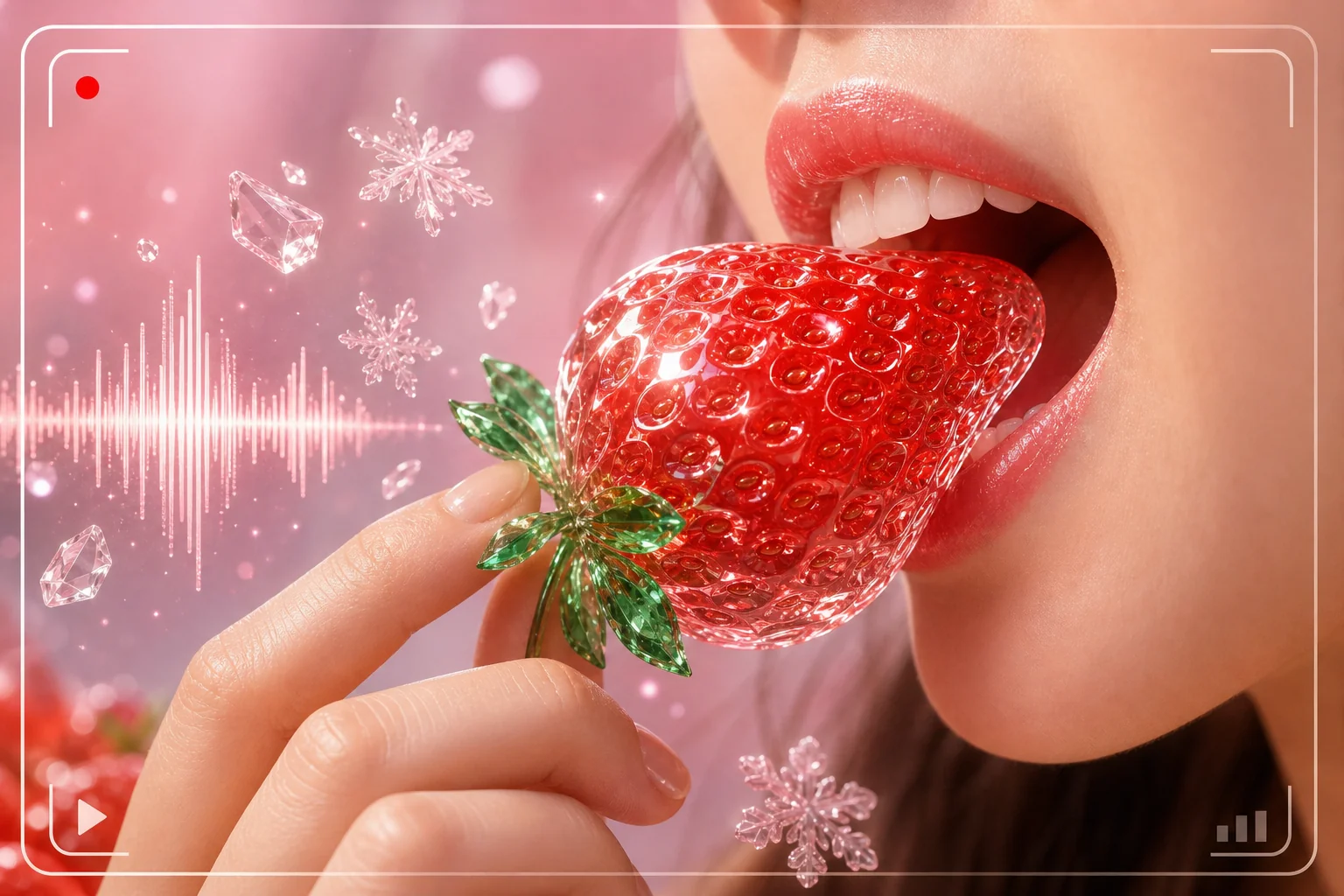 Glossy strawberry AI eating video idea
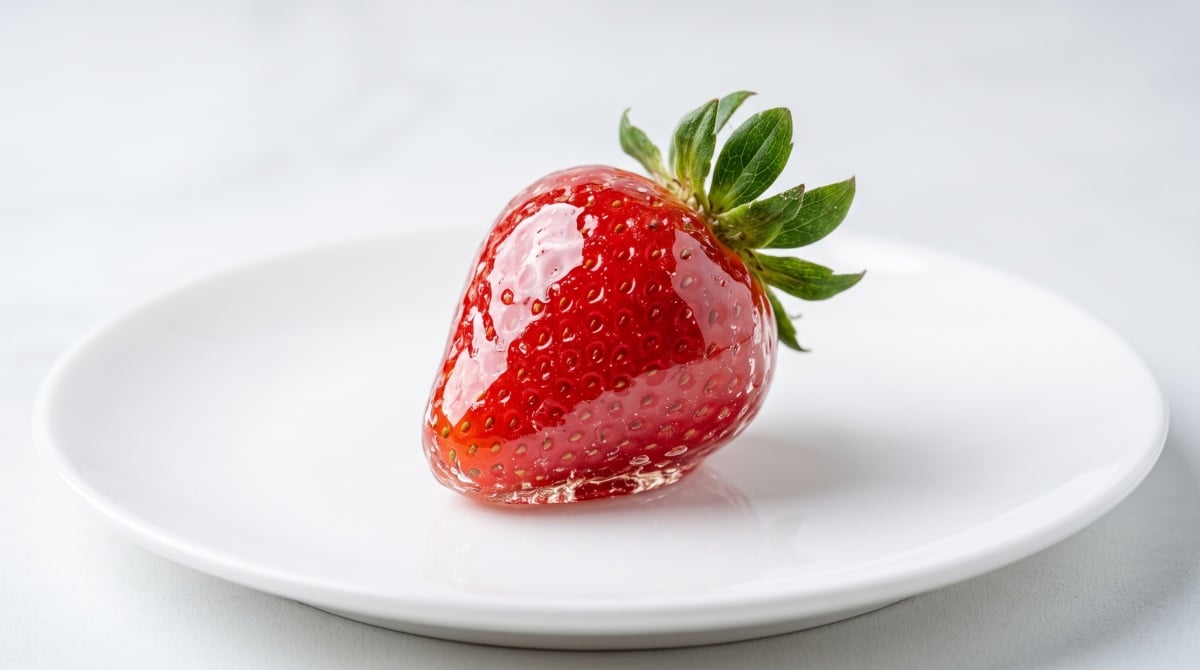
Artificial fruit can work well too. A strawberry that cracks like ice or peels like candy is easier to understand than a crowded fantasy scene. Keep the frame clean and let the texture carry the concept.
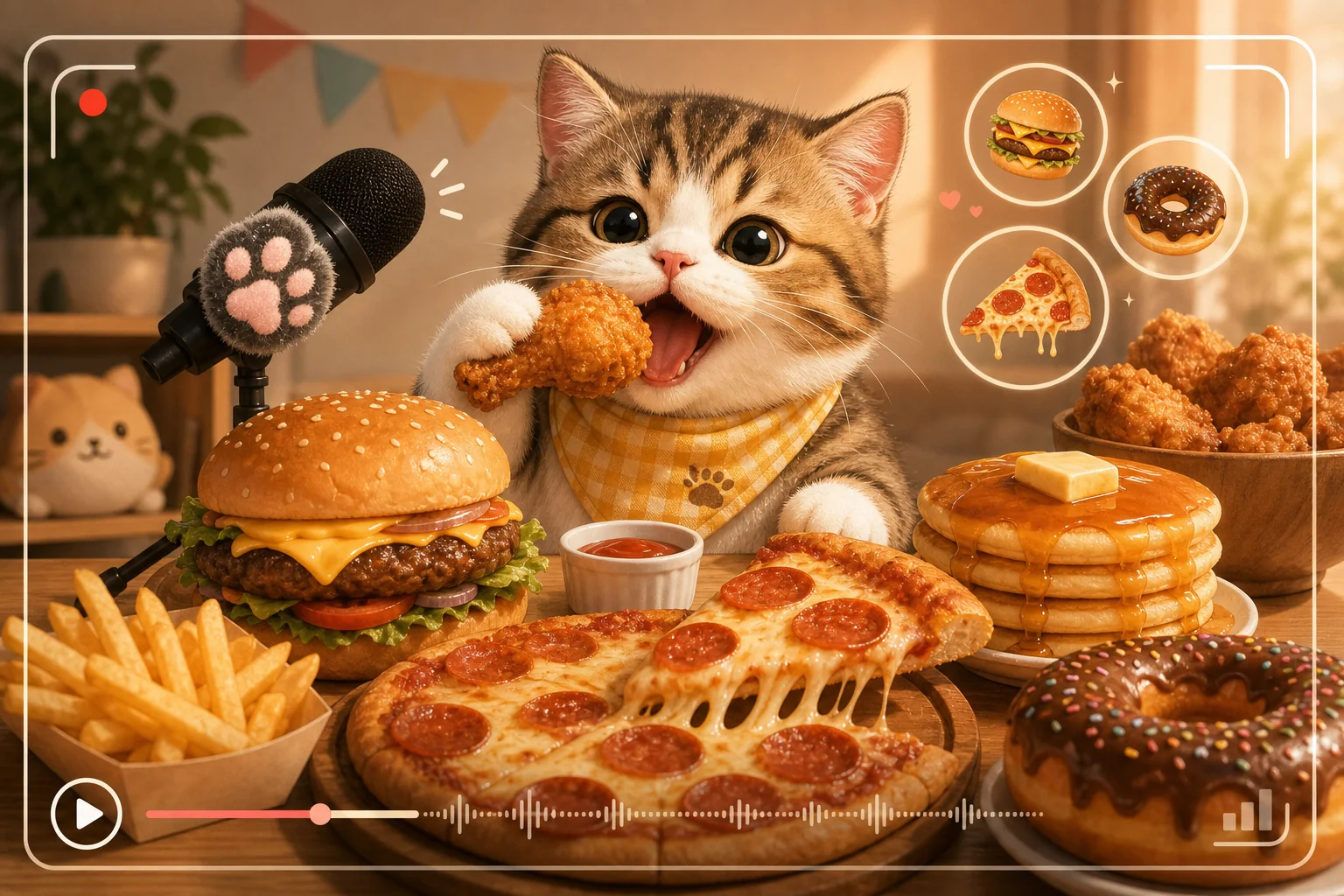 Cat AI eating video idea
Pets can be funny, but they need extra care. A cat eating oversized food is charming when the clip feels playful and fictional. Avoid anything that looks uncomfortable, unsafe, or too close to real animal harm.
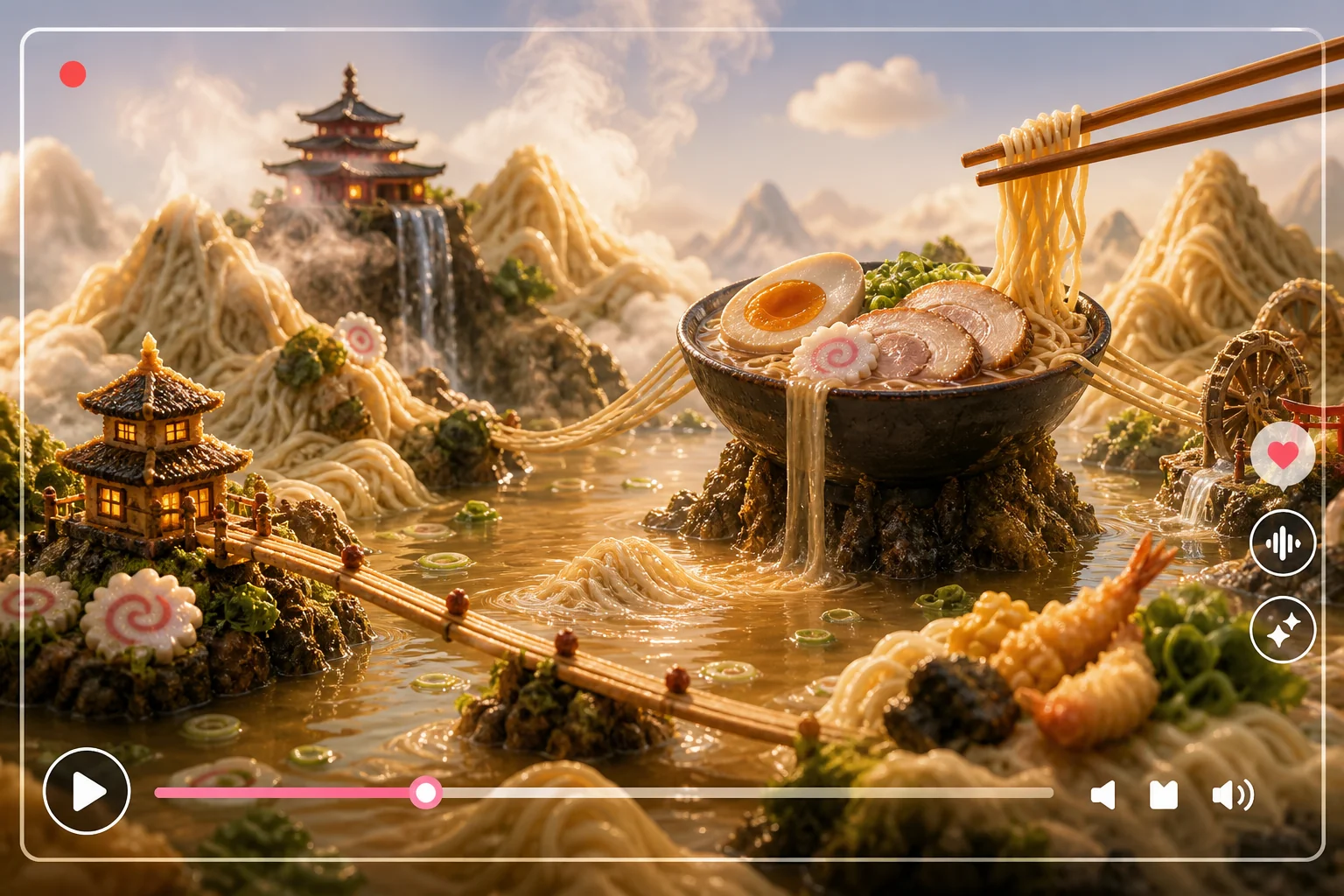 Ramen lake AI eating scene
Large-scale food scenes, like a ramen lake or cake island, are better for surreal content than pure ASMR. They are harder to animate convincingly, but they can create strong thumbnail appeal.
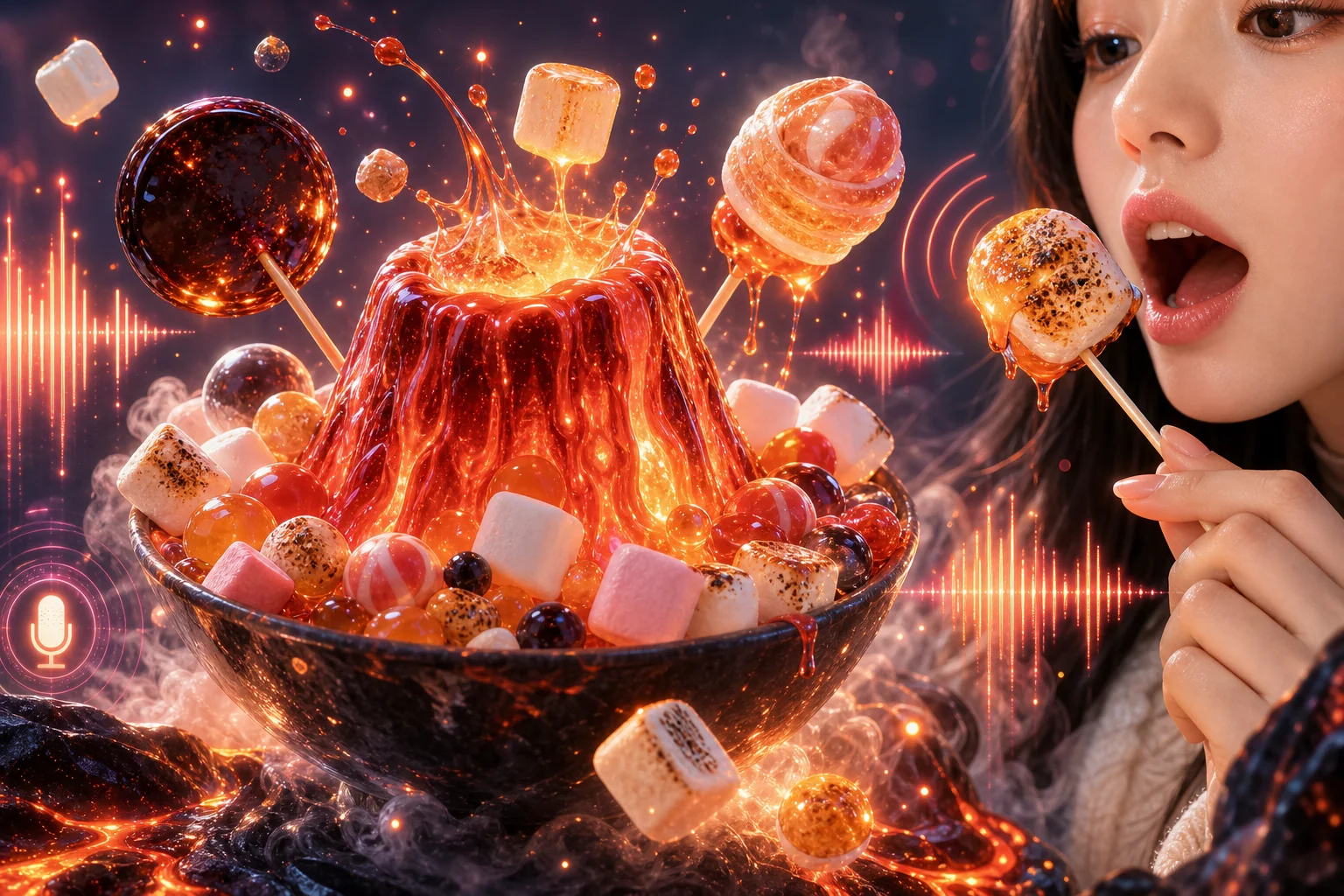 Lava candy AI eating scene
Lava-style candy and glowing desserts can be visually strong, but the tone matters. Keep the scene playful and dessert-like. If it looks dangerous, messy, or unpleasant, viewers may swipe away instead of watching.
3. How To Create AI Eating Videos From Images
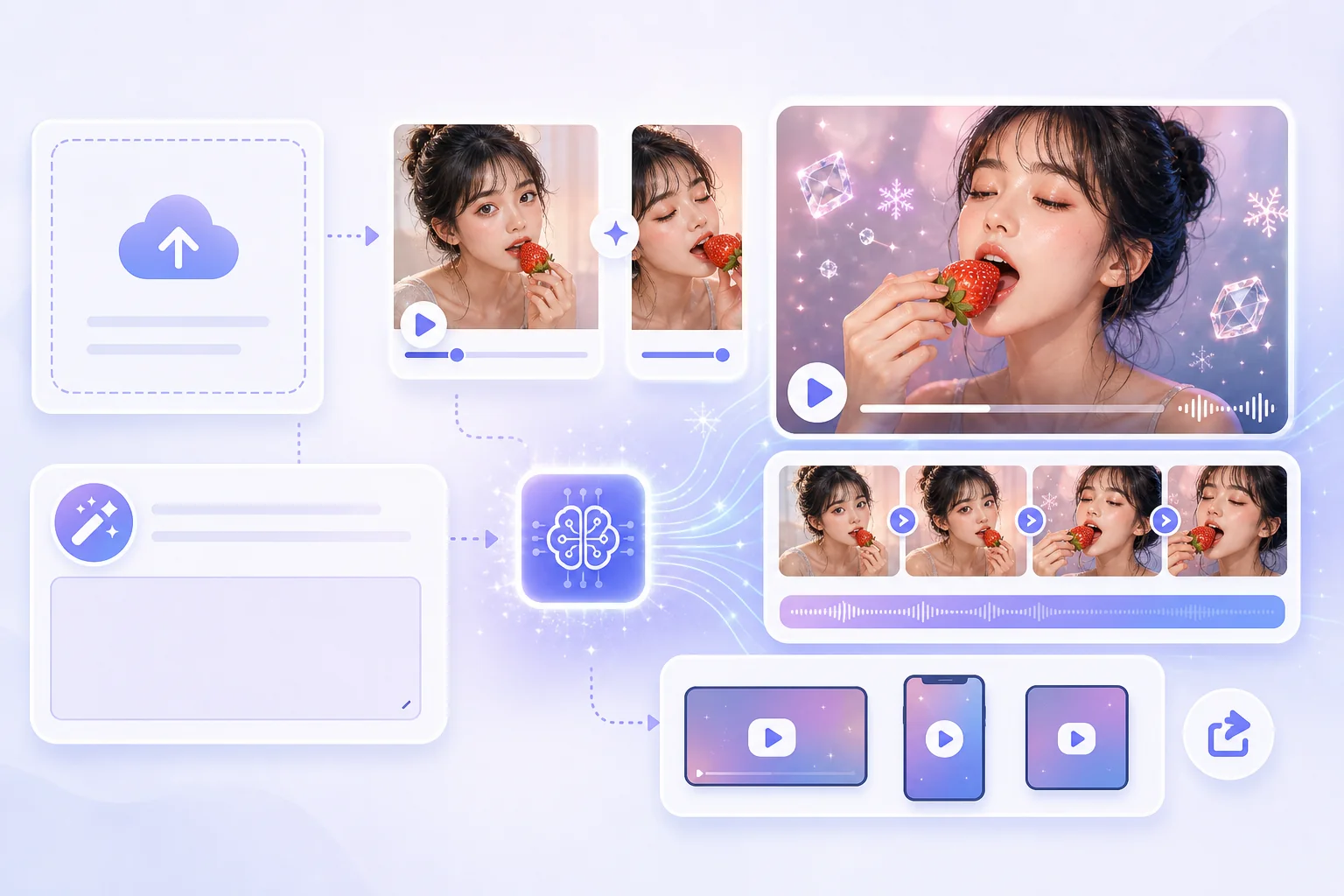
The cleanest workflow starts with an image, not text alone. A strong image gives the video model a clear subject, composition, texture, and color palette. Then your prompt tells the model what should happen.
Use this process:
- Pick one subject. Do not combine too many foods, characters, and actions in one clip.
- Create or choose a clear starting image. The food should be large enough to read on a phone screen.
- Decide the sensory action. Crack, melt, stretch, crunch, pour, bite, or peel.
- Add camera direction. Close-up, slow push-in, side angle, overhead view, or macro shot.
- Describe the sound mood if the tool supports it. Crisp ASMR, soft chewing, fizzy crackle, icy crunch.
- Generate a short clip first. Five seconds is enough to test the idea.
- Review the first second. If the hook is not clear immediately, simplify the scene.
If you want to build these clips from still visuals, an AI video generator is usually the right starting point. For food content, image-to-video control often matters more than long prompts because the starting frame anchors the scene.
4. Prompt Tips For Better Results
Good prompts for AI eating videos are concrete. Weak prompts say "make a viral eating video." Better prompts describe the subject, material, action, camera, lighting, and texture.
For example:
| Prompt Part | Better Direction |
|---|---|
| Subject | "a glossy strawberry on a white plate" |
| Material | "ice-like shell with juicy red interior" |
| Action | "a single clean bite creates a crisp crack" |
| Camera | "macro close-up, slow push-in" |
| Style | "premium food video, soft studio light" |
| Safety | "playful, non-graphic, appetizing" |
Avoid stacking too many effects. "Glassy, lava, jelly, chrome, slime, exploding, rainbow, hyperreal" is likely to confuse the model. One strong sensory idea is enough.
5. Text-To-Video Templates Versus Image-To-Video Control
Text-to-video templates are faster. They are useful when you want to test a trend quickly, especially for simple fruit, candy, or ASMR concepts. The tradeoff is control: the model decides more of the framing and visual identity.
Image-to-video gives you more consistency. If you already have an AI-generated food image, product mockup, cartoon character, or pet portrait, you can use that as the first frame and guide the motion with a prompt. This is usually better when the clip needs to match a brand style or content series.
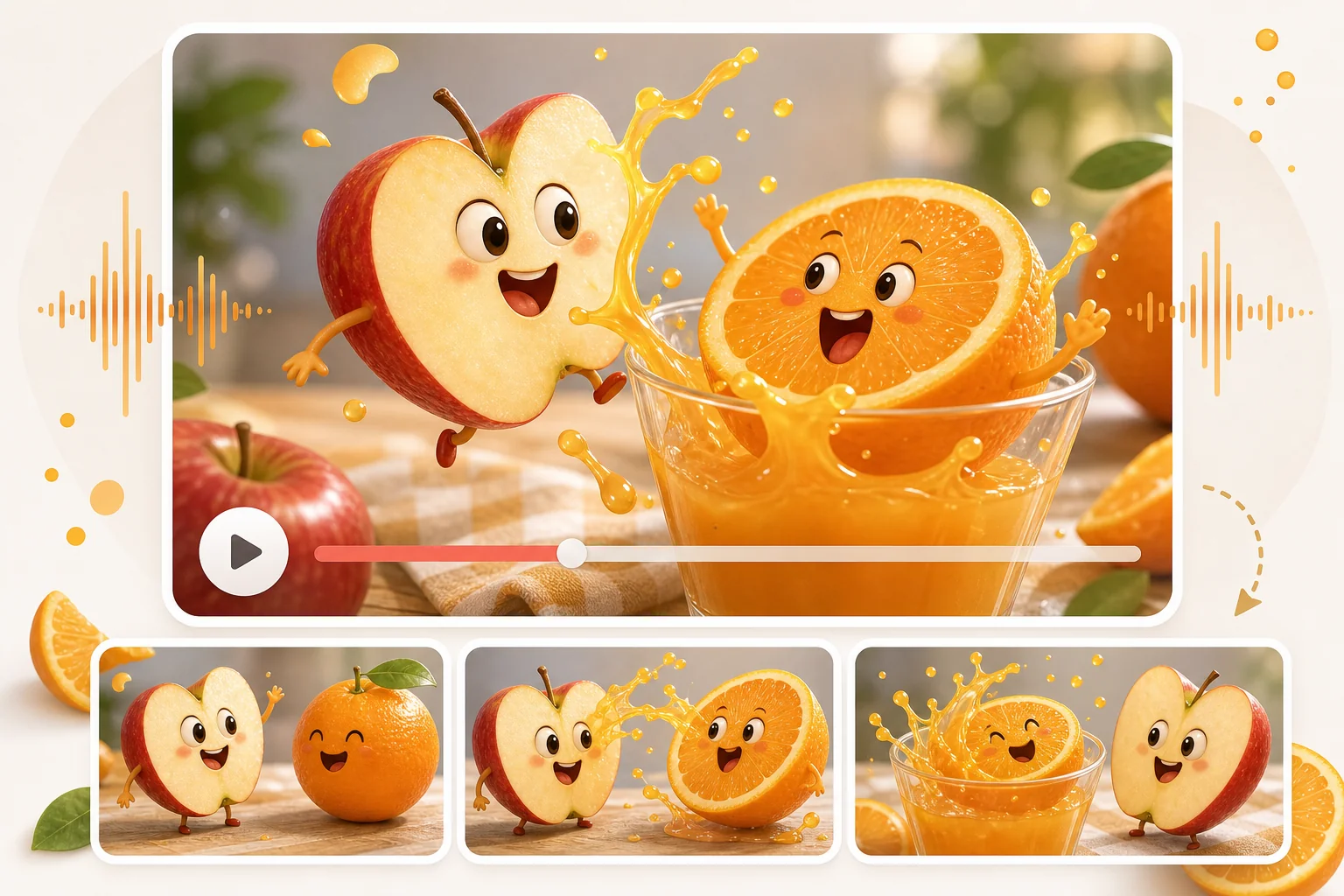 Surreal fruit AI video template
Use text-to-video when:
- You need quick inspiration.
- The idea is simple.
- Visual consistency is not critical.
- You are making trend tests. Use image to video when:
- You want the same subject across multiple clips.
- The thumbnail matters.
- You need more control over composition.
- You are building a repeatable content format.
6. ASMR Details That Make The Clip Work
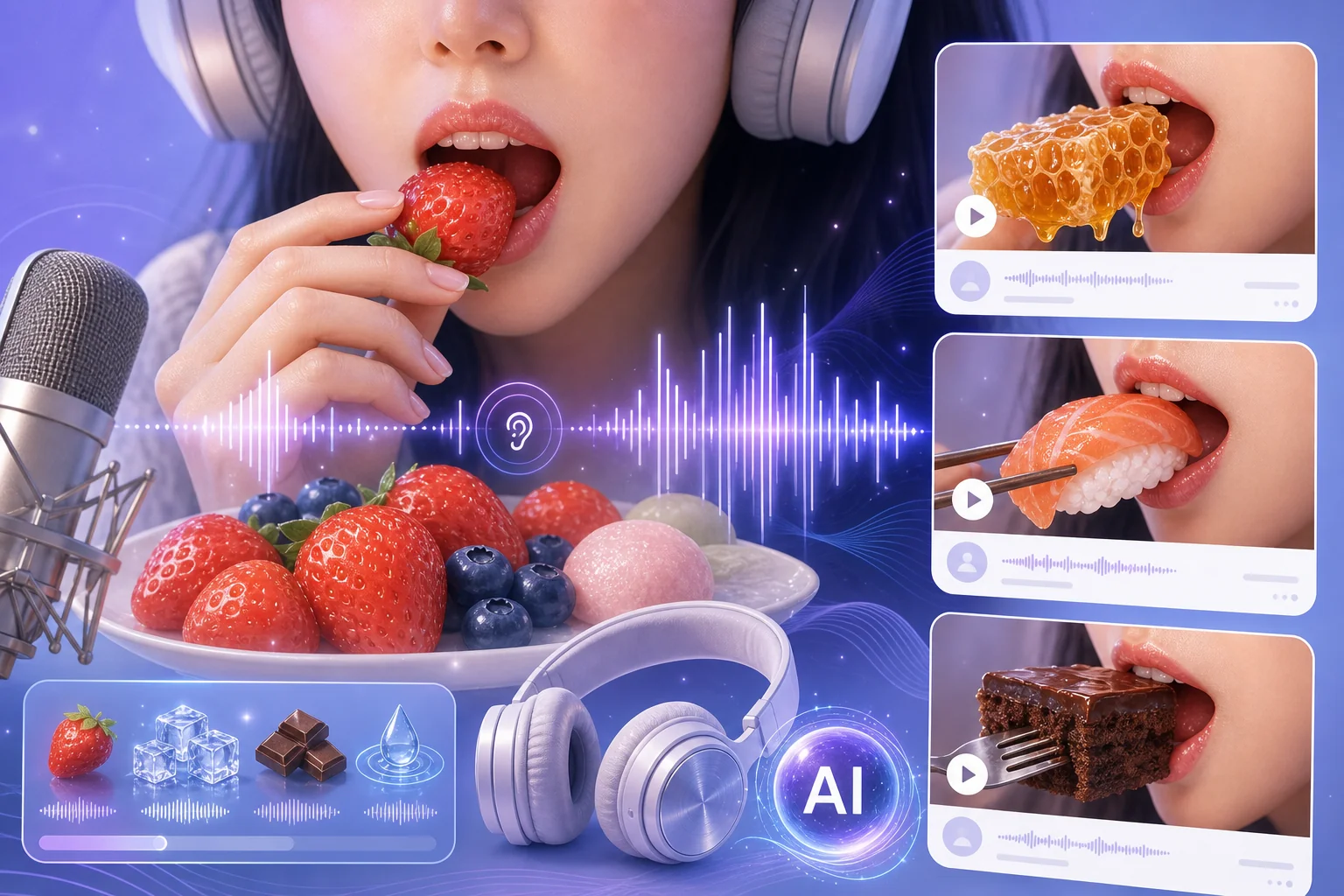
AI ASMR eating content depends on implied texture. Even if the viewer is watching silently, the visuals should make the sound feel obvious.
Use visual cues:
- Ice-like cracks for crisp sounds.
- Soft stretching for chewy sounds.
- Tiny bubbles for fizz.
- Slow melting for warm or syrupy sounds.
- Clean slicing for sharp, satisfying cuts.
- Close-up crumbs or flakes for crunch.
The sound does not need to be extreme. In fact, subtle often works better. Overdone ASMR can feel fake, especially if the visual action and sound texture do not match.
7. Best AI Eating Video Generators To Try
If you want to turn surreal food ideas into short videos, the tool matters as much as the prompt. Some platforms are better for image-to-video control, while others are better for quick template tests or final editing.
1. GoEnhance AI
GoEnhance AI is the first tool I would test when making AI eating videos from still images. For this type of content, the first frame matters a lot: it controls the food shape, texture, camera angle, color palette, and thumbnail appeal. Instead of asking a text-to-video model to invent everything from scratch, you can start with a clean food image and then guide the eating, biting, melting, cracking, or chewing motion with a prompt.
This workflow works especially well for surreal ASMR clips, mukbang-style short videos, glassy fruit, lava candy, jelly desserts, ramen scenes, and playful pet eating videos. It is also useful if you want to build a repeatable short-form content series, because you can keep the same visual style across multiple clips.
Method 1: Create a Still Food Image First
This method is useful if you do not already have a source image. You can generate a clean food visual first, then animate it into an AI eating video.
Tool link: GoEnhance AI Image Generator
 Steps:
- Open the GoEnhance AI Image Generator.
- Write a prompt for one clear food subject, such as a glossy strawberry, glass sushi, jelly cake, lava candy, ramen bowl, or oversized dessert.
- Keep the scene simple. Avoid adding too many foods, props, characters, and background details in one image.
- Describe the material clearly, such as ice-like shell, jelly texture, glossy candy coating, soft cake interior, or fizzy soda bubbles.
- Choose a close-up or macro composition so the food is easy to read on a phone screen.
- Generate several still images and choose the one with the clearest shape, strongest texture, and best thumbnail appeal.
Example prompt:
A glossy strawberry on a clean white plate, ice-like transparent shell with juicy red interior, macro food photography, soft studio lighting, shallow depth of field, satisfying ASMR visual style, clean background, premium short-form video thumbnail, no text, no hands, no messy background.
Method 2: Animate the Food Image With Image to Video
This is the main workflow for AI eating videos. A strong starting image gives the video model a stable subject, while the prompt controls the action, camera movement, and sensory feeling.
Tool link: GoEnhance AI Image to Video
Steps:
- Open the GoEnhance AI Image to Video tool.
- Upload the still food image you want to animate.
- Write one clear eating action, such as a single bite, crisp crack, slow melt, soft stretch, clean slice, fizzy pour, or gentle chew.
- Add camera direction, such as macro close-up, slow push-in, side angle, overhead view, or handheld food video shot.
- Add sensory details, such as icy crunch, soft chewing, sticky stretch, syrupy melt, or crisp ASMR crackle.
- Generate a short clip first. A 4–6 second video is usually enough to test whether the action works.
- Review the first second. If the hook is not clear immediately, simplify the scene and regenerate.
Example prompt:
Use the uploaded image as reference. Generate an AI eating video where a real person gently picks up the glossy ice-coated strawberry from the white plate and takes one clean bite from the tip. Keep the same macro close-up, soft studio lighting, clean background, strawberry shape, green leaves, and plate. The transparent candied-ice shell cracks with a crisp ASMR sound, revealing juicy red strawberry flesh inside. Show only the hand, lips, and lower face. No invisible bite, no full face, no splatter, no gore, no deformed teeth or fingers, no extra objects, no melting, and no changing the fruit or plate.
Method 3: Use AI ASMR Video for Sensory Eating Clips
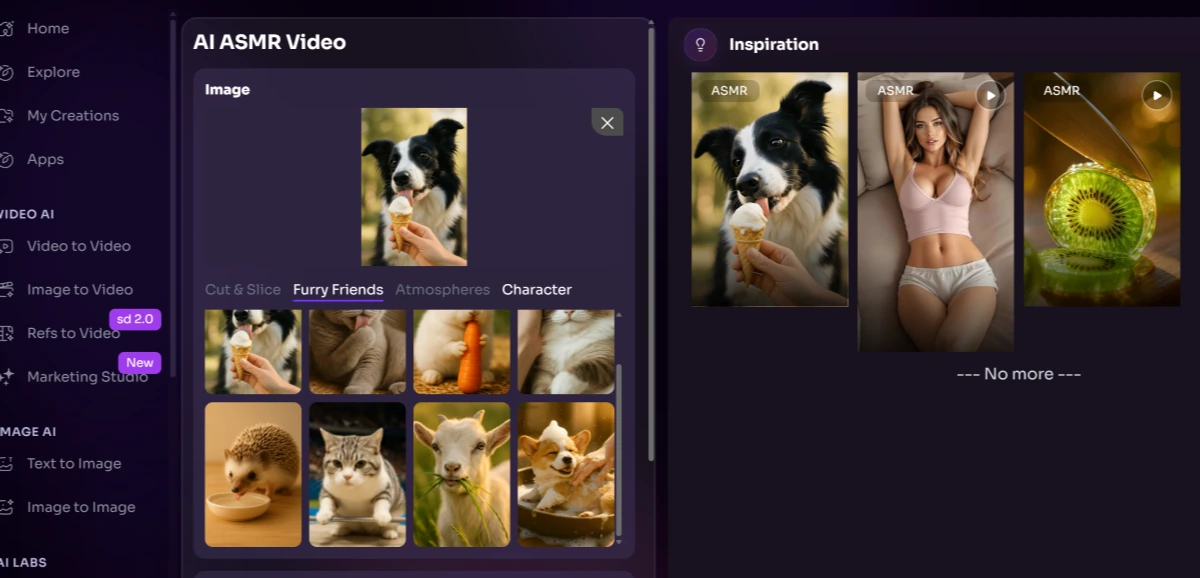
This method is useful when the sound texture is part of the hook. AI eating videos often work better when viewers can imagine the sound immediately, such as icy crunch, glass crack, soft chewing, fizz, slicing, or syrupy melting.
Tool link: GoEnhance AI ASMR Video Generator
 Steps:
- Open the GoEnhance AI ASMR Video Generator.
- Upload a food image or write a detailed prompt for the eating scene.
- Choose one main sound trigger, such as icy crunch, glass-like crack, soft chew, fizzy bubbles, sticky stretch, or clean slicing.
- Keep the action simple and loop-friendly.
- Generate the ASMR video and check whether the motion and sound feeling match.
- Regenerate with a simpler material or action if the clip feels confusing or too exaggerated.
Generated video:
Method 4: Turn One Concept Into a Repeatable AI Eating Video Series
This method is useful if you want to make several short videos with the same visual direction, such as a glass fruit series, lava candy series, jelly dessert series, or surreal pet mukbang series.
Tool link: GoEnhance AI Image to Video
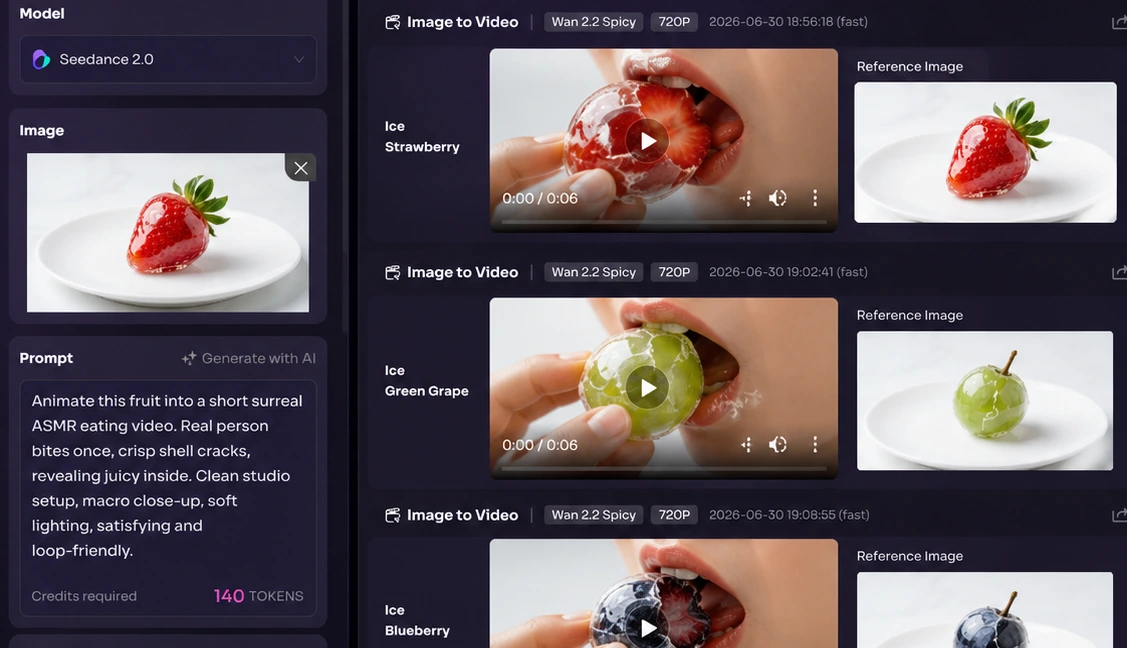
Steps:
- Choose one repeatable theme, such as glass fruit, jelly desserts, lava candy, ramen worlds, or cartoon pet mukbang.
- Keep the framing consistent across clips, such as macro close-up, white plate, soft studio light, or centered food composition.
- Change only one variable at a time, such as the fruit, texture, bite action, or sound mood.
- Use a similar prompt structure for every video so the series feels connected.
- Generate short clips and compare which food-material combination gets the strongest visual hook.
- Keep only the clips where the action is clear, satisfying, and easy to understand within the first second.
Example series prompt:
Animate this food image into a short surreal ASMR eating video. Keep the same clean studio setup, macro close-up framing, centered composition, and soft lighting. The food is bitten once, creating a clear sensory reaction: crisp outer shell, soft juicy interior, and satisfying slow motion texture. Make the action clean, playful, appetizing, and loop-friendly. Do not add extra characters, messy splatter, horror elements, or confusing background objects.
Which GoEnhance AI Workflow Should You Choose?
If you already have a strong food image, start with Image to Video. If you do not have a source image yet, create one first with the Image Generator, then animate it. If sound texture is the main attraction, use the AI ASMR Video Generator. If you want to build a content series, keep the same image style and prompt structure, then test different foods, materials, and eating actions.
For most creators, the easiest workflow is: create or choose one clean food image, animate it with one clear action, keep the video short, and only publish the version where the hook is visible in the first second.
2. Media.io
Media.io can be useful for quick template-style experiments, especially when testing strange food concepts for social media. It is a practical choice when you want to see whether a fruit, candy, or surreal food idea has enough visual hook before spending more time refining it.
Best for: quick inspiration and simple AI eating video tests.
Things to keep in mind: it may be less suitable when you need strong control over the first frame, exact food texture, or a consistent visual series.
3. Easemate
Easemate is more focused on ASMR-style generation. It can be useful when sound texture is part of the hook, such as icy crunches, glass-like cutting sounds, soft chewing effects, or calm sleep-aid style clips.
Best for: AI ASMR clips where audio texture matters.
Things to keep in mind: ASMR can feel fake if the sound and visual action do not match, so the prompt should focus on one clear texture.
4. CapCut
CapCut is not mainly an AI eating video generator, but it is useful for the final editing stage. After generating the AI clip, creators can use it to trim the hook, adjust pacing, add captions, insert sound effects, and prepare the video for TikTok, Instagram Reels, or YouTube Shorts.
Best for: final short-video editing and platform-ready exports.
Things to keep in mind: CapCut improves presentation, but it does not replace a strong source image or a clear AI video prompt.
8. Common Mistakes To Avoid
The first mistake is making the scene too busy. AI eating videos are small-screen content. If the viewer cannot identify the food and the action instantly, the clip loses its hook.
The second mistake is chasing shock over satisfaction. Surreal food works when it feels curious, clean, and sensory. If the clip becomes gross or visually confusing, it stops being shareable.
The third mistake is ignoring the first frame. Many viewers decide whether to watch before the motion begins. Treat the first frame like a thumbnail.
The fourth mistake is publishing every generation. AI video can produce odd mouth movement, warped objects, strange hands, or broken physics. Keep only the clips where the action reads clearly.
9. FAQ
Are AI eating videos hard to make?
They are not hard to start, but good ones still need taste and iteration. The prompt, first image, and texture choice matter more than the tool alone.
What type of food works best?
Simple foods with recognizable shapes work best: fruit, sushi, candy, noodles, cake, jelly, ice, and drinks. They are easy to read quickly and easy to stylize.
Can I make AI eating videos without filming real food?
Yes. You can create a still image first, then animate it with an image-to-video workflow. That is often cleaner than trying to film props.
Are AI ASMR eating videos good for social media?
They can be. Short, clear, sensory clips work well on feeds where viewers respond to odd textures, satisfying motion, and fast visual hooks.
How long should the clip be?
Start with 4 to 6 seconds. If the idea is strong, you can extend it later. Shorter clips are easier to judge and cheaper to iterate.
10. Final Takeaway
AI eating videos work best when they are simple, sensory, and visually clean. Pick one food, one impossible texture, and one satisfying action. Then use image-to-video control to keep the scene consistent. The goal is not just to make something strange. It is to make something strange that people immediately understand and want to replay.