
プロンプト
Copy and customize
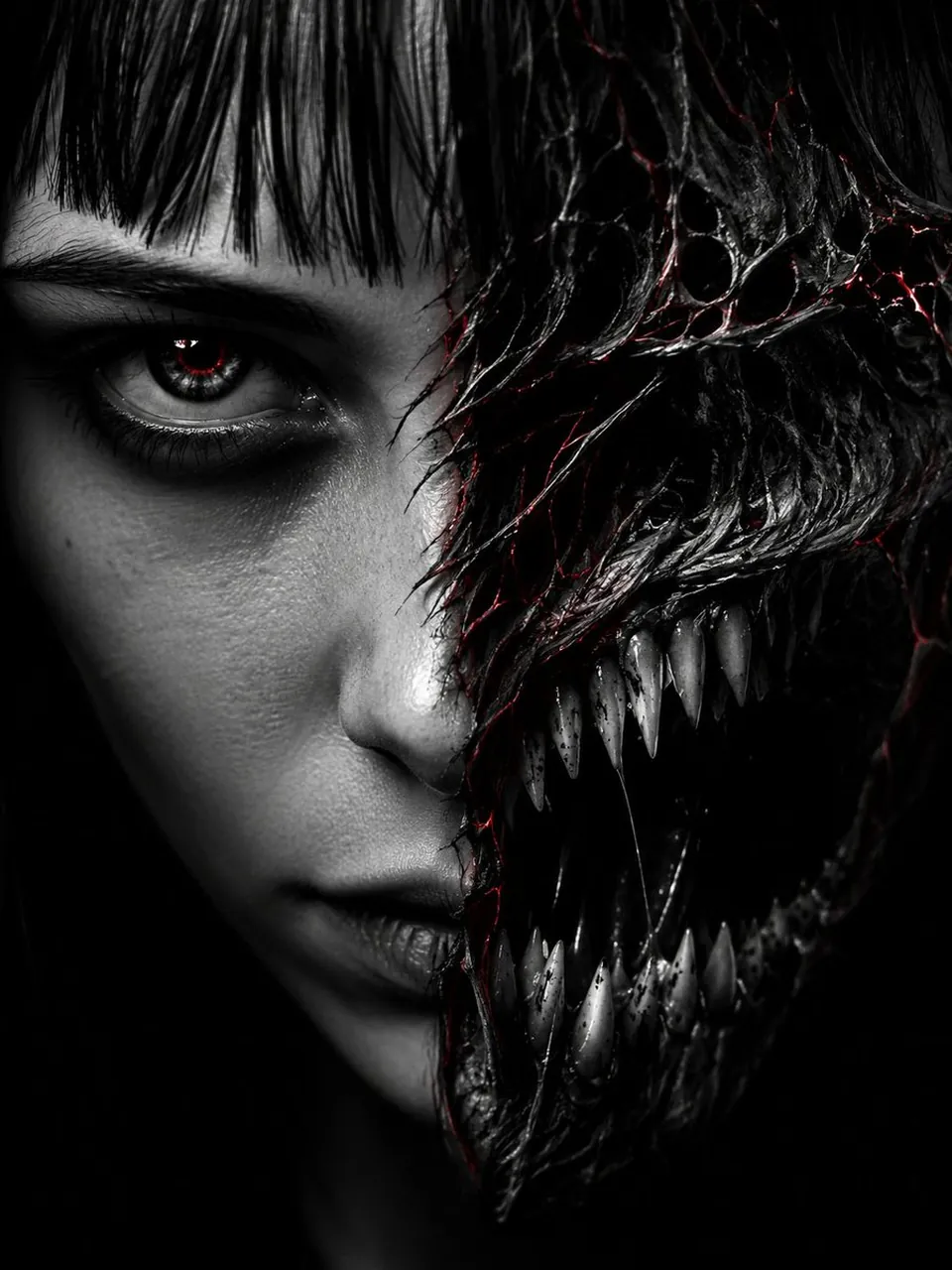
Extreme close-up split-face horror portrait, young woman's face on left half pale and human with sharp dark eyes and blunt bangs, right half transforming into monstrous demon jaw with rows of jagged fangs, torn skin revealing black void mouth, black and white high contrast photography, dramatic single-source rim lighting catching eye and teeth, thin red glowing thread cracks spreading across transformation seam, dark negative space background, unsettling direct eye contact, hyper-detailed skin texture, cinematic horror portrait, 9:16 vertical --ar 9:16 --v 6 (tighter crop, more aggressive):
Same concept but crop from hairline to chin only, teeth filling 40% of frame, single blood-red catchlight in the human eye, no background elements, maximum contrast, pure black negative space
最適用途
ヒント
スタイルや照明を変更しても、極端なクローズアップの顔半分が割れたホラーポートレートの若い女性のメイン被写体が認識できるように焦点を維持してください。
構図に特定のプラットフォームのフォーマットが必要な場合は、生成前にカメラアングルとアスペクト比を調整してください。